← Chapter 04 · Lifecycle

Detailed case study · fictional brand

A lifecycle programme that speaks to the right shopper at the right moment.

A CRM strategy story: how ASHGROVE's customers were sorted into five stages, which four journeys speak to them first and why each wait is what it is, and how it was built and tested safely in Klaviyo, with the decisions and the surprises left in.

RoleStrategy, decisions and review. Built by prompting Claude.
ToolKlaviyo, connected to Claude
Scope5 segments, 4 flows, 14 templates, 1 draft campaign, shop tracking
Evidence83 build screenshots below, from a log of 243 numbered captures
StatusAll Draft. Nothing sent to real customers.
  1. 1 Brief
  2. 2 Safety
  3. 3 Data
  4. 4 Segments
  5. 5 Flows
  6. 6 Personalisation
  7. 7 Shop
  8. 8 Testing
  9. 9 Lessons
  10. 10 Real vs simulated

01

The brief

ASHGROVE already had a brand, a website, a design system, newsletters and a demo shop. What it lacked was the part that makes a brand behave like a business: the right message reaching the right person at the right moment, without anyone doing it by hand.

The goal was to design and build that in Klaviyo for a fictional fashion brand, document every decision, and be able to show it without ever emailing a real customer. I am a non-coder, so the whole programme was built by describing outcomes to Claude, checking each result myself in the Klaviyo dashboard, and approving every change before it happened.

The one-line answer: four automated journeys, five lifecycle stages, 87 invented shoppers, and a testing routine strict enough to catch a junk-folder surprise and a gap in my own segments.

The strategy in plain words

A lifecycle programme works out what a shopper has done and sends the one message that fits that moment. I started with four objectives: welcome new subscribers, recover abandoned carts, bring first-time buyers back for a second order, and win back lapsed customers. These four come first because each sits at a point where a customer is easiest to lose and a small, well-timed message is most likely to help. Everything else, such as a birthday email or a review request, can wait until these work.

ObjectiveFlowWhat a real programme would trackWhy the wait is what it is
Welcome new subscribersWelcomeFirst-order rate after the welcome seriesThree emails over five days (days 0, 2 and 5), so the brand introduces itself and then shows one product without crowding the inbox.
Recover abandoned cartsAbandoned cartRecovered-cart rateOne hour. The shopper is still thinking about the cart, and anyone who buys within that hour must not get a reminder, so the flow checks for an order first.
Bring buyers back for a second orderPost-purchaseSecond-order rate within 90 daysThree days between the two emails, so the second ("something that goes with it") arrives once the parcel is likely to have landed. Ninety days before the same person can re-enter, so a repeat buyer gets the care guide again but a quick double order does not.
Win back lapsed customersWin-backWin-back rateFive days between the two emails, so the second tells a different story instead of nagging.

These are the numbers a real programme would measure. None are claimed here, because nothing was sent to a real customer and the shoppers are invented.

What I decided. I chose the triggers, the waits, the filters, the five stage rules and the demo-send safety rule, and I approved every change before it was written. Claude did the building, through the Klaviyo connector, from my descriptions. I checked each result myself in the Klaviyo dashboard.

02

Built safely: a demo that cannot hurt anyone

A marketing system that sends email is the one kind of project where a small mistake reaches a real person. So the safety rules were designed before anything else was built.

03

The data foundation

A lifecycle programme needs customers with a history. I invented one, on purpose, and labelled it as invented everywhere.

87 profiles

82 shoppers with no email, 4 owned inboxes, 1 test profile.

83 orders

Backdated Placed Order events across 58 profiles, USD 7,876 in total, all invented.

6 properties

demo_send_allowed, lifecycle_stage, preferred_category, preferred_size, order_count, days_since_purchase.

3 lists

Demo shoppers (never send), demo inboxes (4 allowed), newsletter (demo).

A lesson that shaped the design: backfilled history does not trigger flows. Klaviyo only starts a journey from events that happen after it is live, which is why the shop (chapter 02 of the main case study) sends real events of its own.
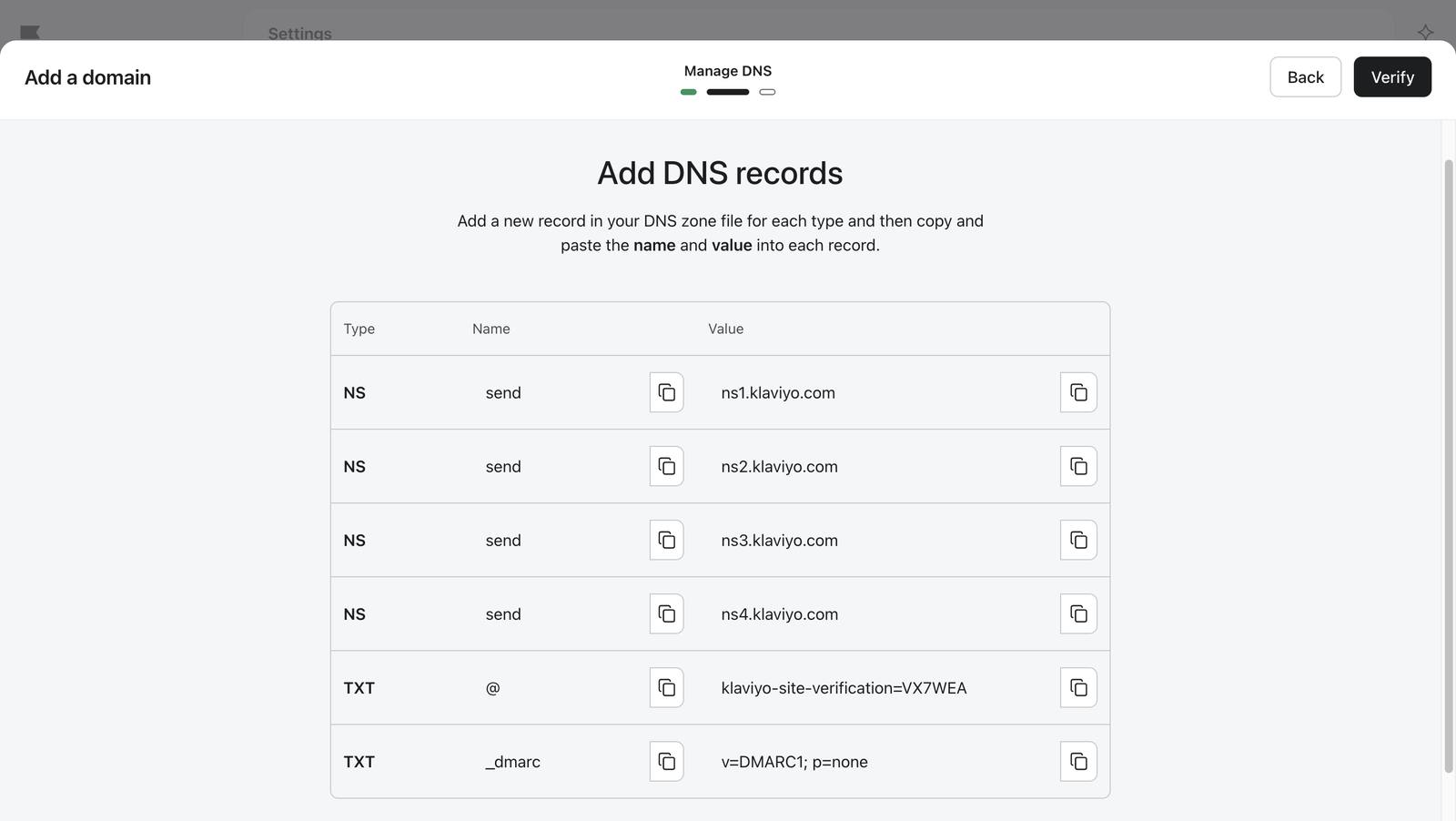
Sending domain 3 screenshots

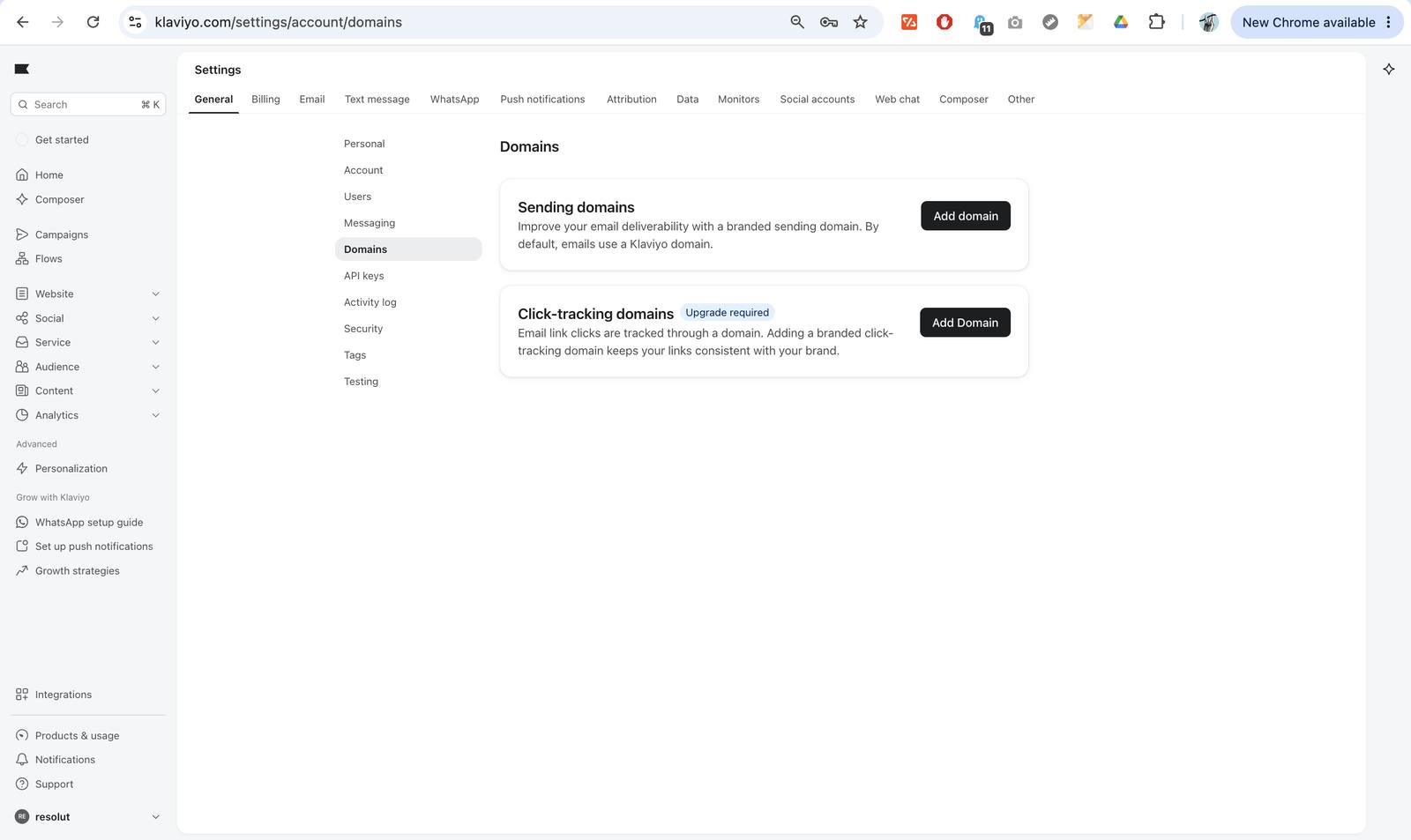
Domains page before setup.
06 Domains page before setup.
Klaviyo lists the DNS records it needs to verify the sending domain.
12 Klaviyo lists the DNS records it needs to verify the sending domain.
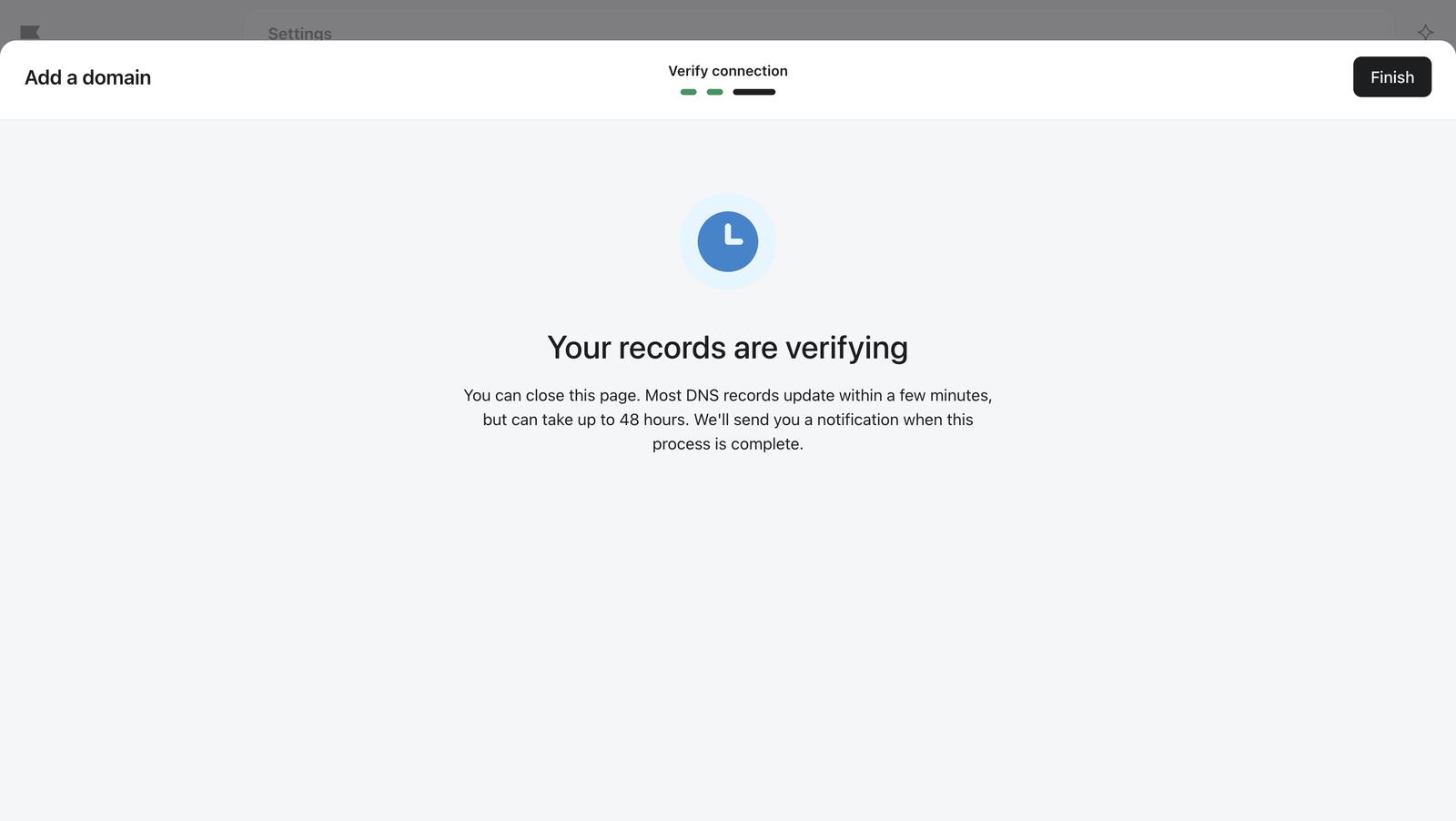
The domain shows as verifying after the records were added.
14 The domain shows as verifying after the records were added.

Importing the shoppers 10 screenshots

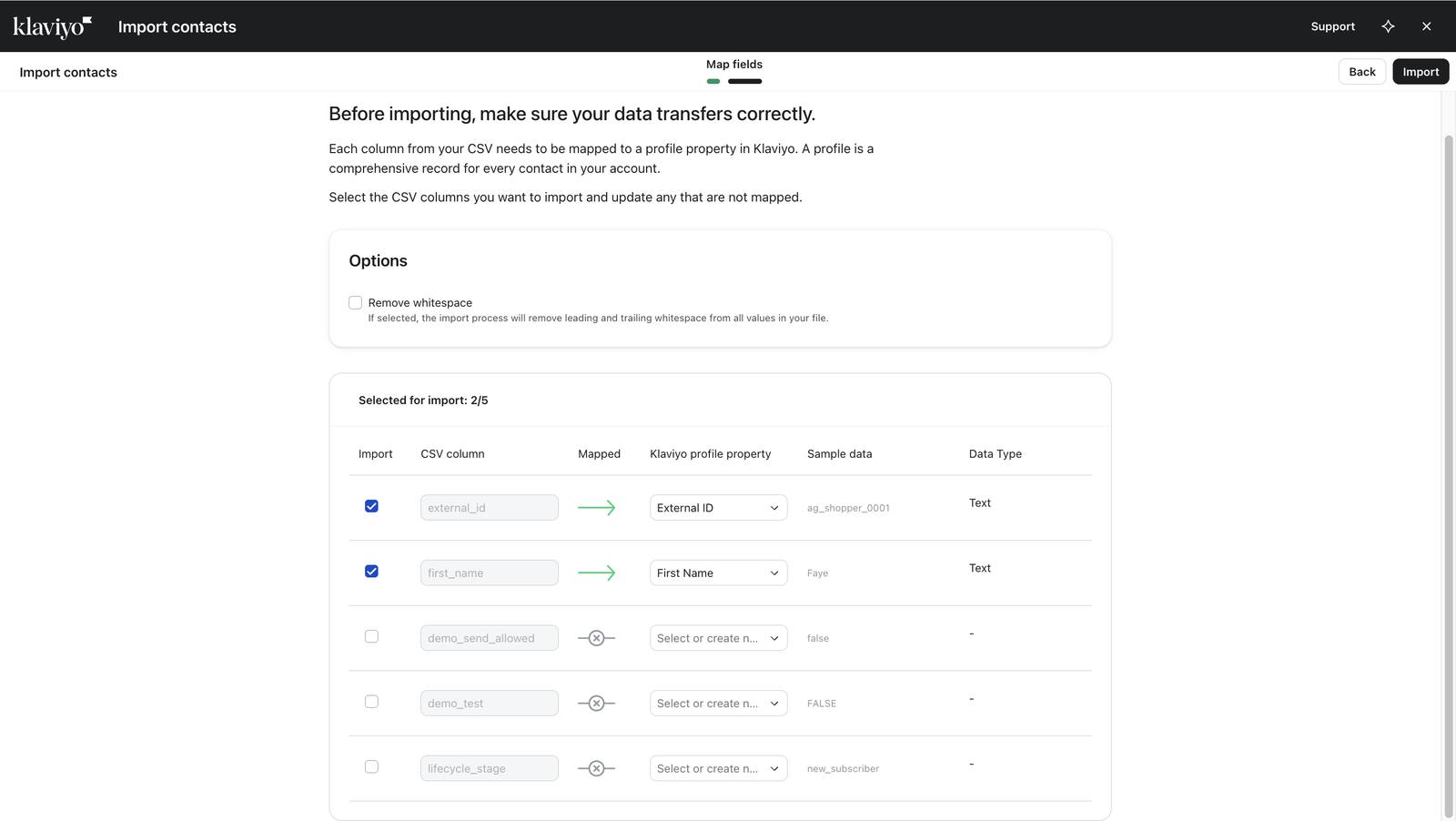
Mapping CSV columns to profile fields: the first attempt, with a mistake to fix.
21 Mapping CSV columns to profile fields: the first attempt, with a mistake to fix.
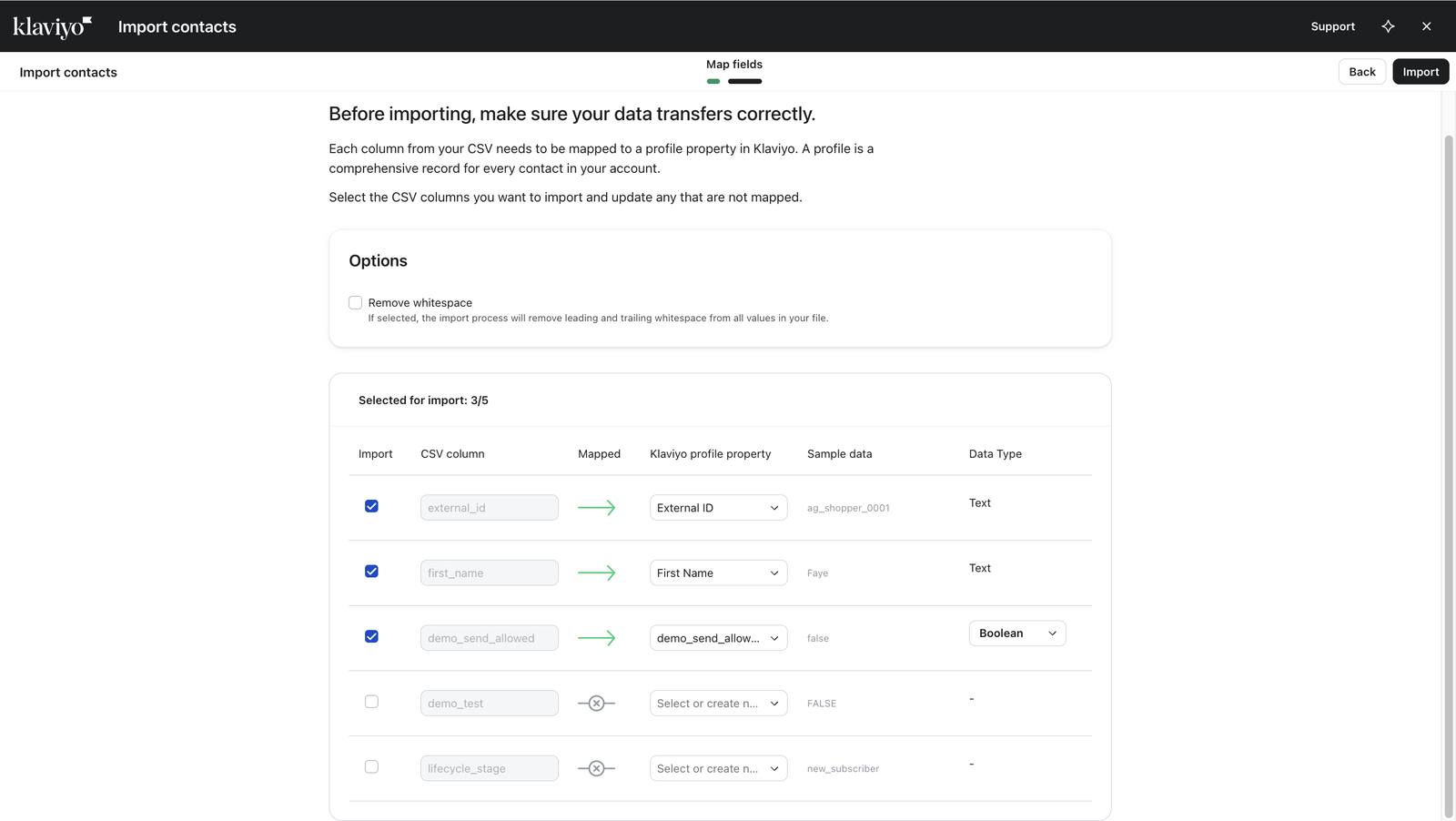
The same import after fixing the mapping.
22 The same import after fixing the mapping.
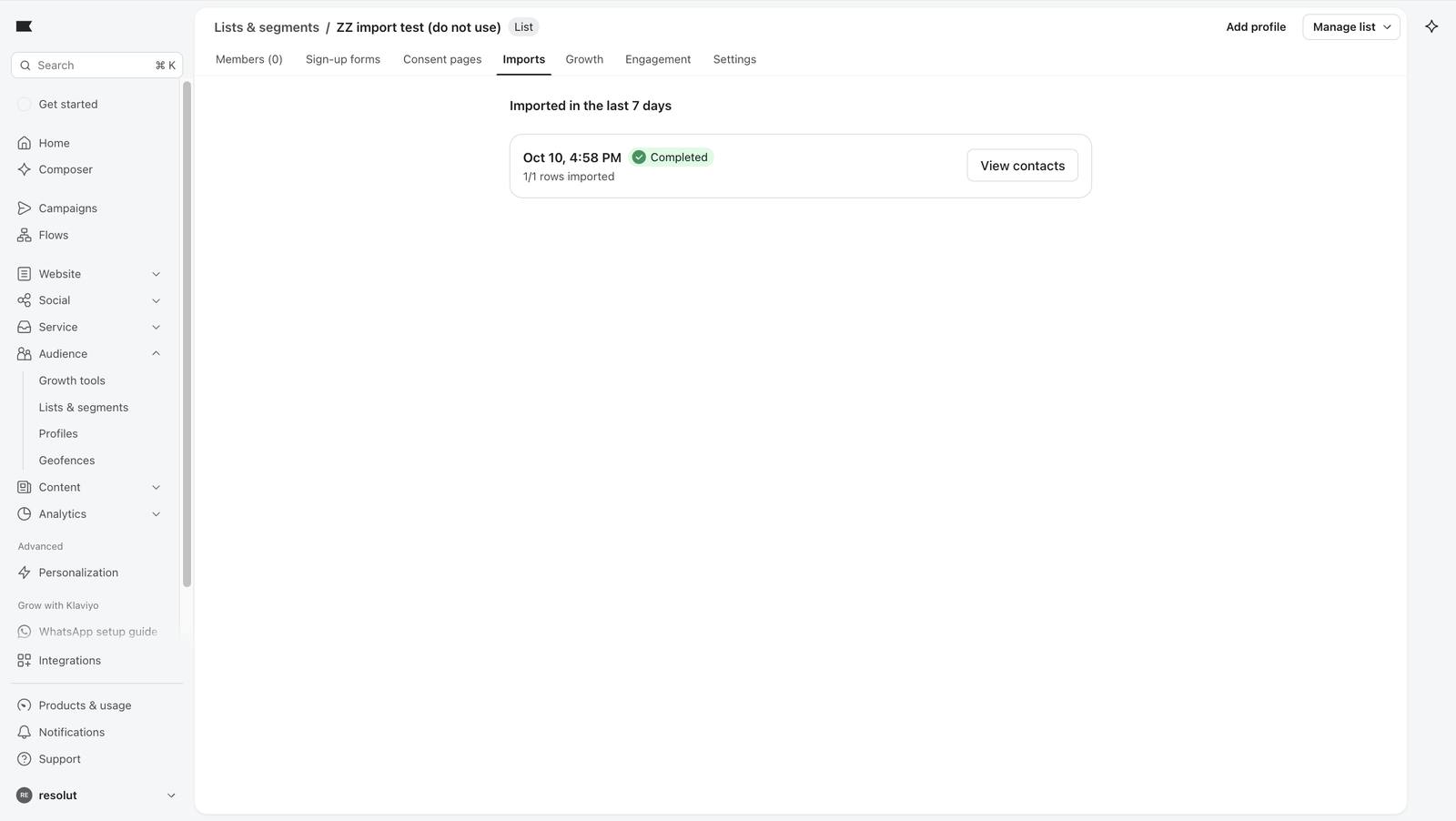
Import complete, but list members still zero: the import creates profiles, the list is a separate step.
23 Import complete, but list members still zero: the import creates profiles, the list is a separate step.
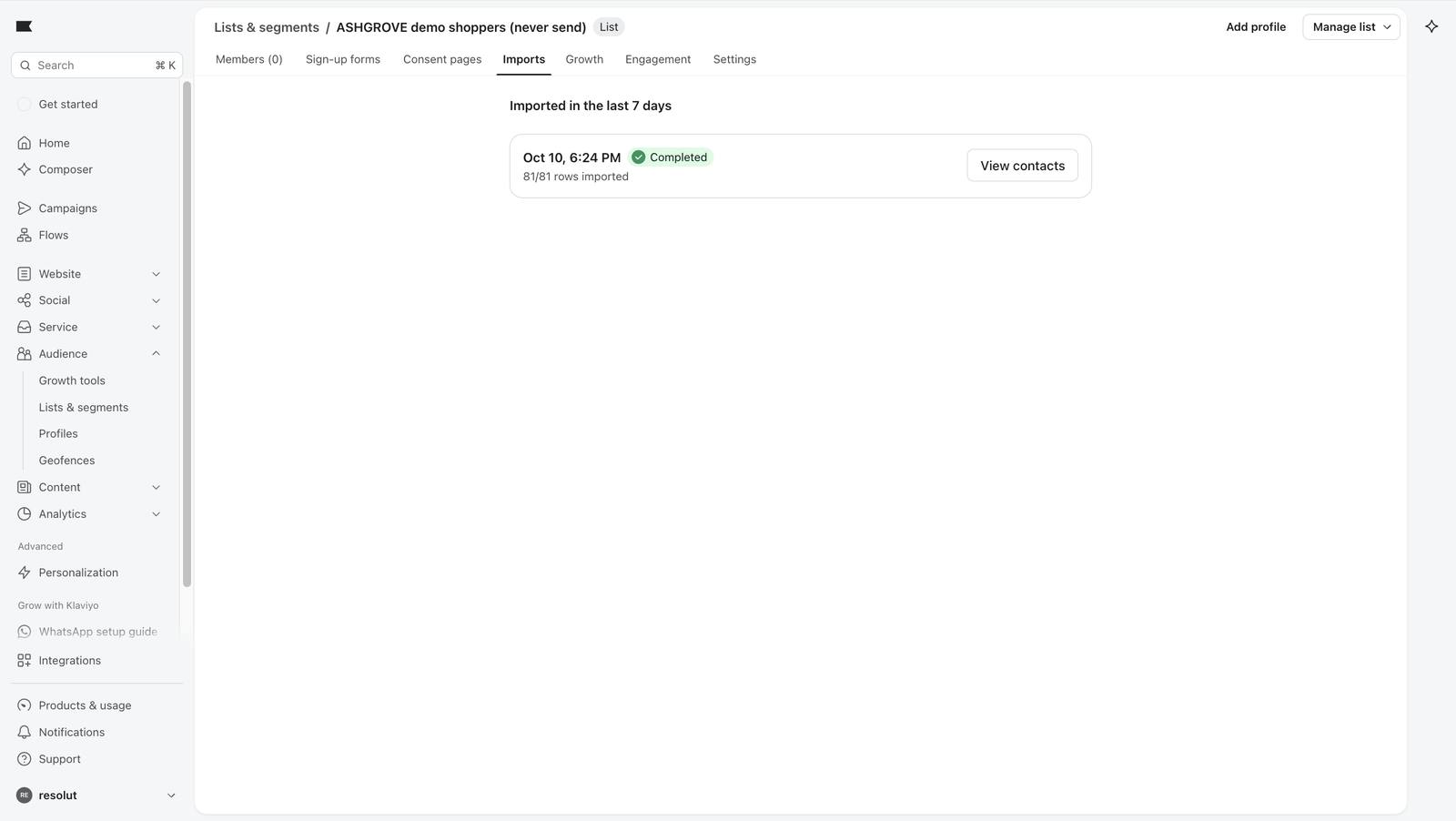
The bulk import of 81 shoppers completed.
30 The bulk import of 81 shoppers completed.
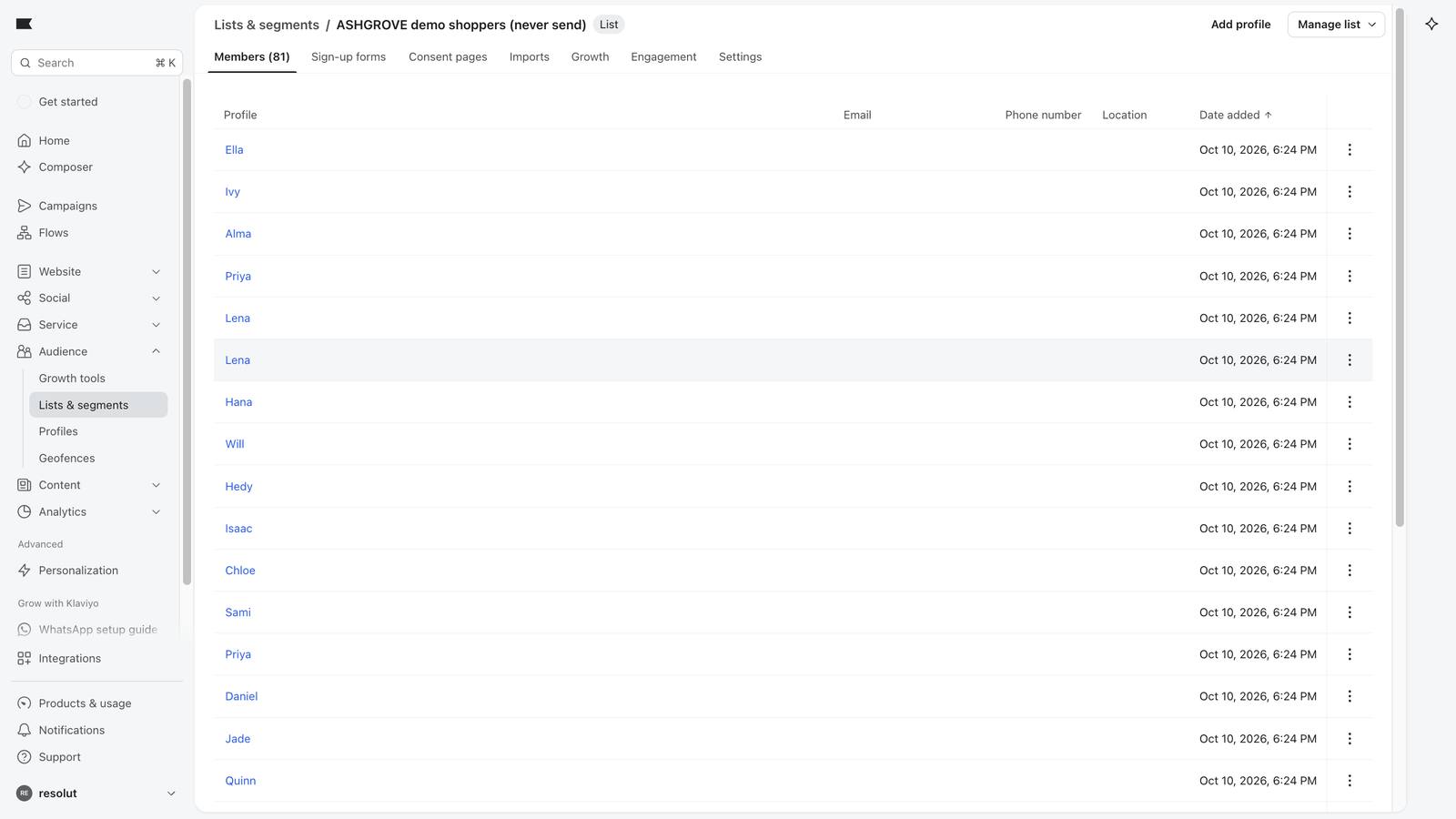
The demo shoppers list with its members.
31 The demo shoppers list with its members.
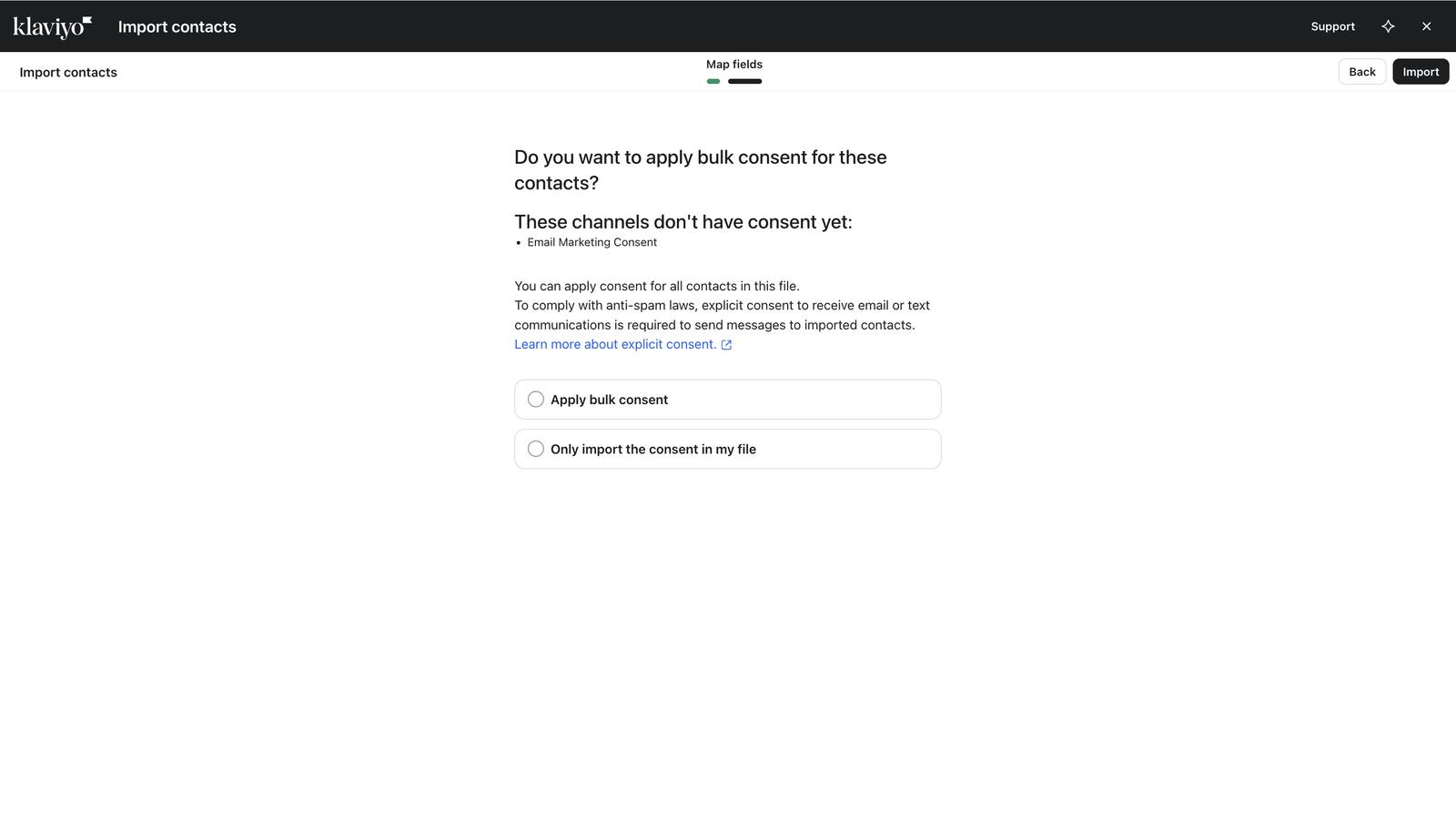
Klaviyo asks about marketing consent on import.
36 Klaviyo asks about marketing consent on import.
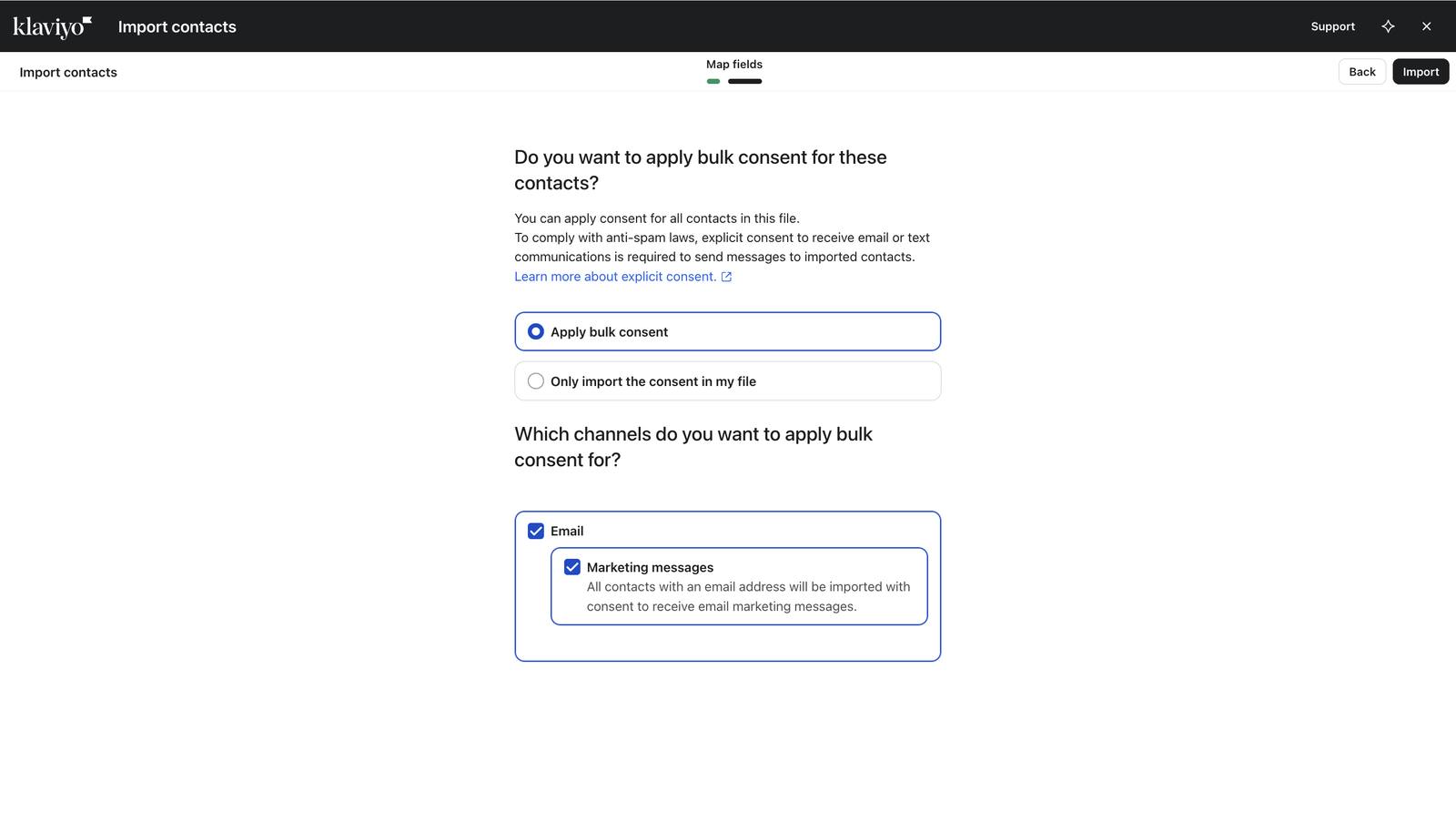
Bulk consent choice selected for the four owned inboxes only.
37 Bulk consent choice selected for the four owned inboxes only.
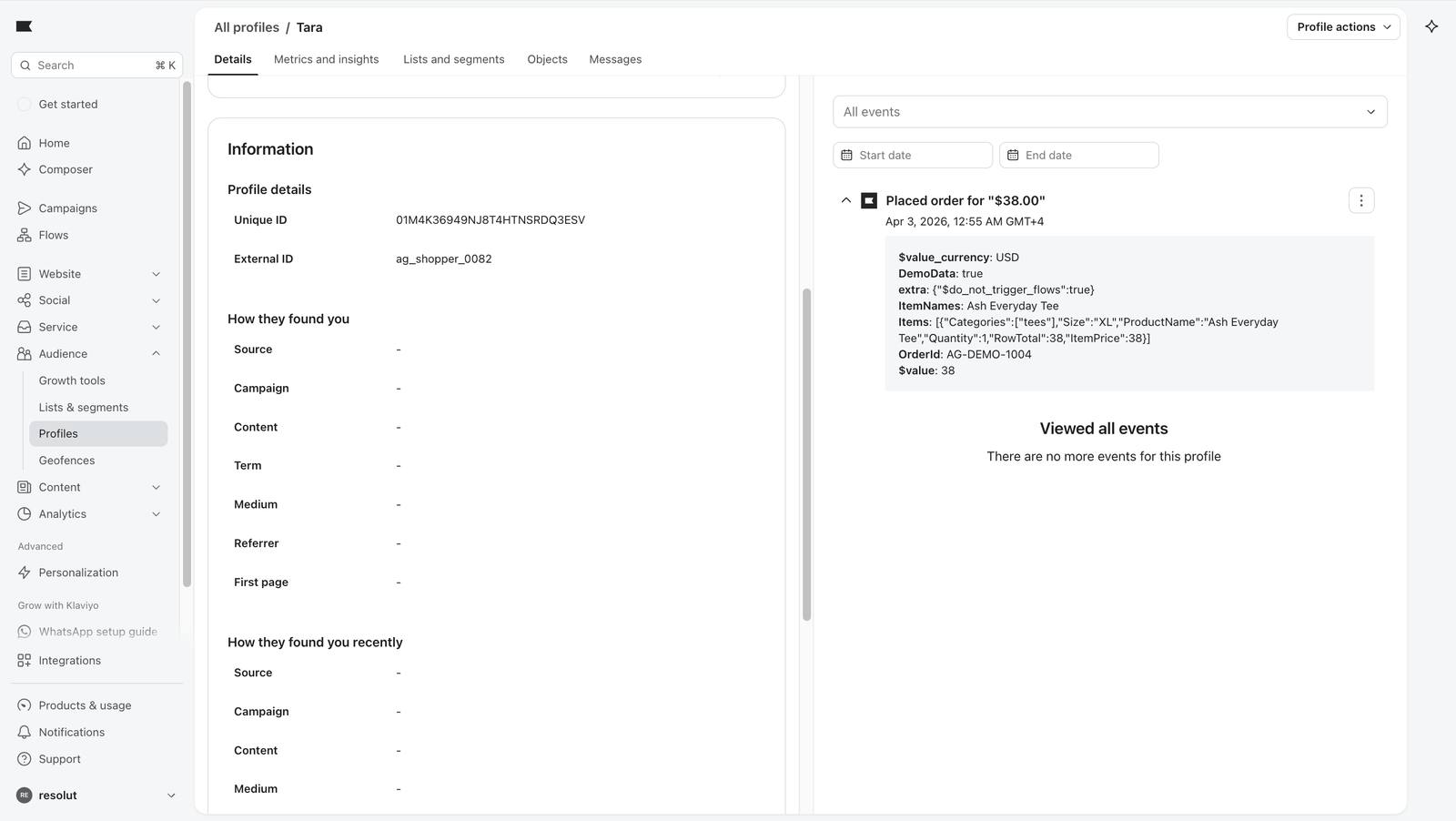
A backdated Placed Order event on a profile's activity feed.
77 A backdated Placed Order event on a profile's activity feed.
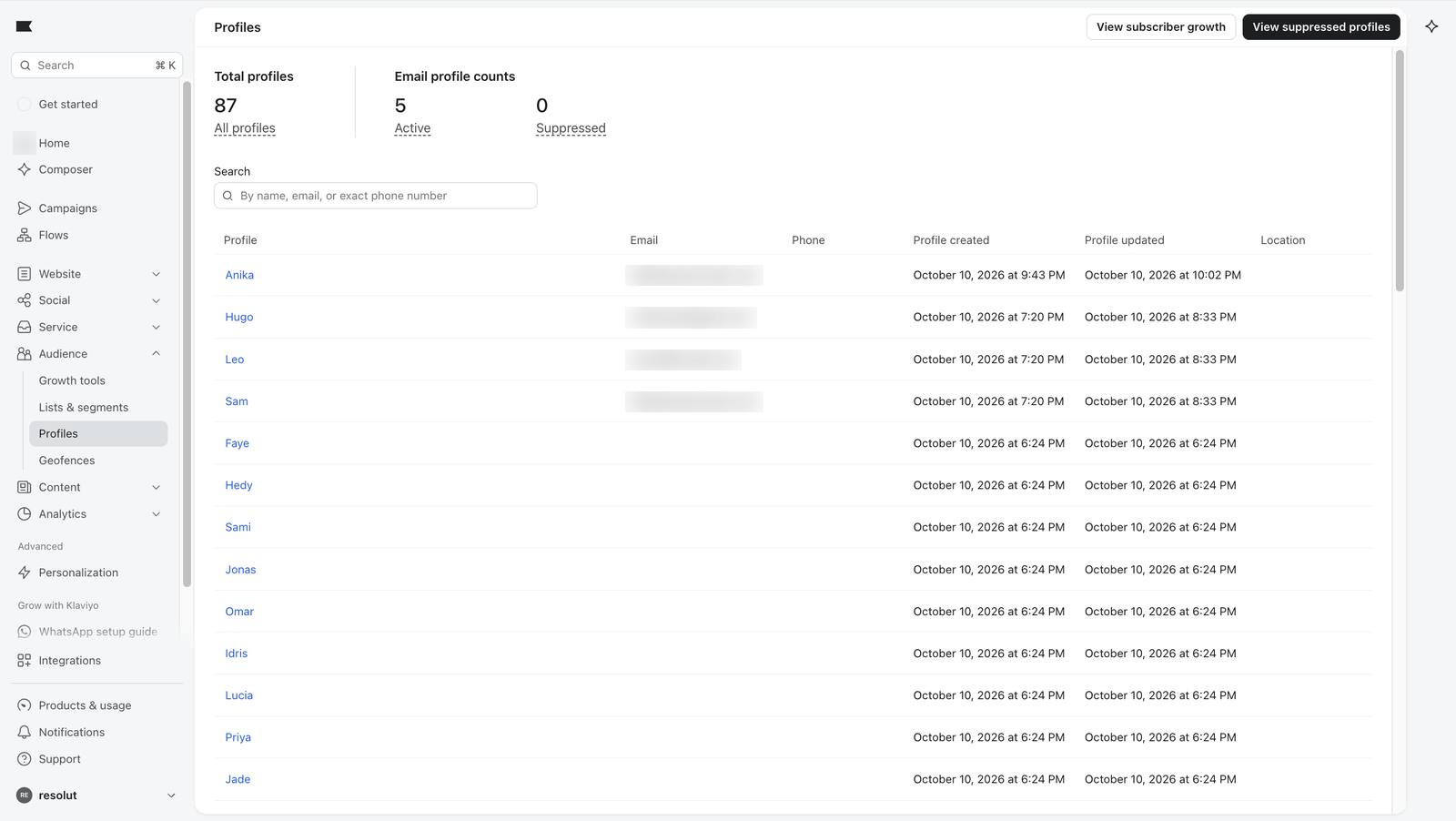
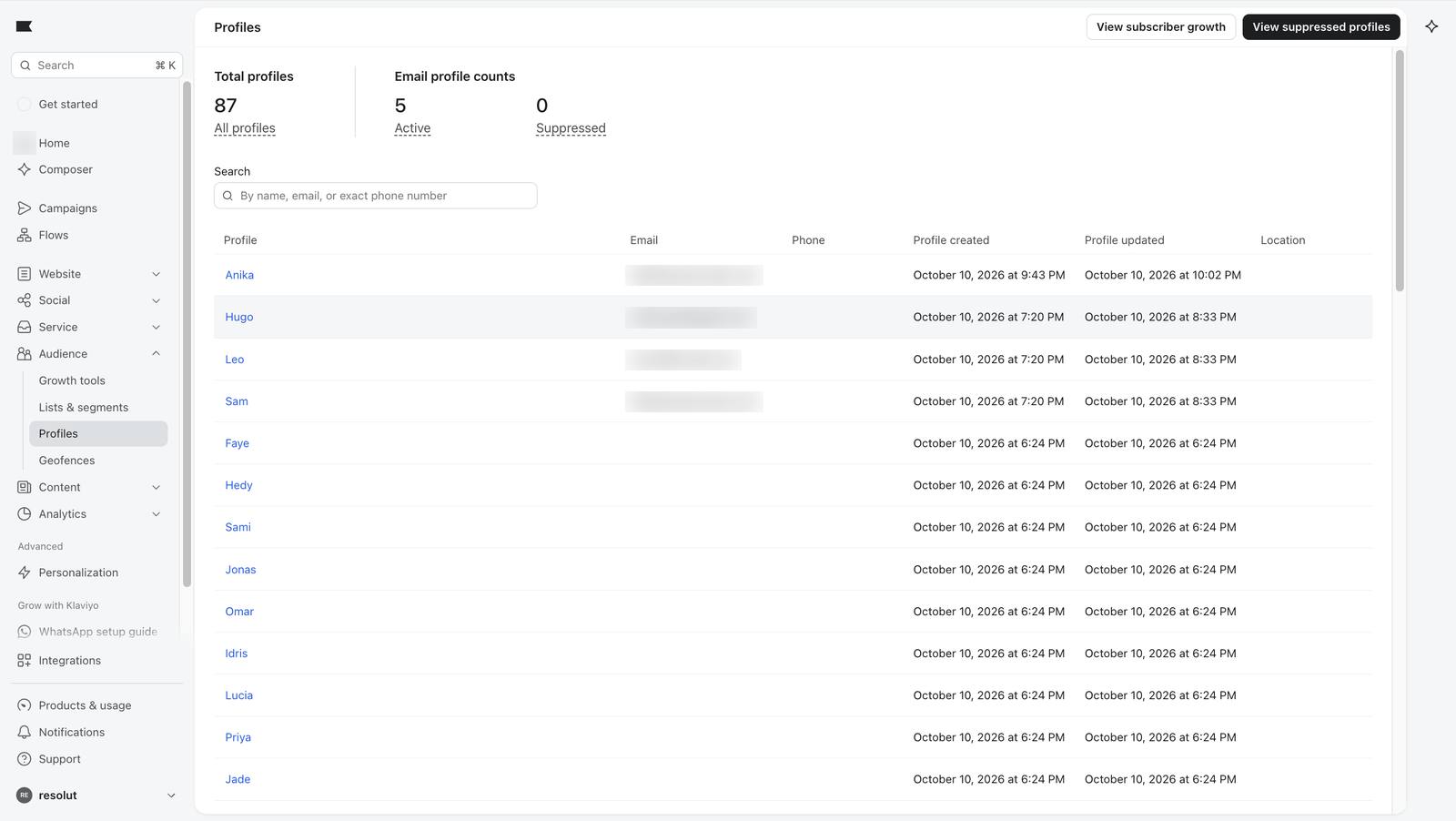
Total profiles after the first event.
78 Total profiles after the first event.
87 profiles after all 83 order events were loaded.
82 87 profiles after all 83 order events were loaded.

04

Five lifecycle stages

Segments sort shoppers by what they have done. Each is a live guest list: people move in and out as their behaviour changes.

StageRuleDay builtRecount
Never orderedZero Placed Order events, ever2929
First-time buyersOne order, within the last 30 days1412
Repeat buyersTwo or more orders, one in the last 60 days1413
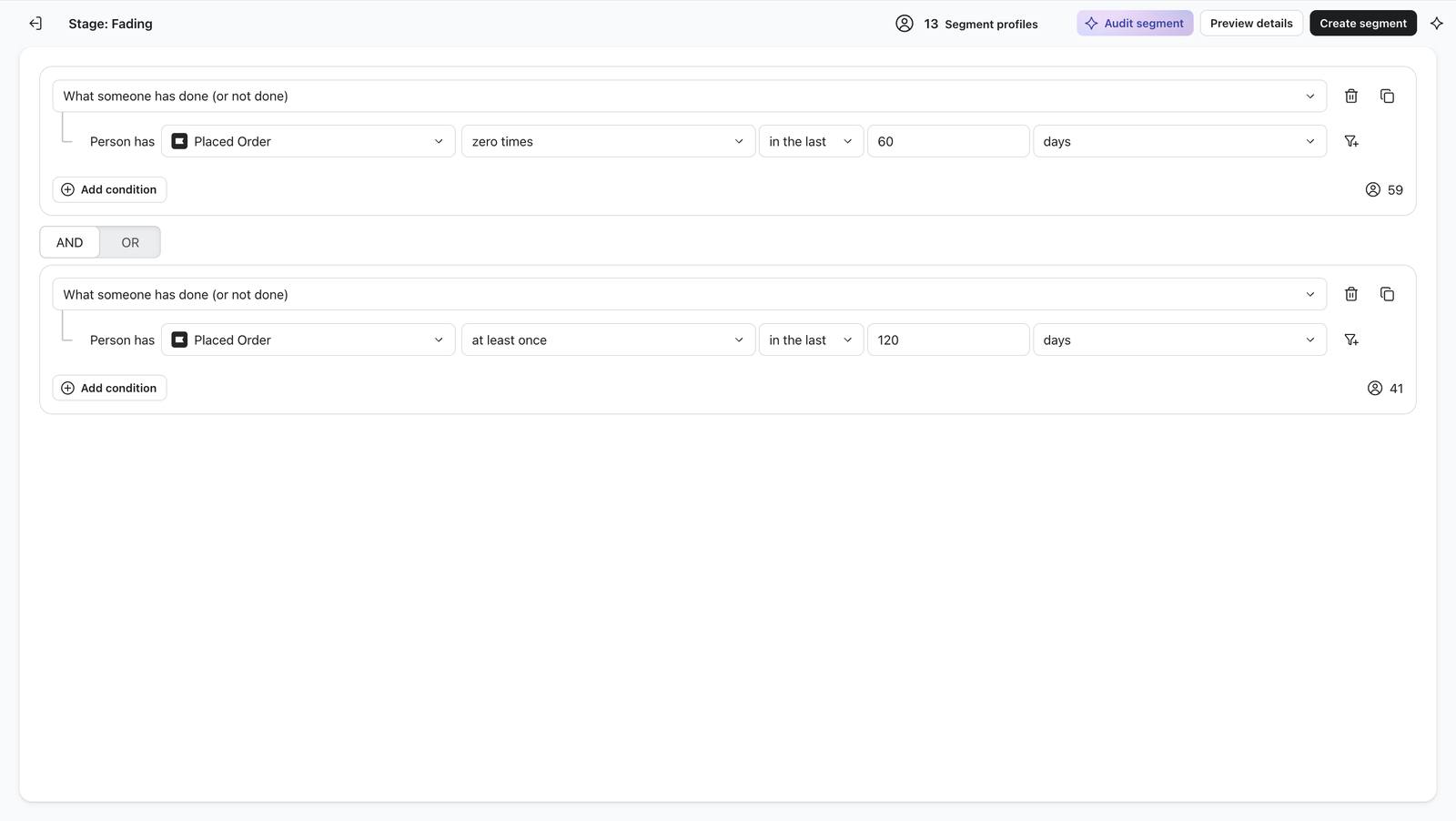
FadingNo order in 60 days, at least one in the last 1201313
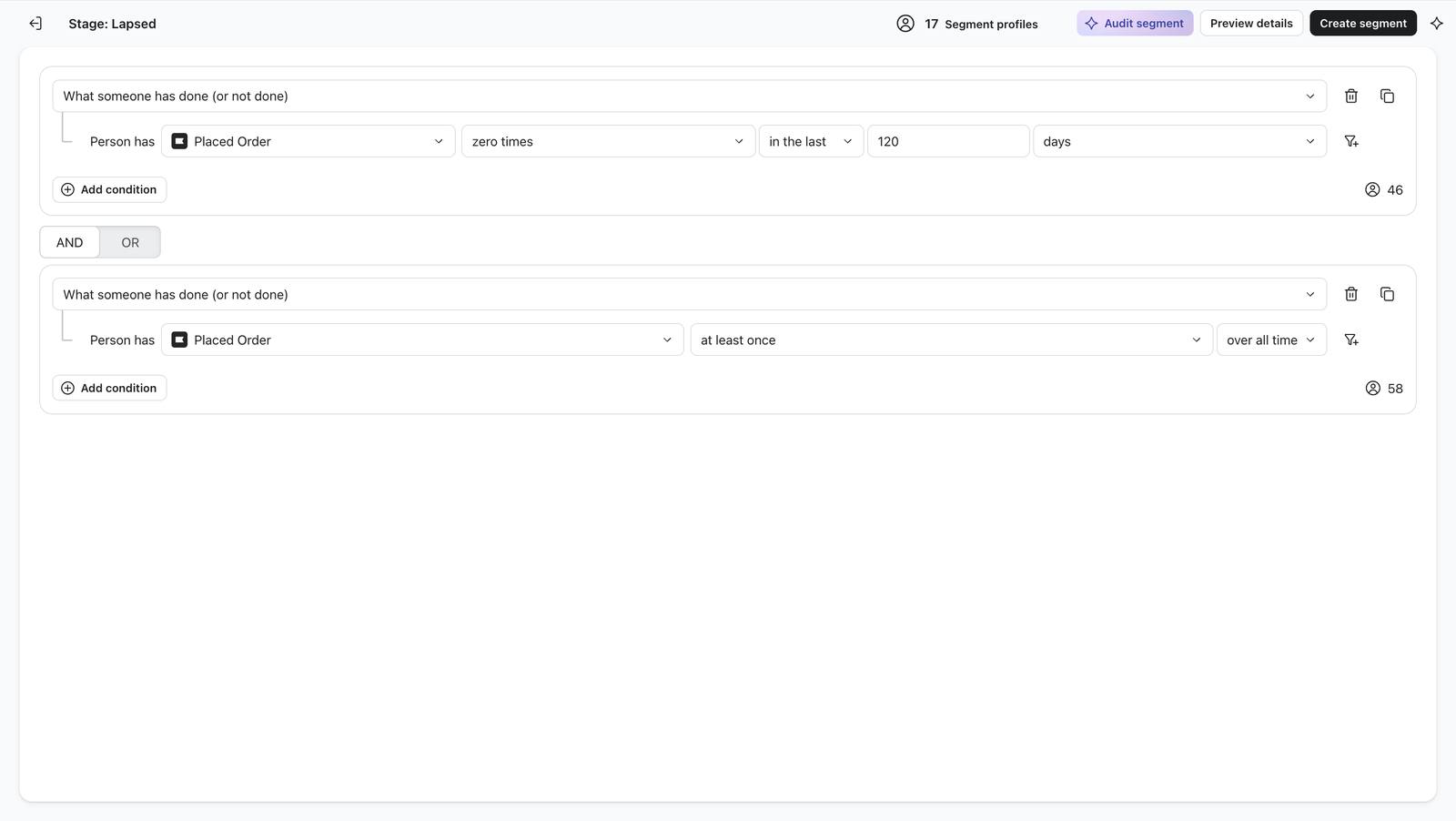
LapsedNo order in 120 days, bought at least once1718
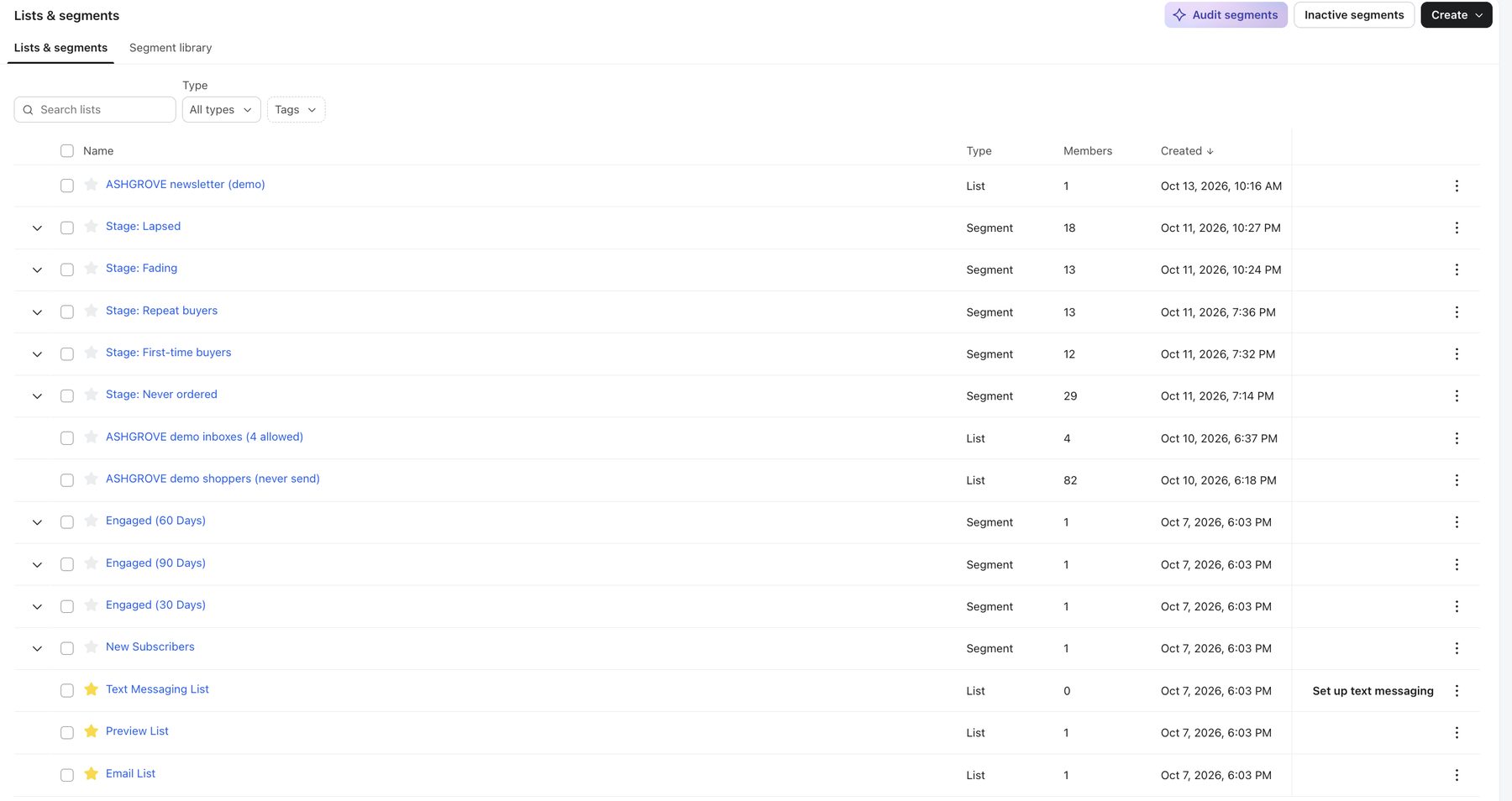
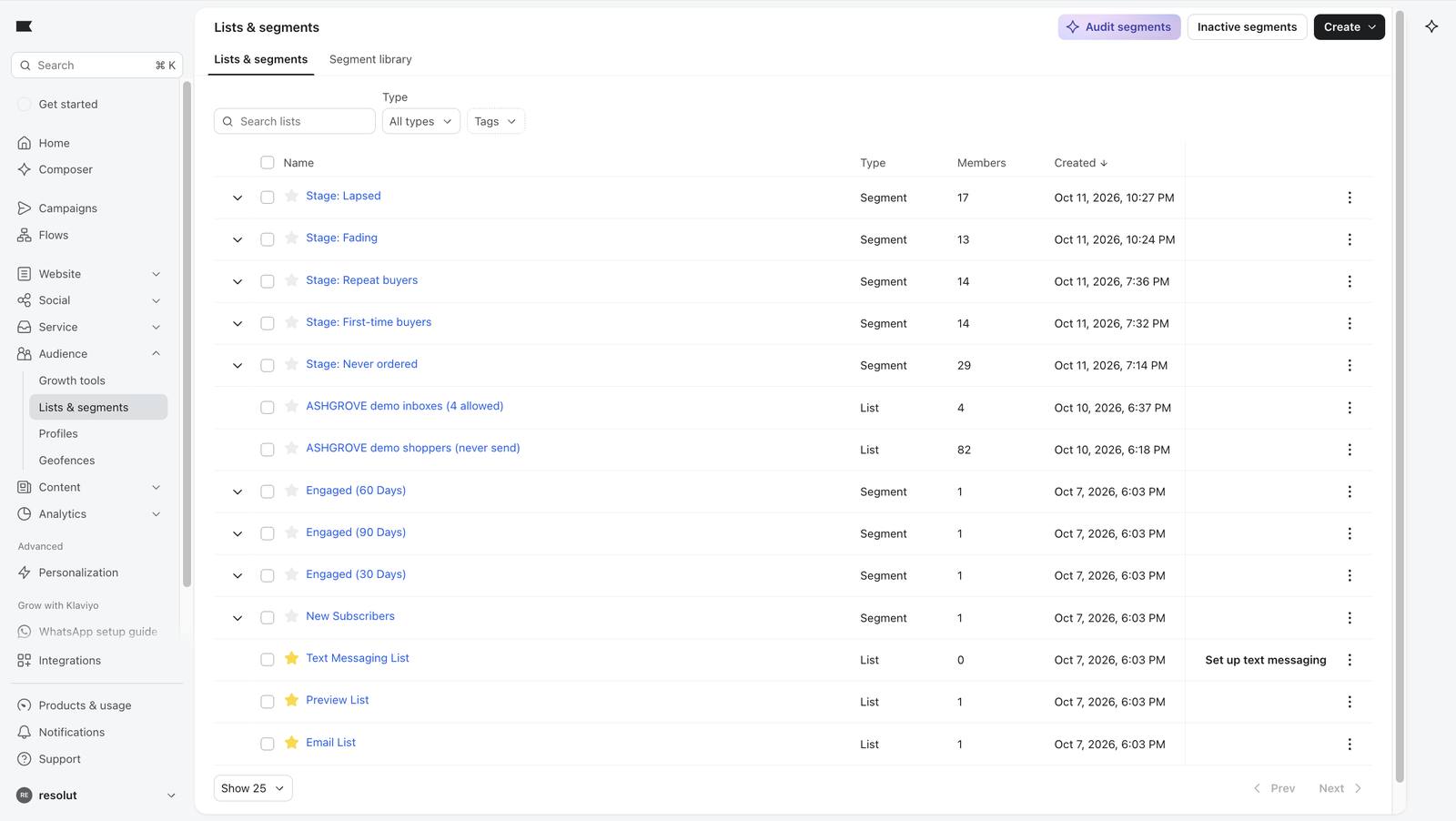
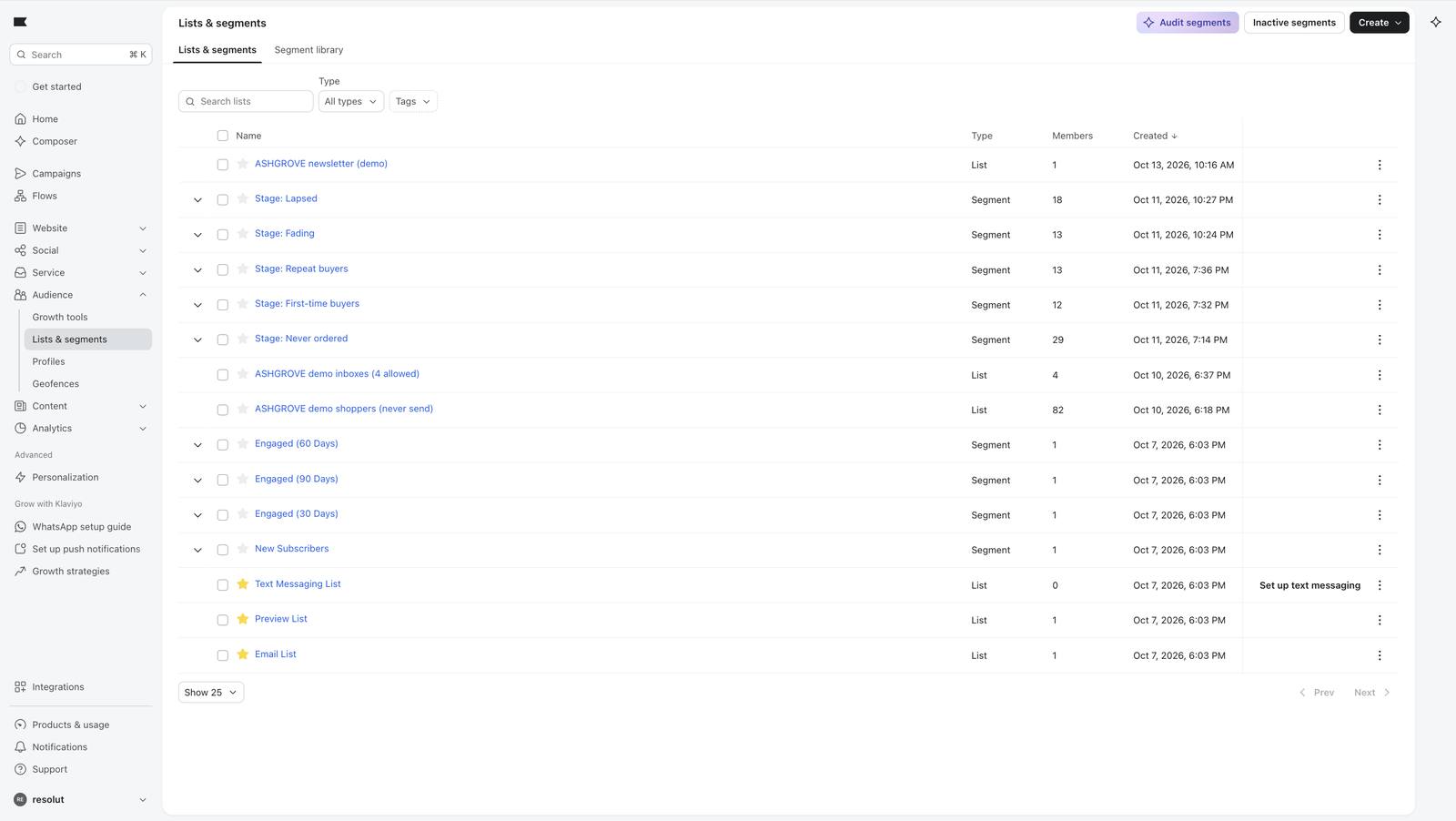
Klaviyo segments page
The five stage segments in Klaviyo.
The gap I found in my own design. Two days after building, the counts added up to 85, not 87. Time windows make people move on. Worse, someone with exactly one order 30 to 60 days ago is too old to be a first-time buyer and too recent to be fading, so they sit in no stage. Two shoppers are in that gap now. I left it in place and wrote it up, because a quiet gap in a real programme means a customer who never hears from you.

Building the five stage segments 12 screenshots

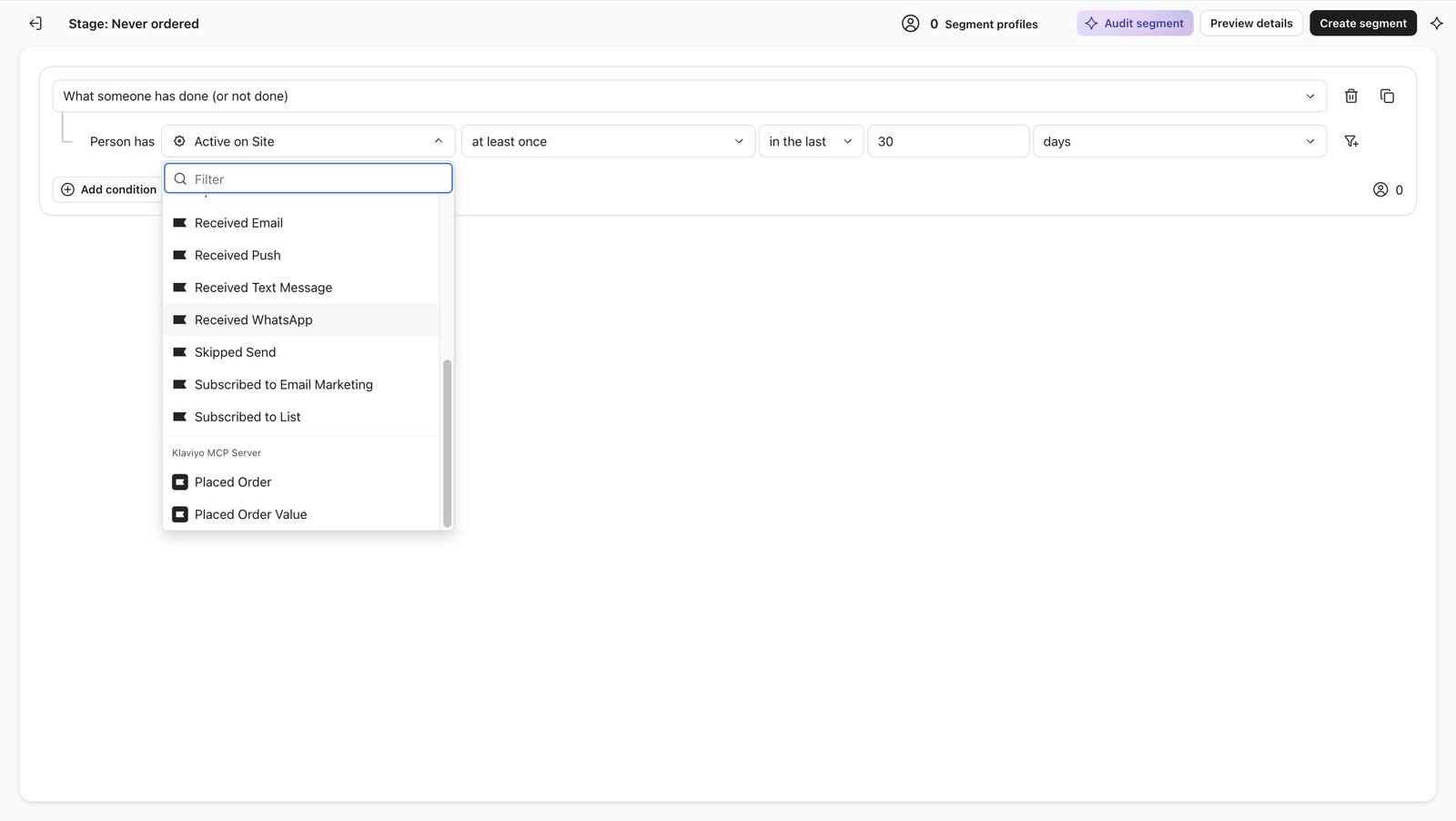
Choosing the Placed Order event as the segment's condition.
83 Choosing the Placed Order event as the segment's condition.
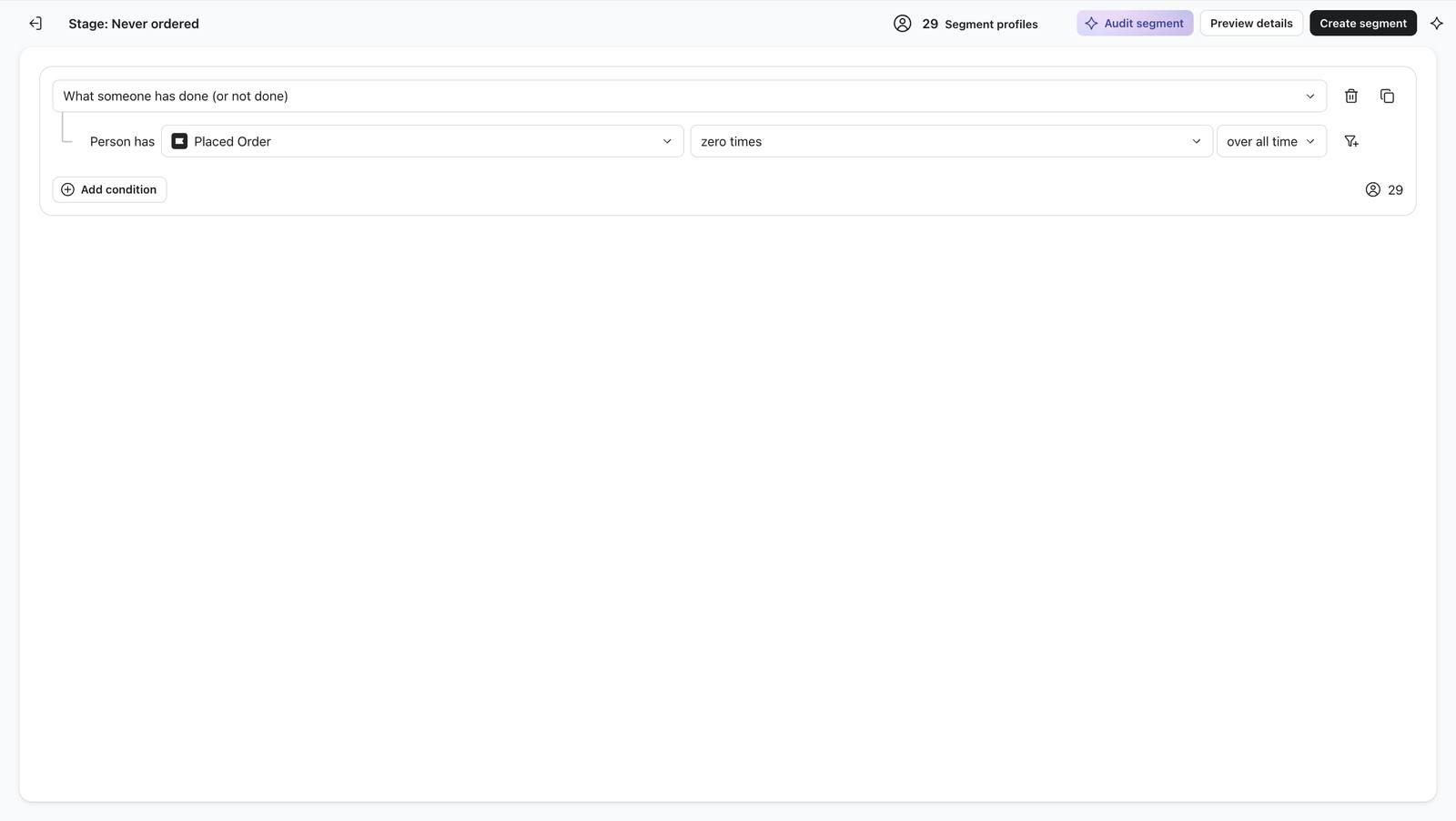
Never ordered: Placed Order zero times, all time. The live preview shows 29.
85 Never ordered: Placed Order zero times, all time. The live preview shows 29.
Never ordered saved with 29 members.
86 Never ordered saved with 29 members.
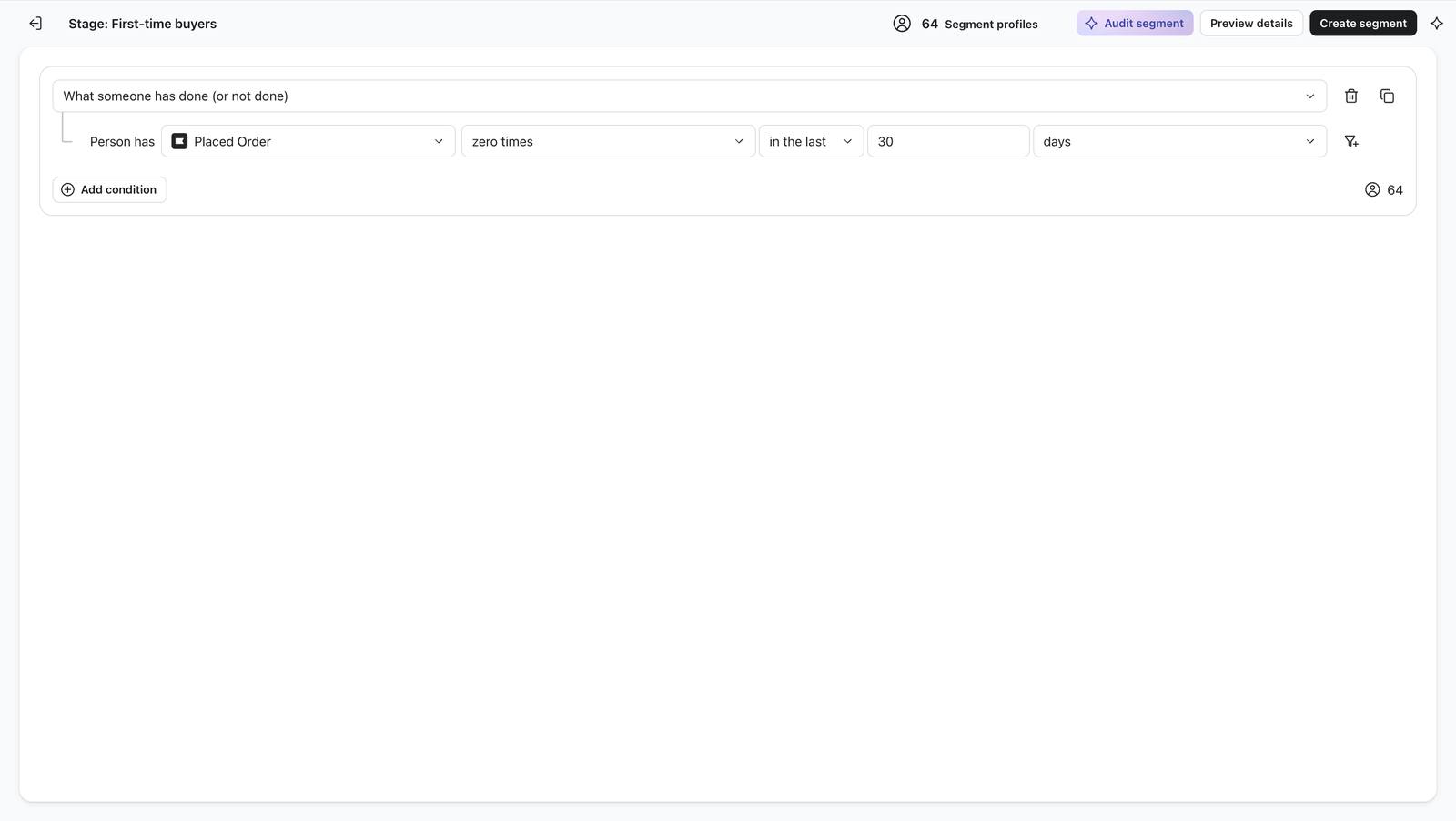
First-time buyers, first try: zero orders in 30 days shows 64, which is the wrong rule.
87 First-time buyers, first try: zero orders in 30 days shows 64, which is the wrong rule.
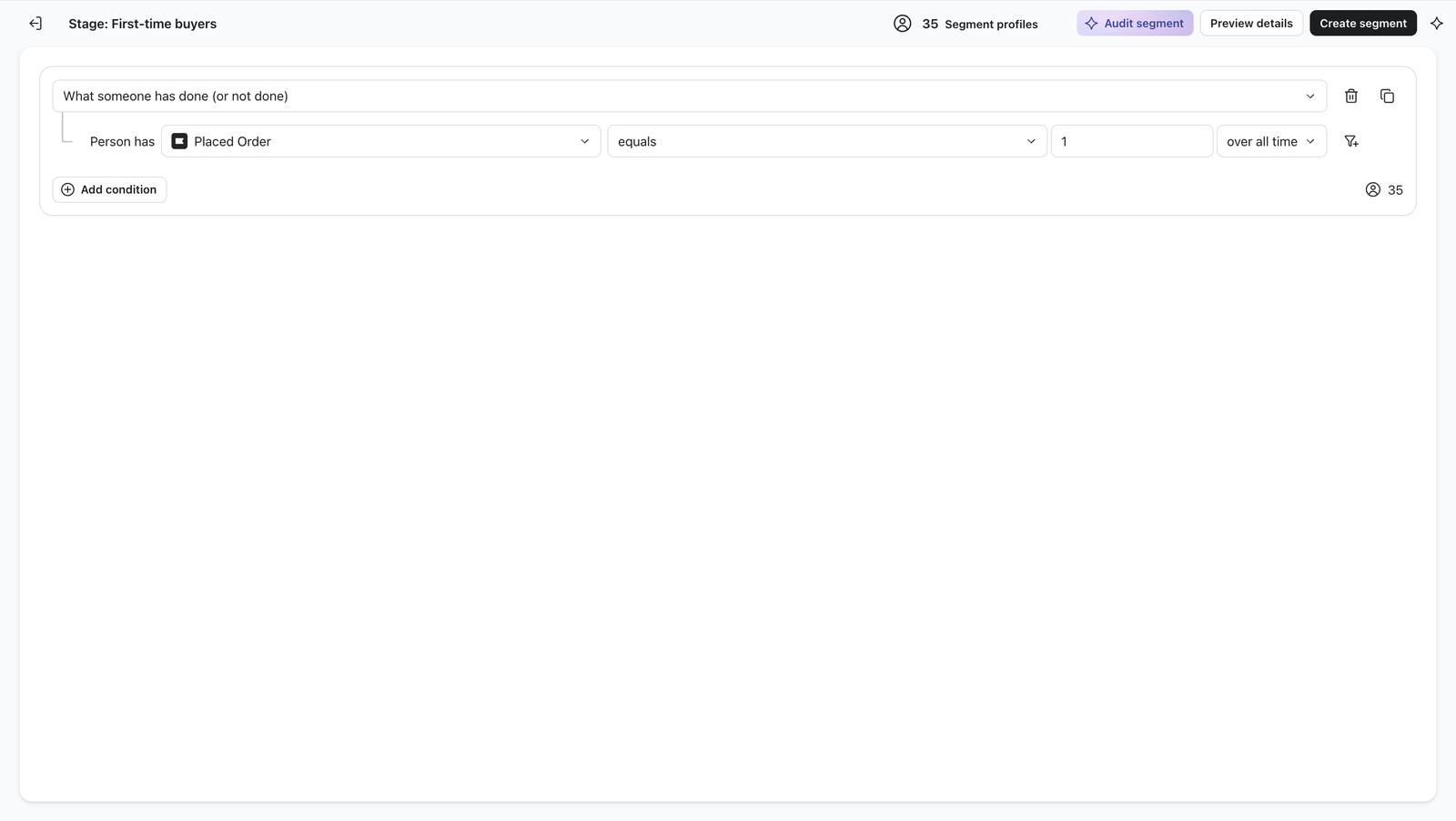
Second try: exactly one order over all time shows 35.
89 Second try: exactly one order over all time shows 35.
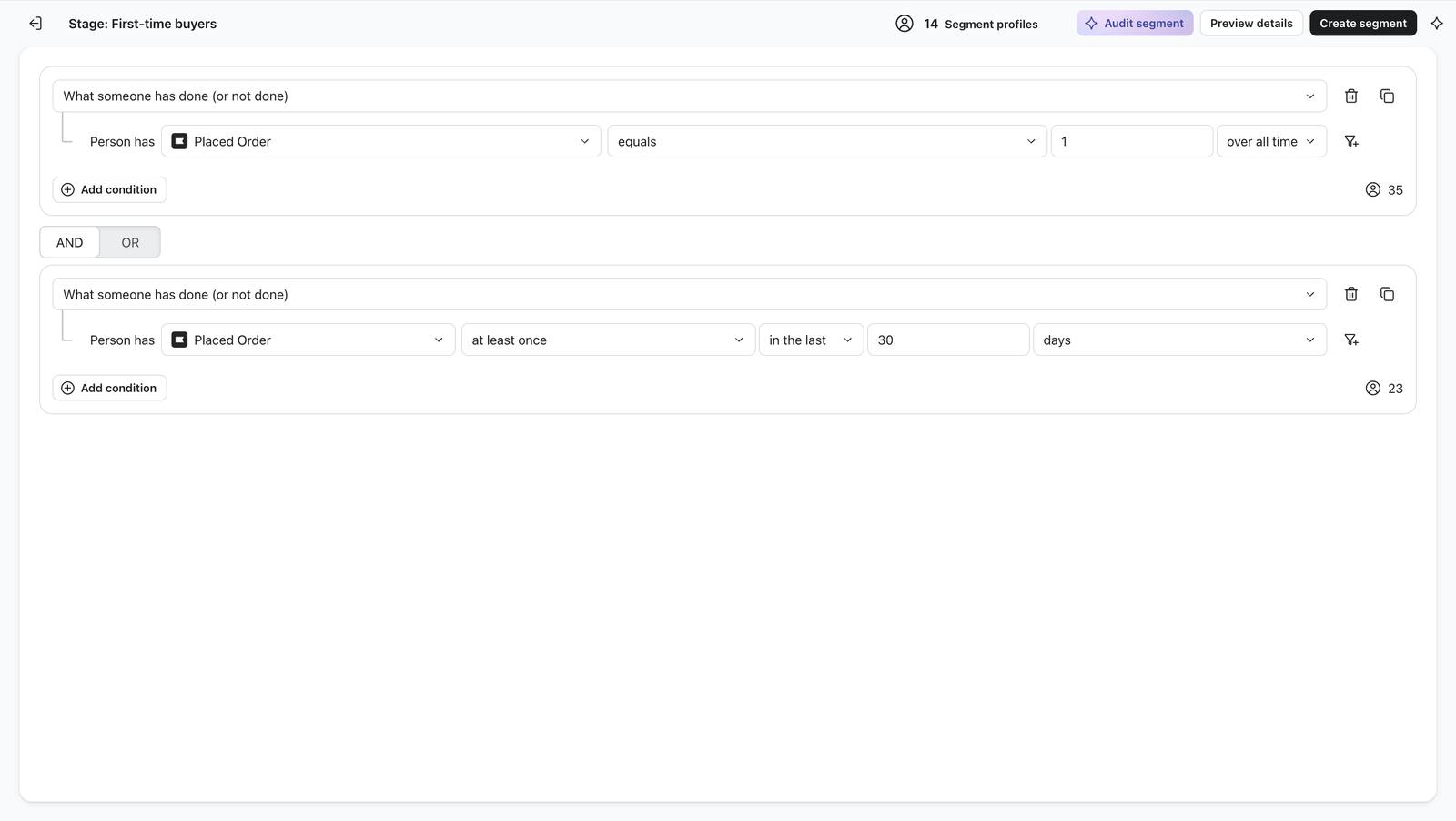
Two rules combined with AND: exactly one order, placed in the last 30 days. Preview 14.
90 Two rules combined with AND: exactly one order, placed in the last 30 days. Preview 14.
First-time buyers saved with 14 members.
91 First-time buyers saved with 14 members.
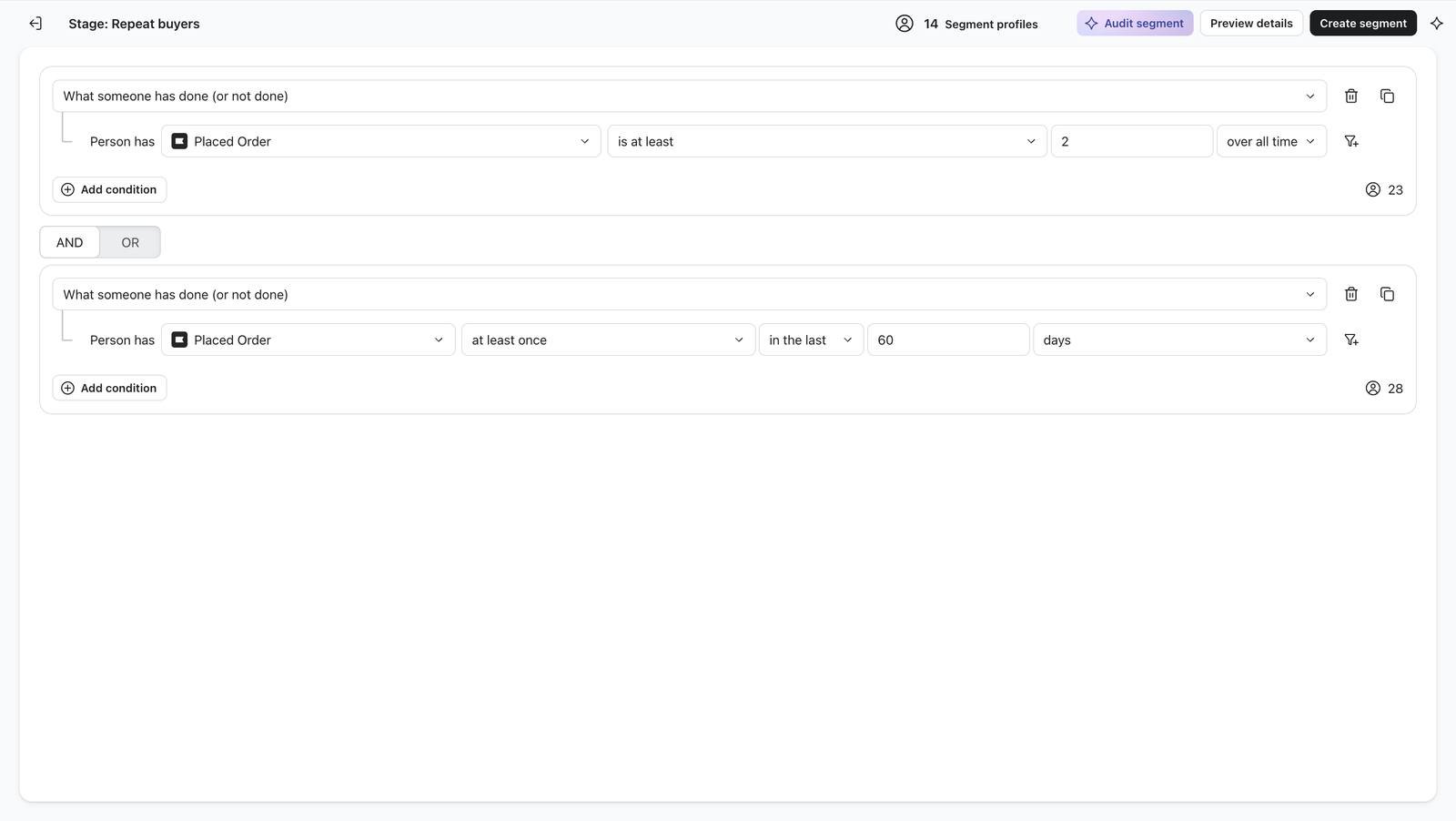
Repeat buyers: two rules, preview 14.
92 Repeat buyers: two rules, preview 14.
Fading: no order in 60 days but at least one in 120, preview 13.
94 Fading: no order in 60 days but at least one in 120, preview 13.
Lapsed: no order in 120 days but bought once, preview 17.
96 Lapsed: no order in 120 days but bought once, preview 17.
All five stage segments saved (17 in Lapsed).
97 All five stage segments saved (17 in Lapsed).
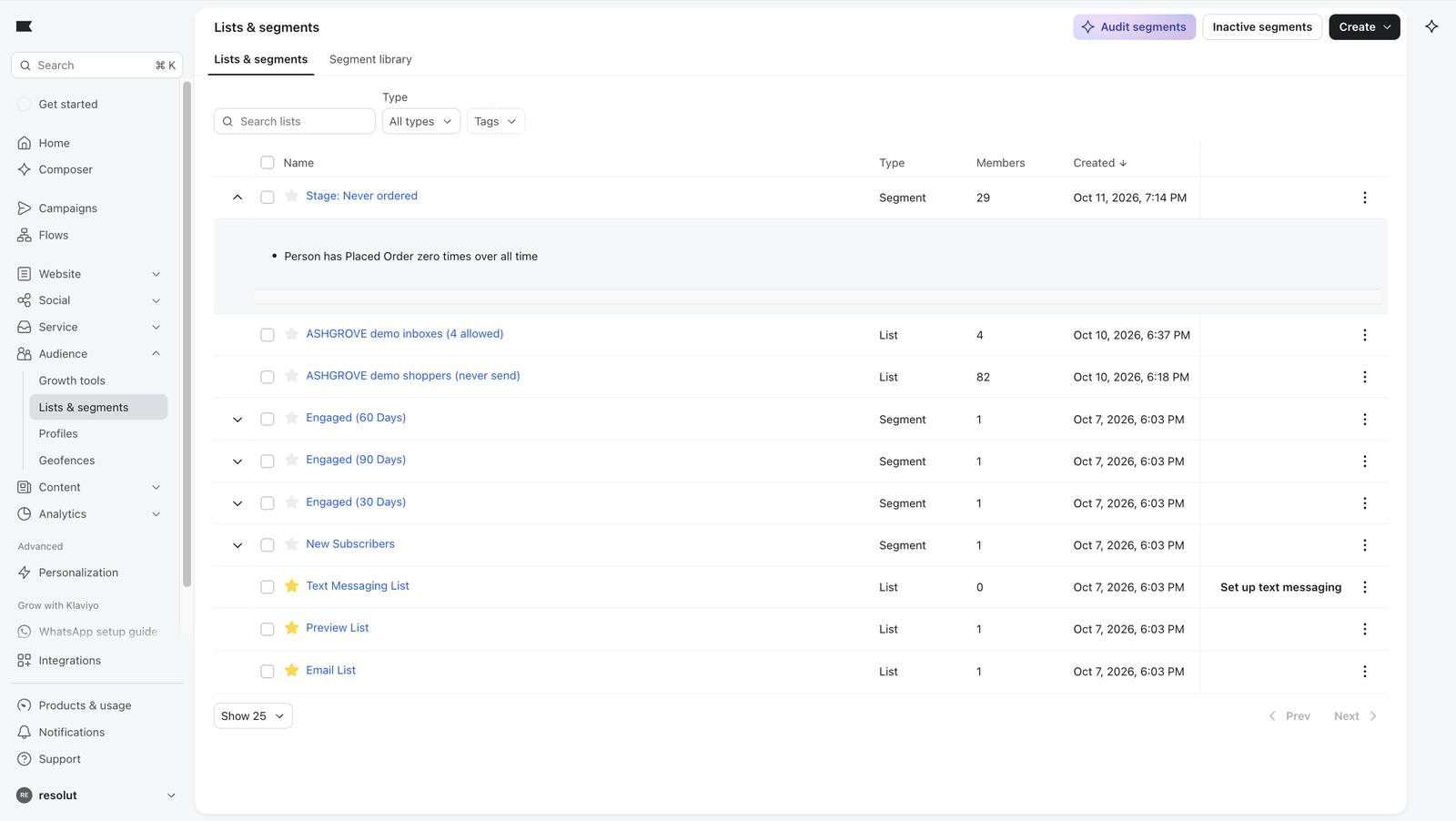
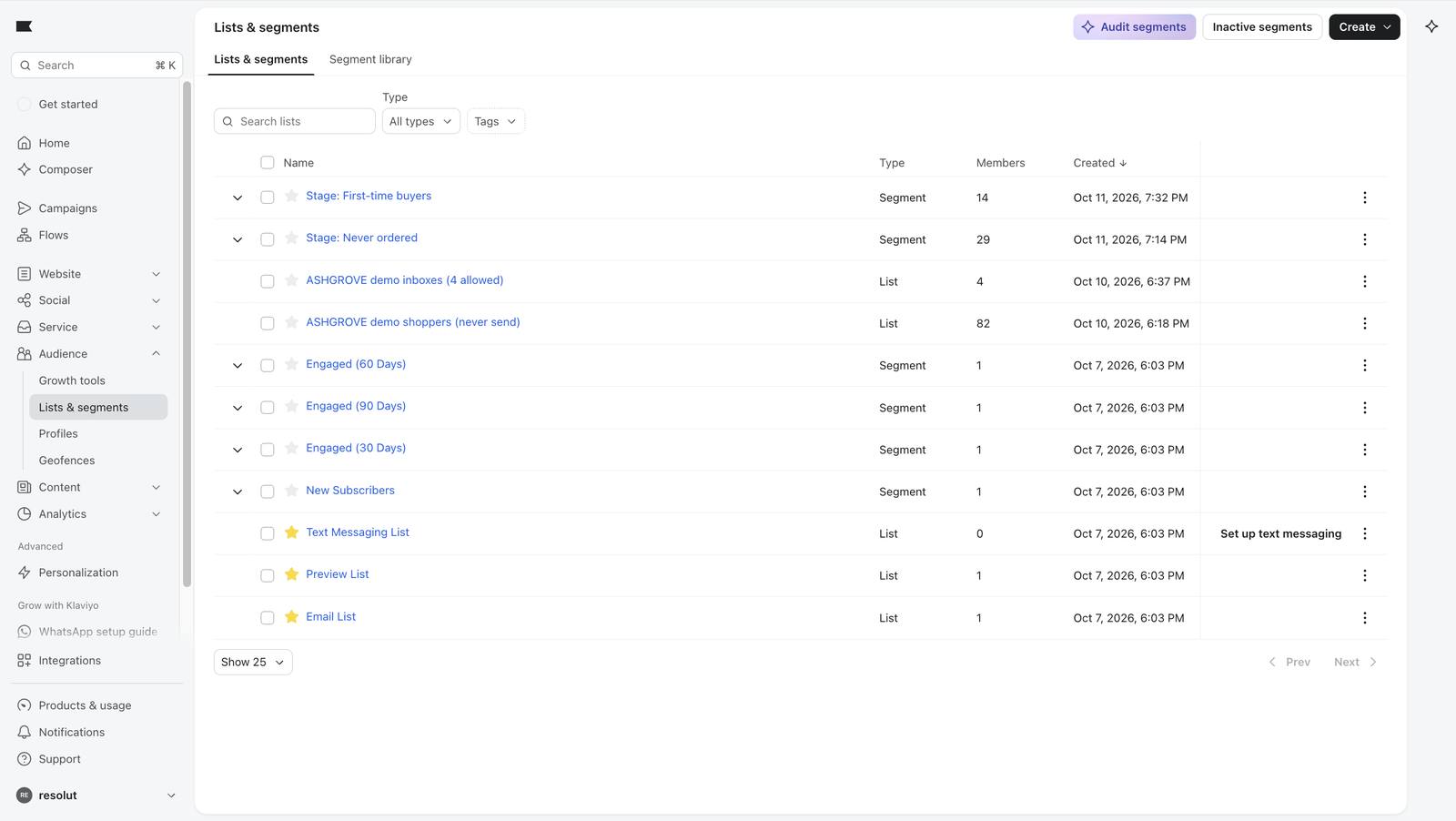
The recount two days later: 29, 12, 13, 13, 18 in Klaviyo's lists and segments page.
241 The recount two days later: 29, 12, 13, 13, 18 in Klaviyo's lists and segments page.

The journey map

The same five stages, left to right, with the goal of each and the flow that speaks to it. The hatched columns are gaps: stages with no flow today. Counts are from the recount on QA day.

Welcome speaks to people at the moment they join the newsletter list. It is triggered by joining, not by stage.
Abandoned cart speaks to anyone who starts checkout and does not finish. It is triggered by that event, not by stage.

Never ordered

29

Goal: earn the first order.

Gap: no flow for this stage today

First-time buyers

12

Goal: make the first order feel right and set up a second.

Post-purchase: after an order

Repeat buyers

13

Goal: keep the habit going.

Post-purchase: after each new order

Fading

13

Goal: re-engage them before they drift away.

Gap: no flow for this stage today

Lapsed

18

Goal: bring them back with a reason to return.

Win-back: on entering the stage

Never ordered is the biggest stage (29 of 85 staged shoppers) and nobody speaks to it as a stage. Welcome and Abandoned cart catch some of these shoppers at a moment, but nothing is aimed at the stage itself. Fading has no flow at all.

How I would close the two gaps

Proposed, not built

Never ordered: browse nudge

Trigger: Viewed Product, with no Placed Order since.

Wait: one day, then one email showing what they looked at.

Goal: turn a browser into a first order.

Proposed, not built

Fading: "we saved your favourites"

Trigger: entering the Fading segment.

Wait: none, then one email built on the shopper's favourite category.

Goal: a next order before they lapse.

These two flows are a design only. Nothing above is built in Klaviyo and none of it has been tested. The four built flows are Welcome, Abandoned cart, Post-purchase and Win-back.

The top of the funnel is the concept social creative described in the Campaigns chapter: posts bring people to the shop, the shop's tracking tells Klaviyo what they did, and these flows take over.

05

Four journeys, built step by step

Each flow has a trigger (what starts it), a bouncer (profile filter), a re-entry rule (can the same person go round again) and emails with waits between. Triggers come in kinds, which is worth knowing before building: added to a segment, added to a list, or a metric such as Placed Order.

FlowTriggerRe-entryEmails
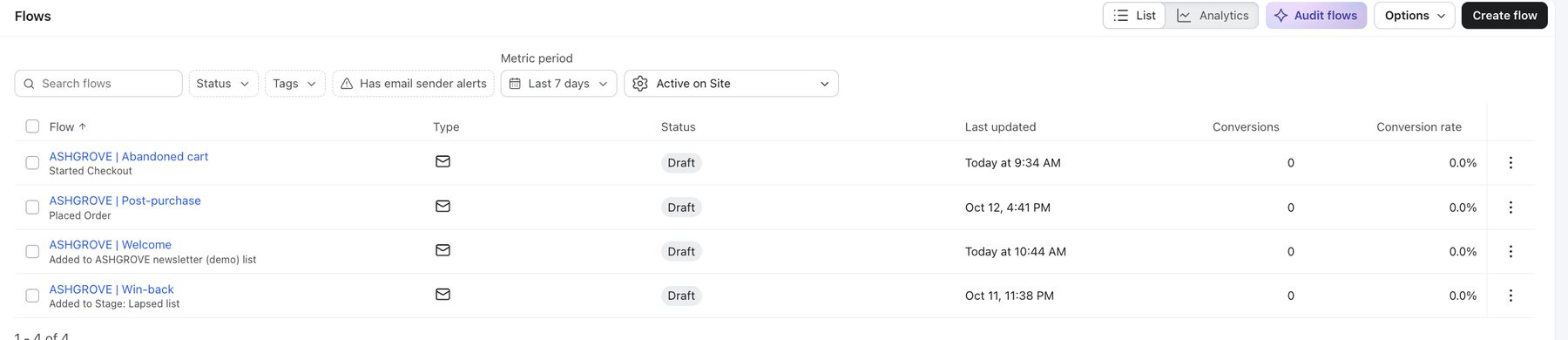
Win-backAdded to segment: LapsedNeverDay 0 "It has been a while." · wait 5 days · Day 5 "One jacket, one story."
Post-purchaseMetric: Placed OrderAfter 90 daysDay 0 "How to make it last." · wait 3 days · Day 3 "Something that goes with it." (personalised)
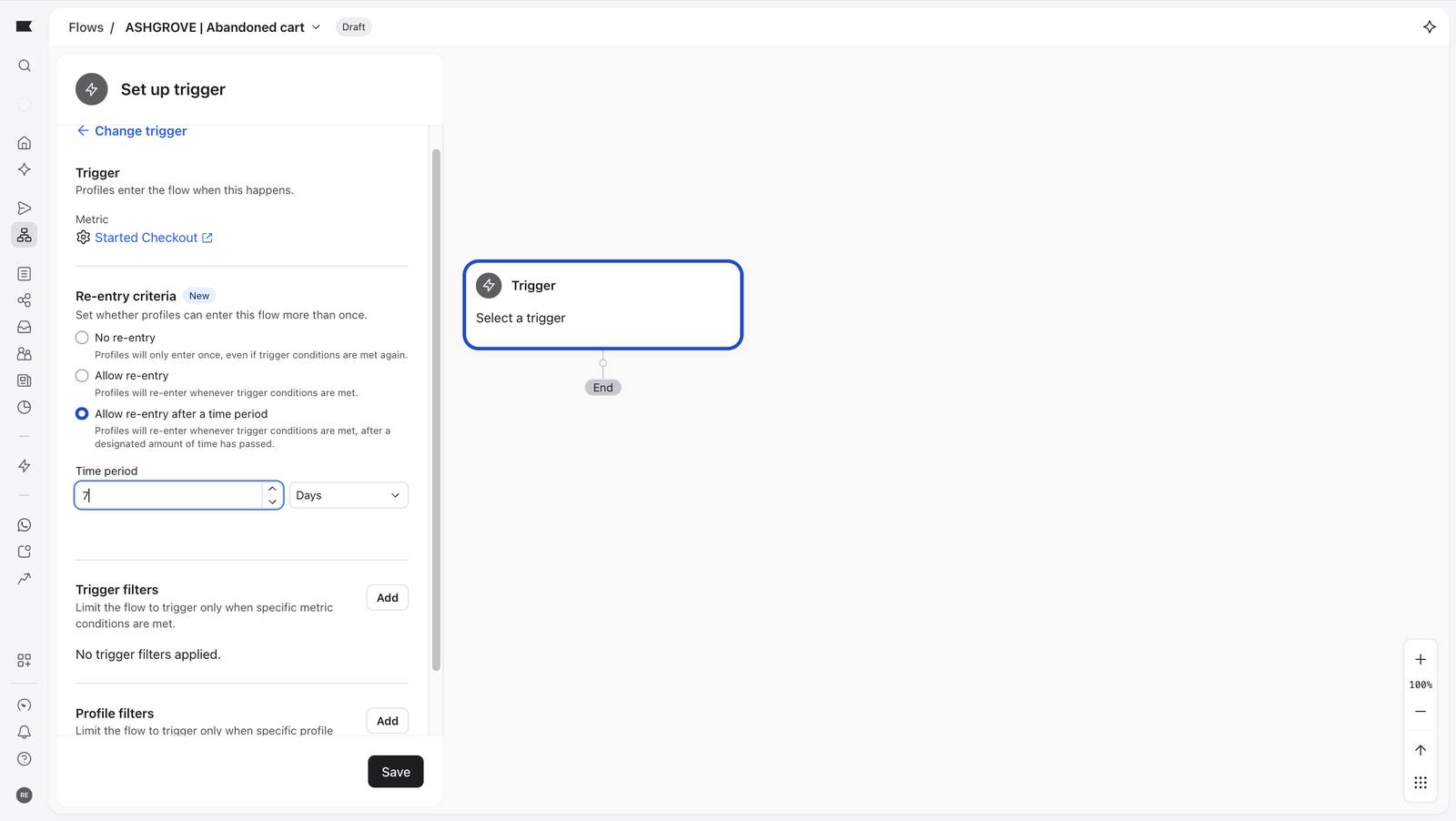
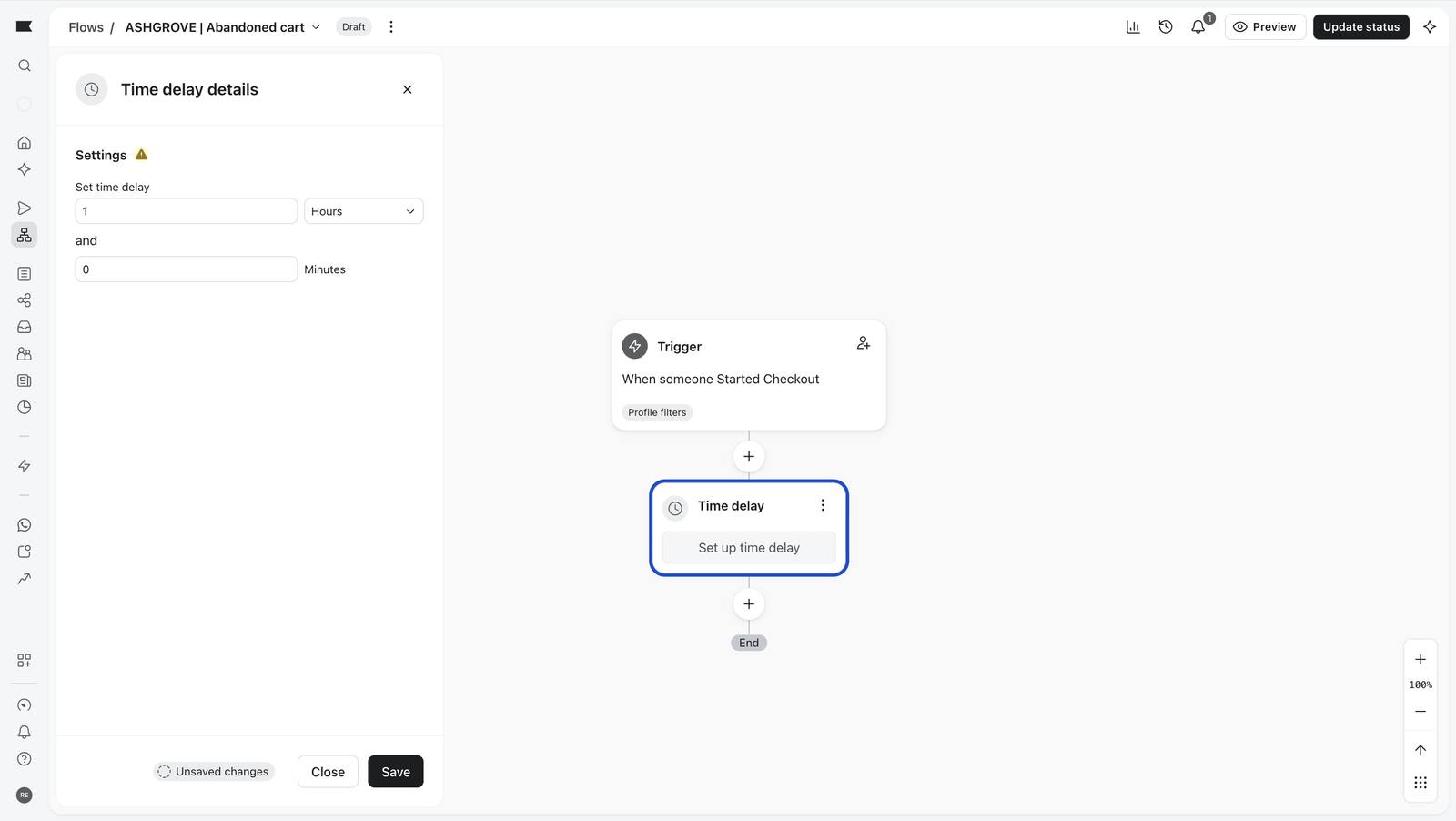
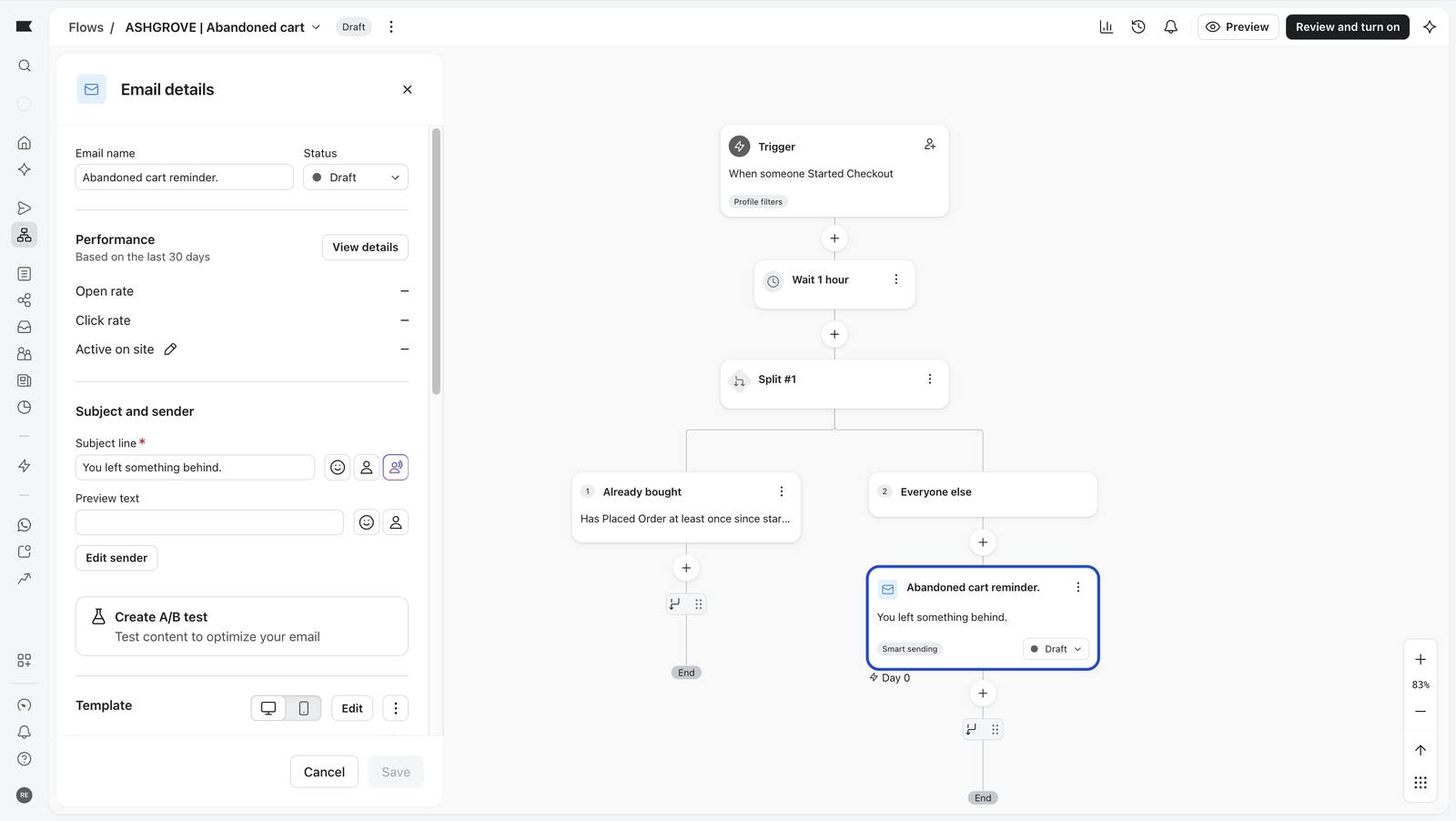
Abandoned cartMetric: Started CheckoutAfter 7 daysWait 1 hour · split: already bought (stop) or everyone else · "You left something behind."
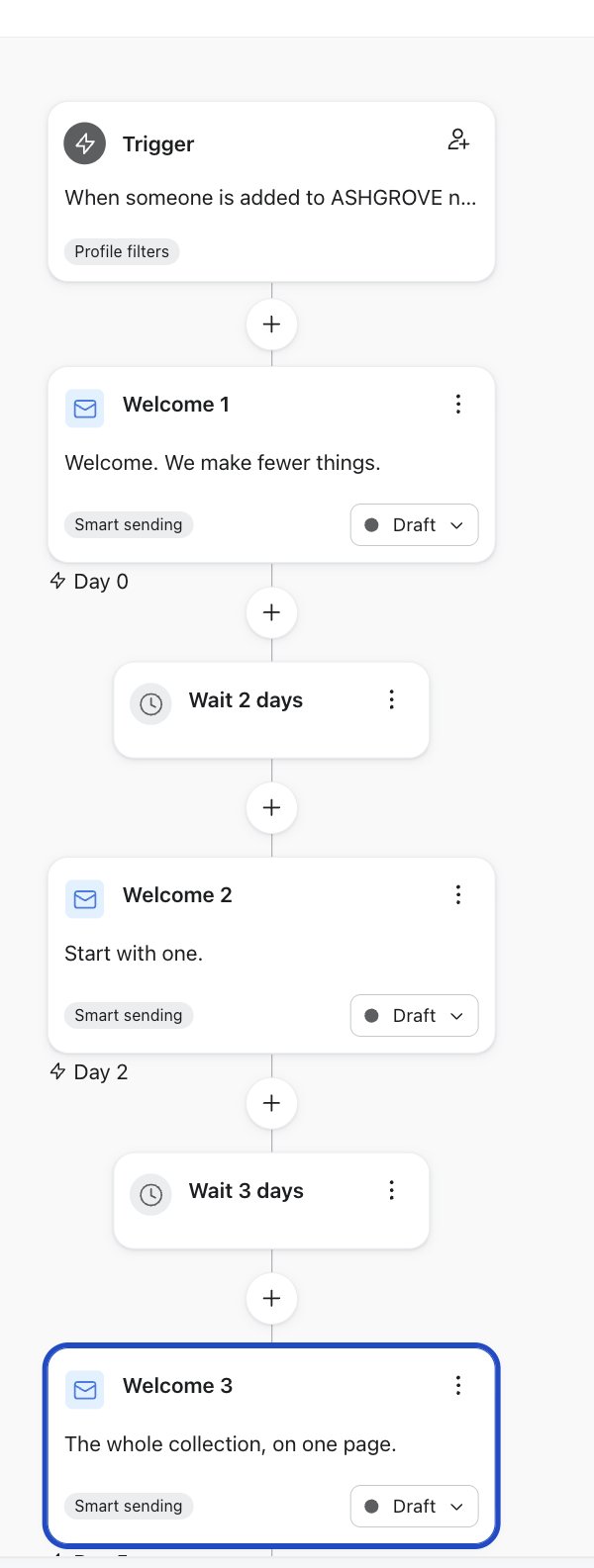
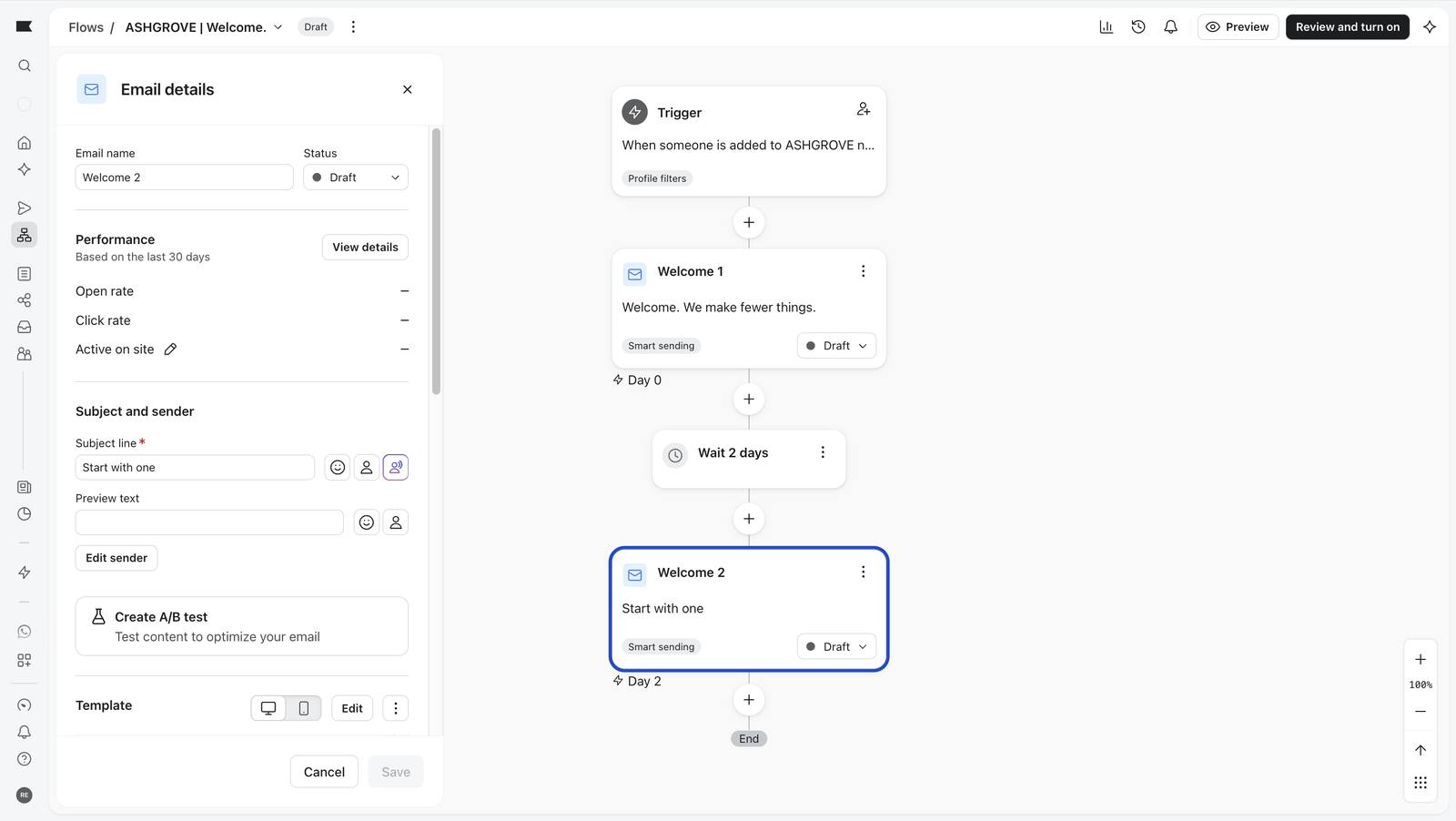
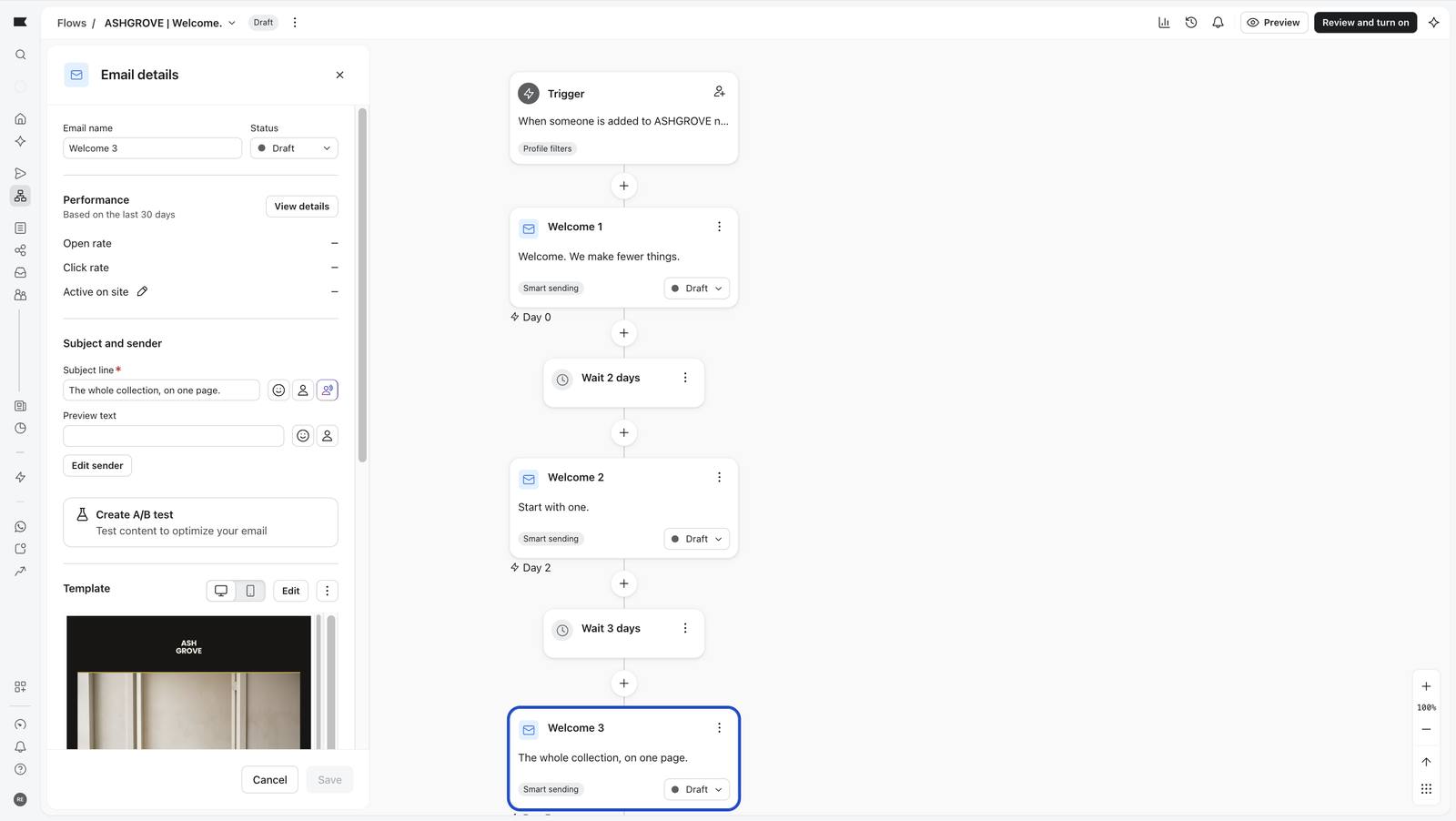
WelcomeAdded to list: newsletterNeverDay 0 "Welcome. We make fewer things." · wait 2 days · Day 2 "Start with one." (personalised) · wait 3 days · Day 5 "The whole collection, on one page."
Four flows, all Draft
All four flows. Every status reads Draft.
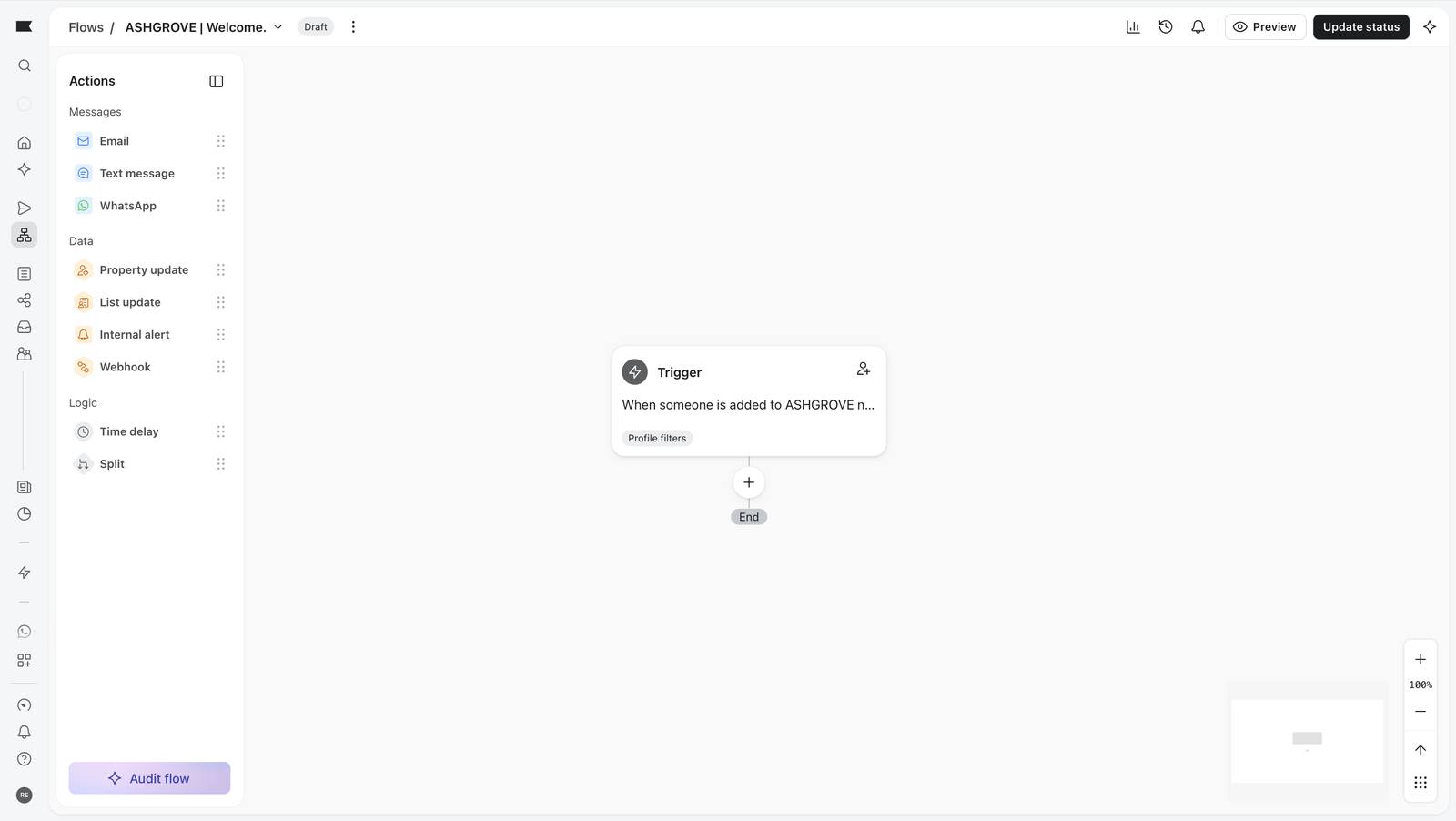
Welcome flow canvas
The Welcome flow canvas.

Decisions worth explaining

Win-back flow, step by step 14 screenshots

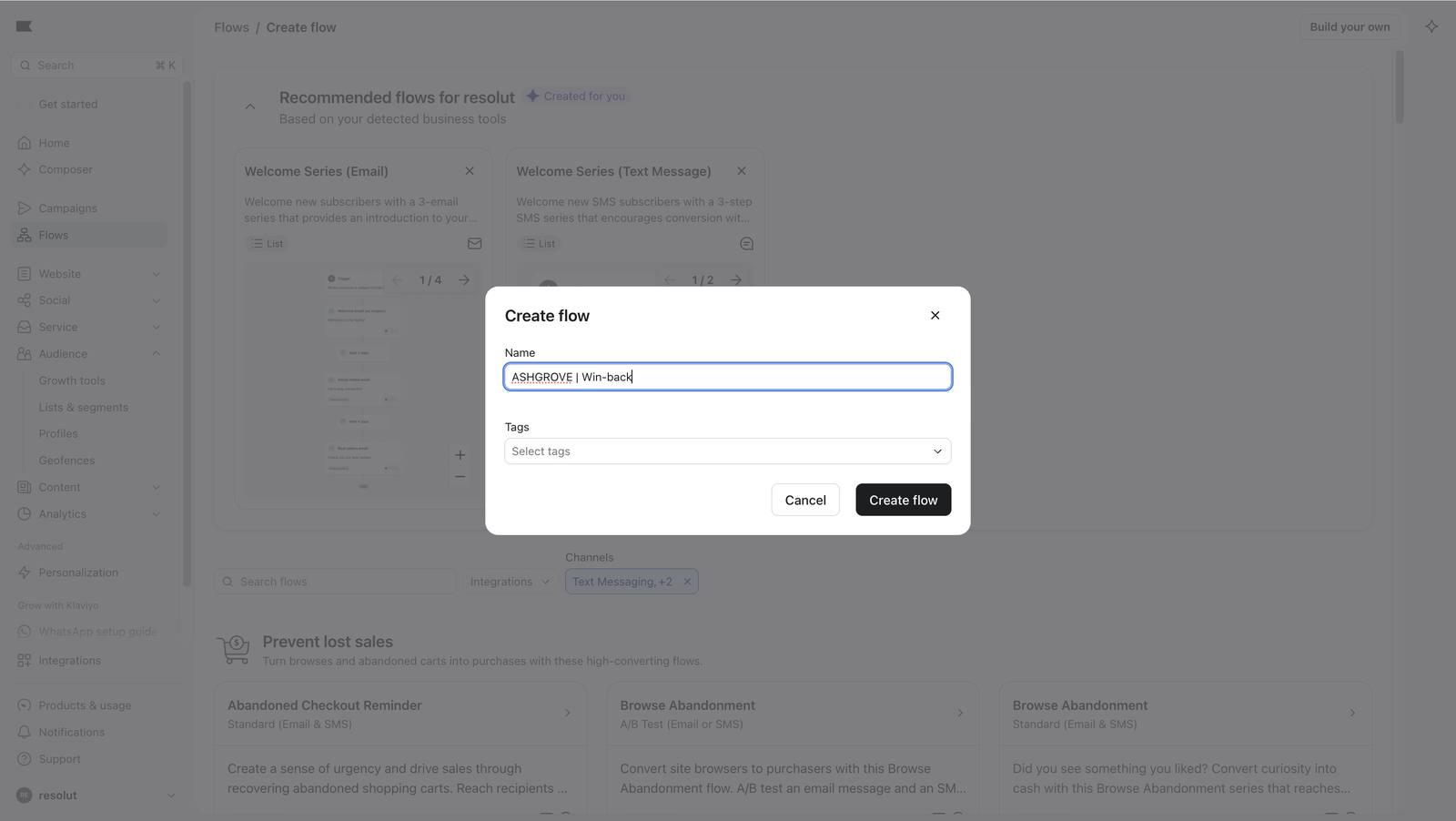
Creating the flow and naming it.
98 Creating the flow and naming it.
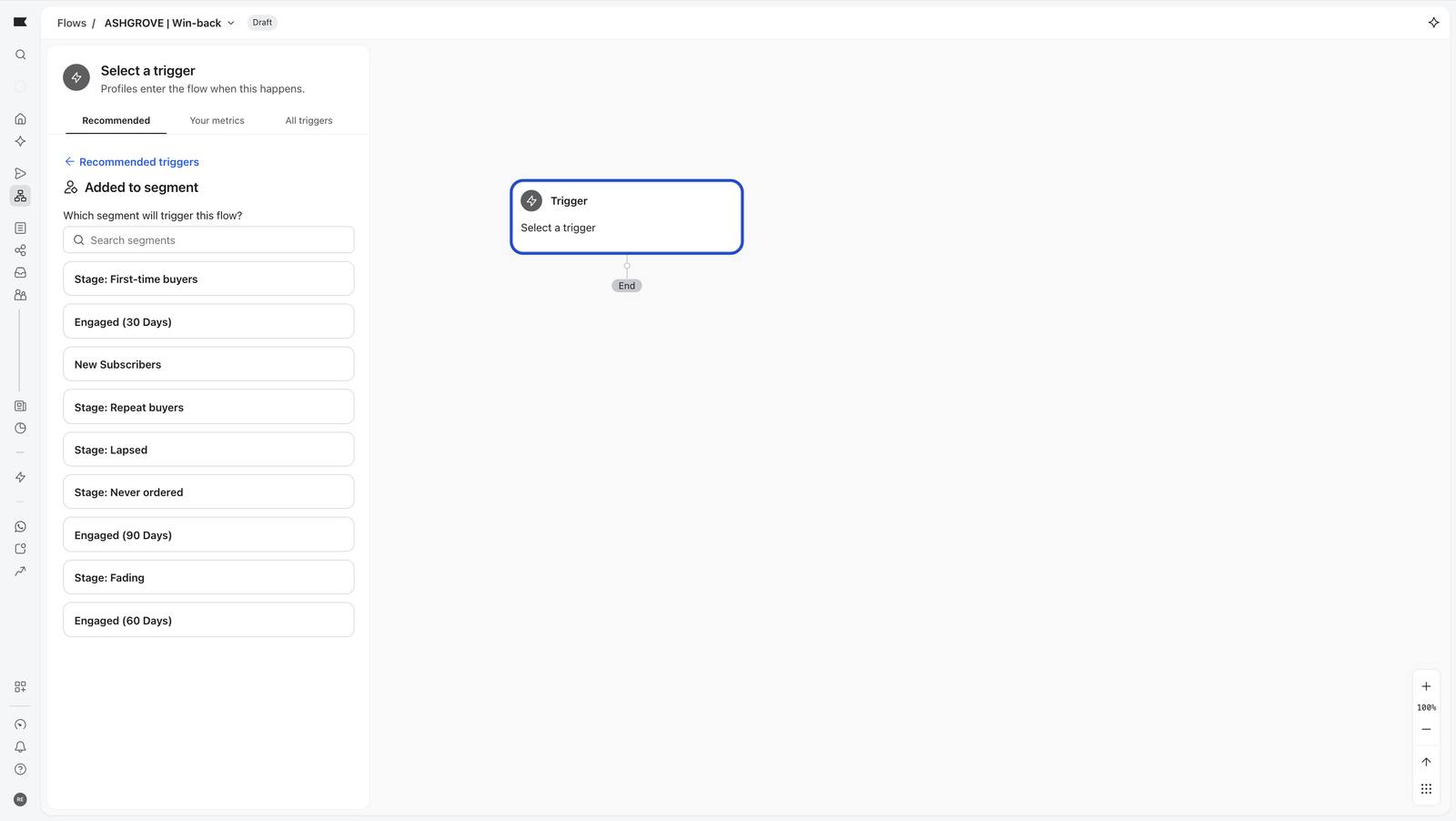
Choosing the trigger: added to a segment, then Lapsed.
100 Choosing the trigger: added to a segment, then Lapsed.
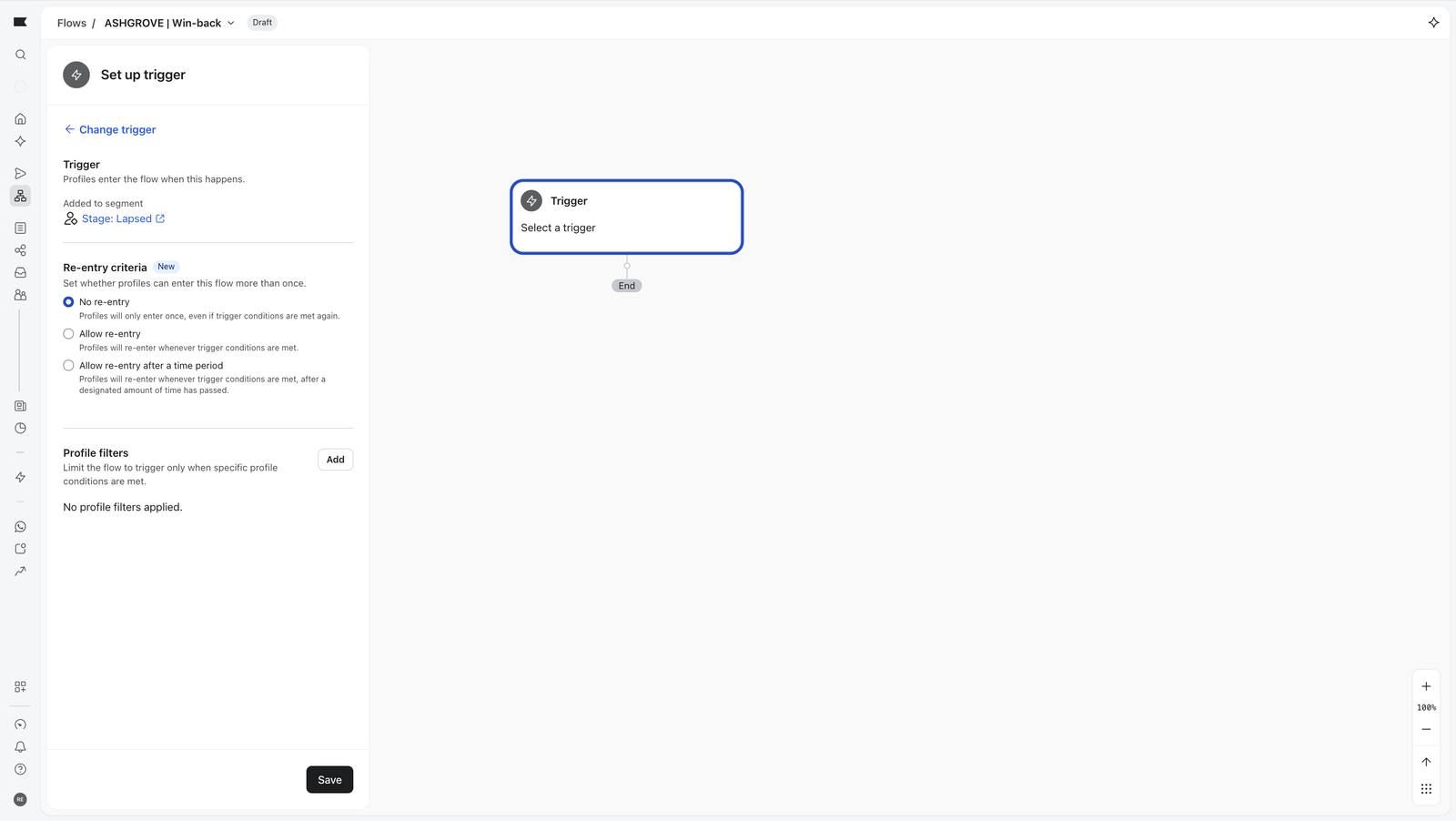
Lapsed selected; re-entry and profile filter options appear.
101 Lapsed selected; re-entry and profile filter options appear.
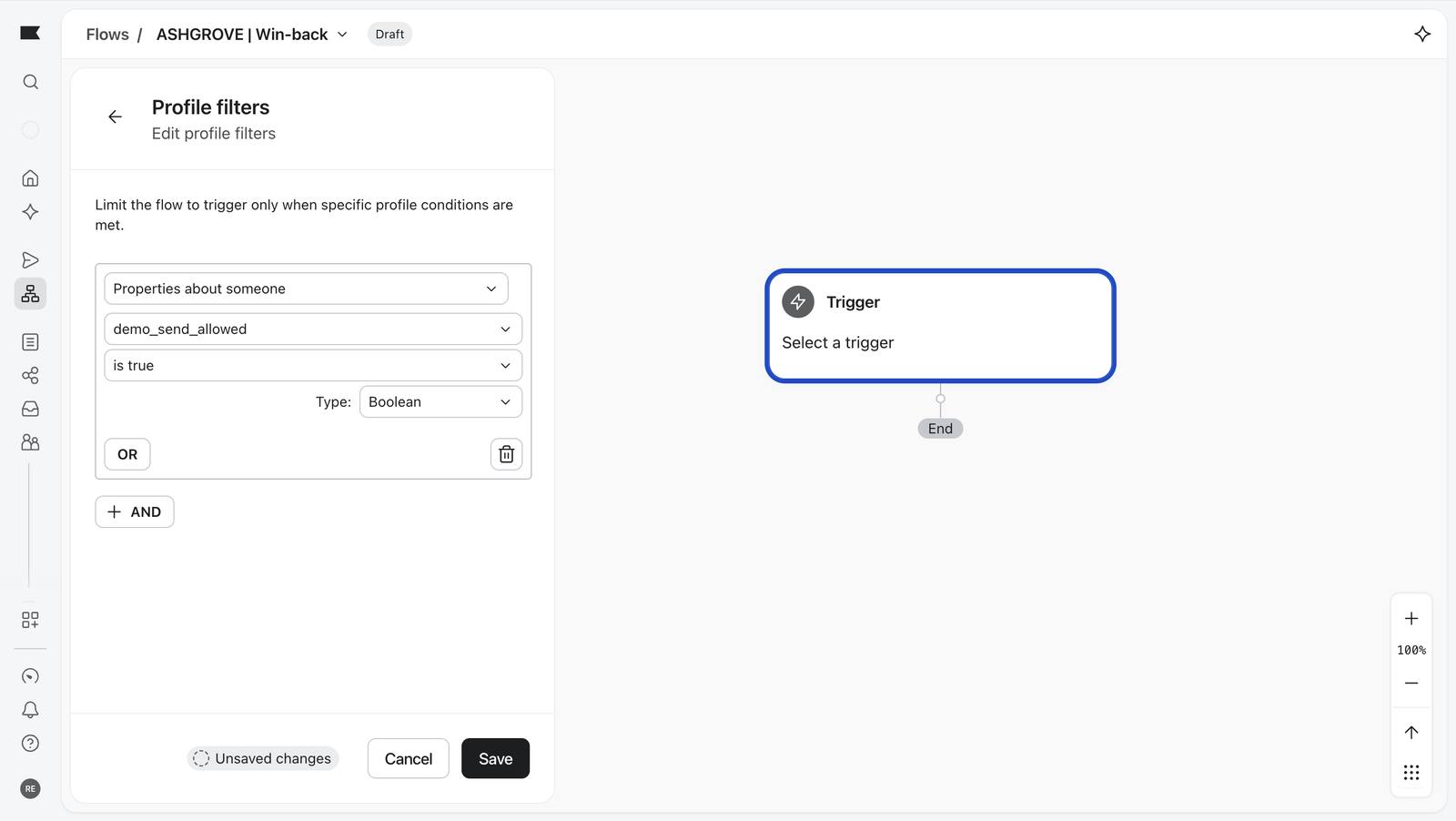
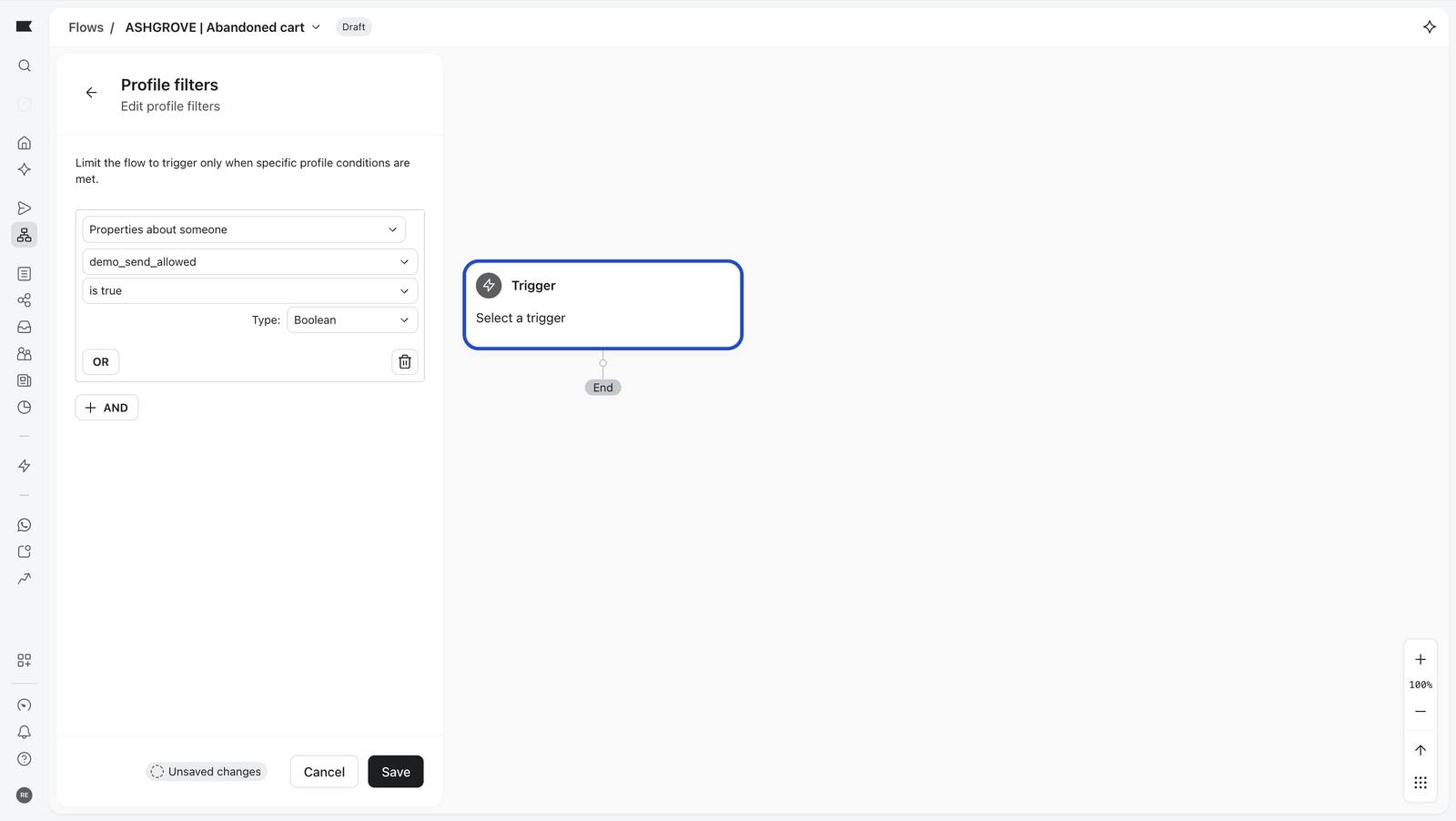
The profile filter that acts as the bouncer: demo_send_allowed is true.
103 The profile filter that acts as the bouncer: demo_send_allowed is true.
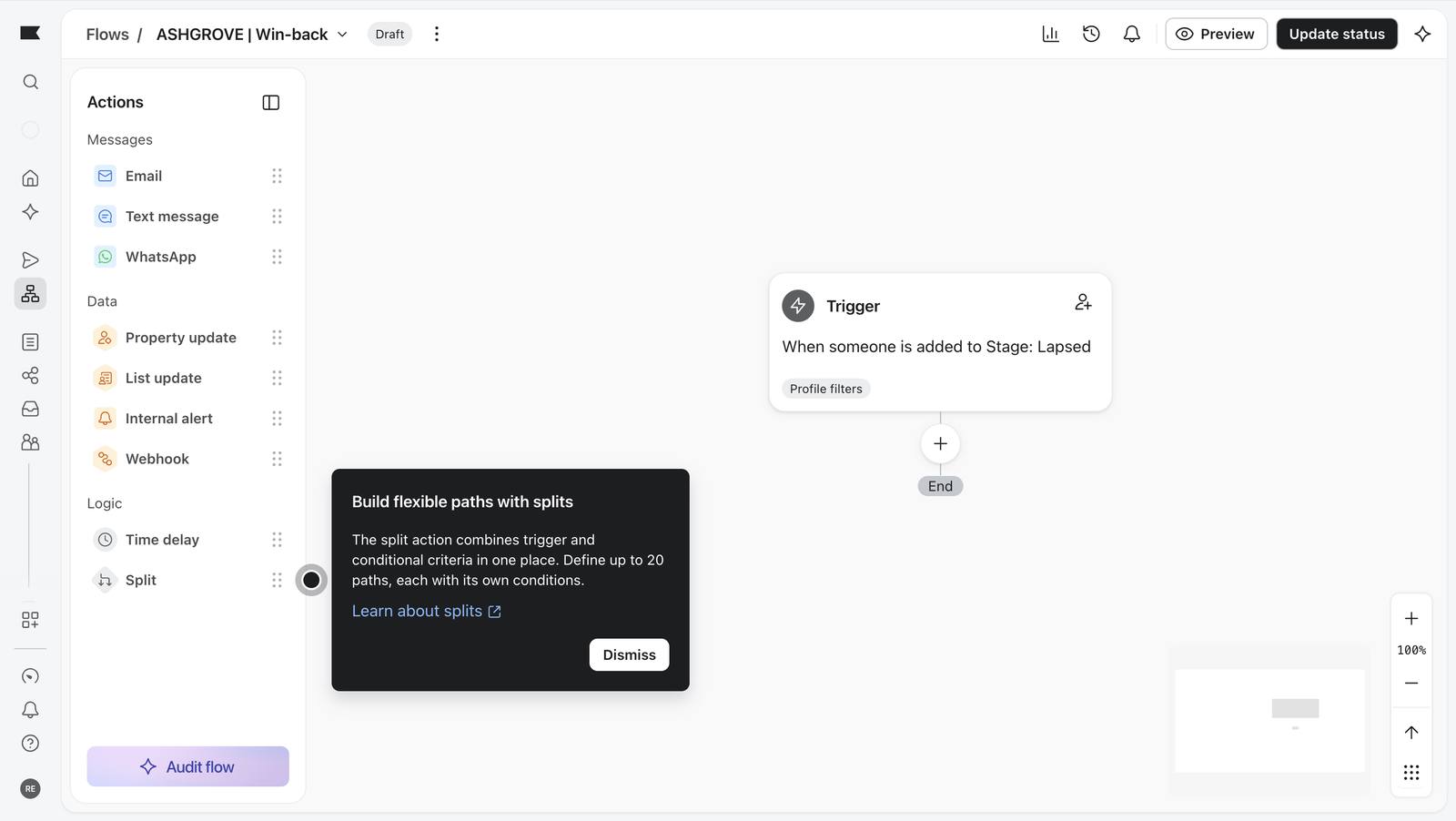
Trigger saved; the actions panel opens.
105 Trigger saved; the actions panel opens.
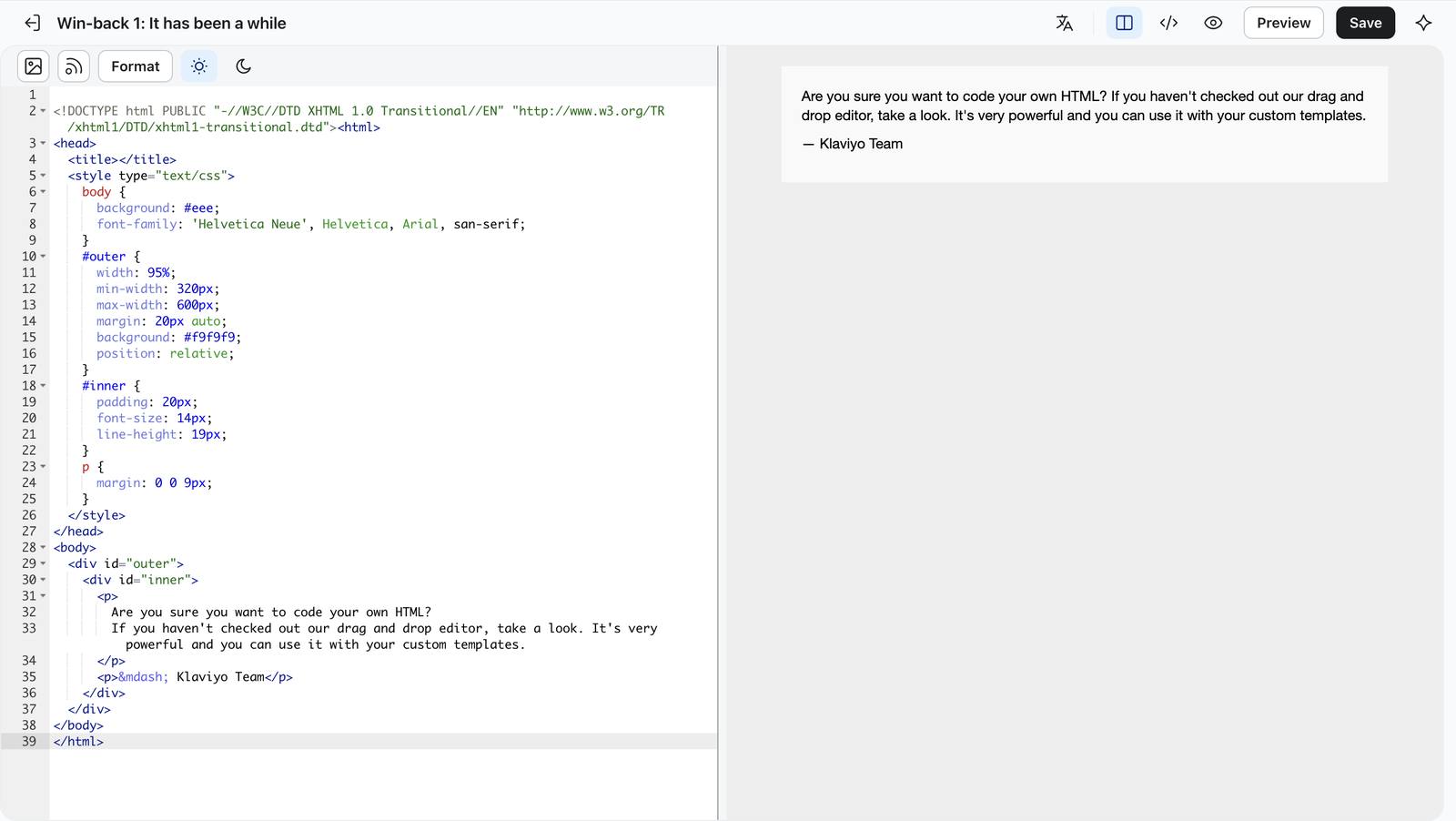
The email's code editor opens with Klaviyo's starter code.
108 The email's code editor opens with Klaviyo's starter code.
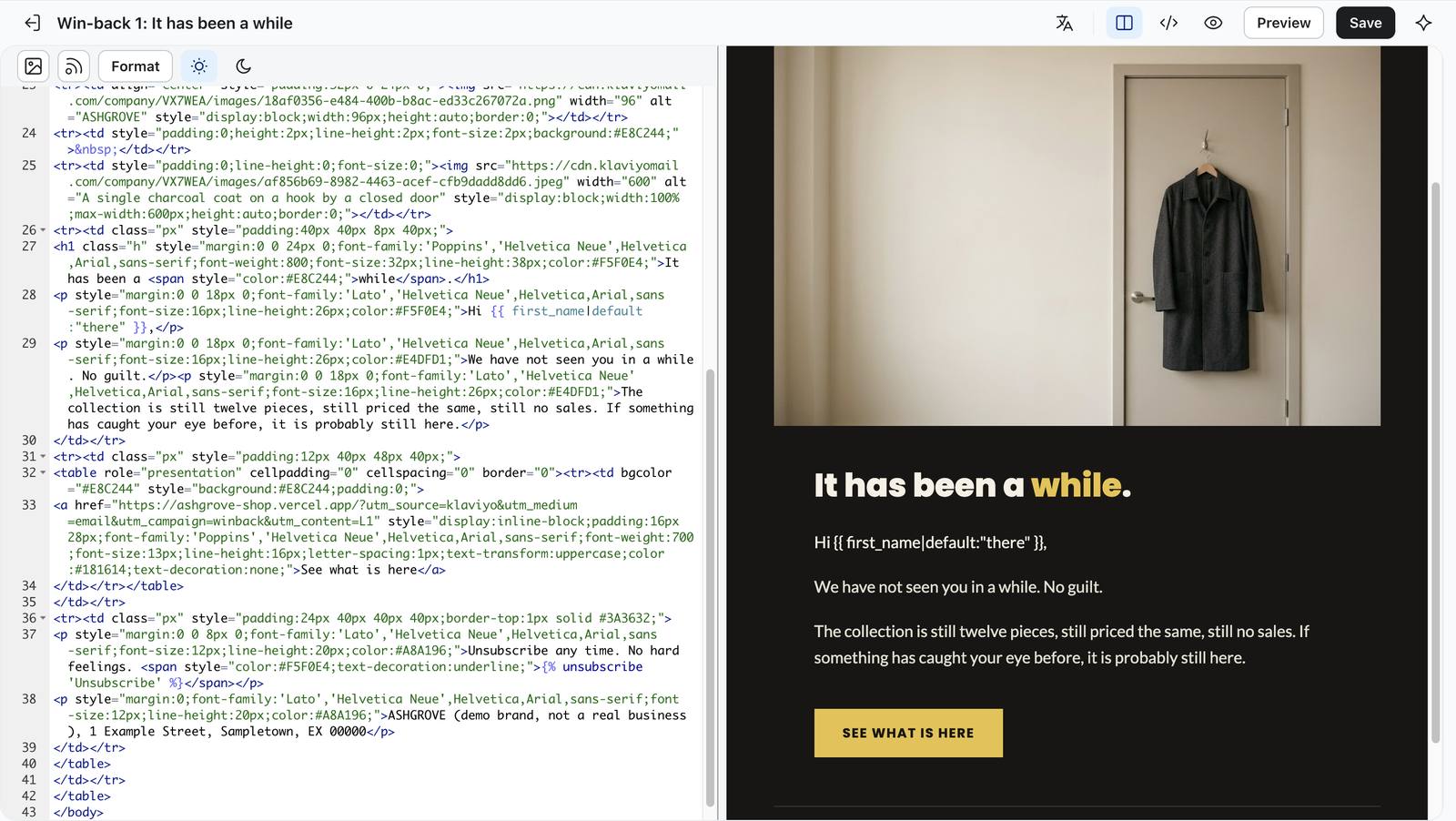
The ASHGROVE HTML pasted in and previewing correctly.
120 The ASHGROVE HTML pasted in and previewing correctly.
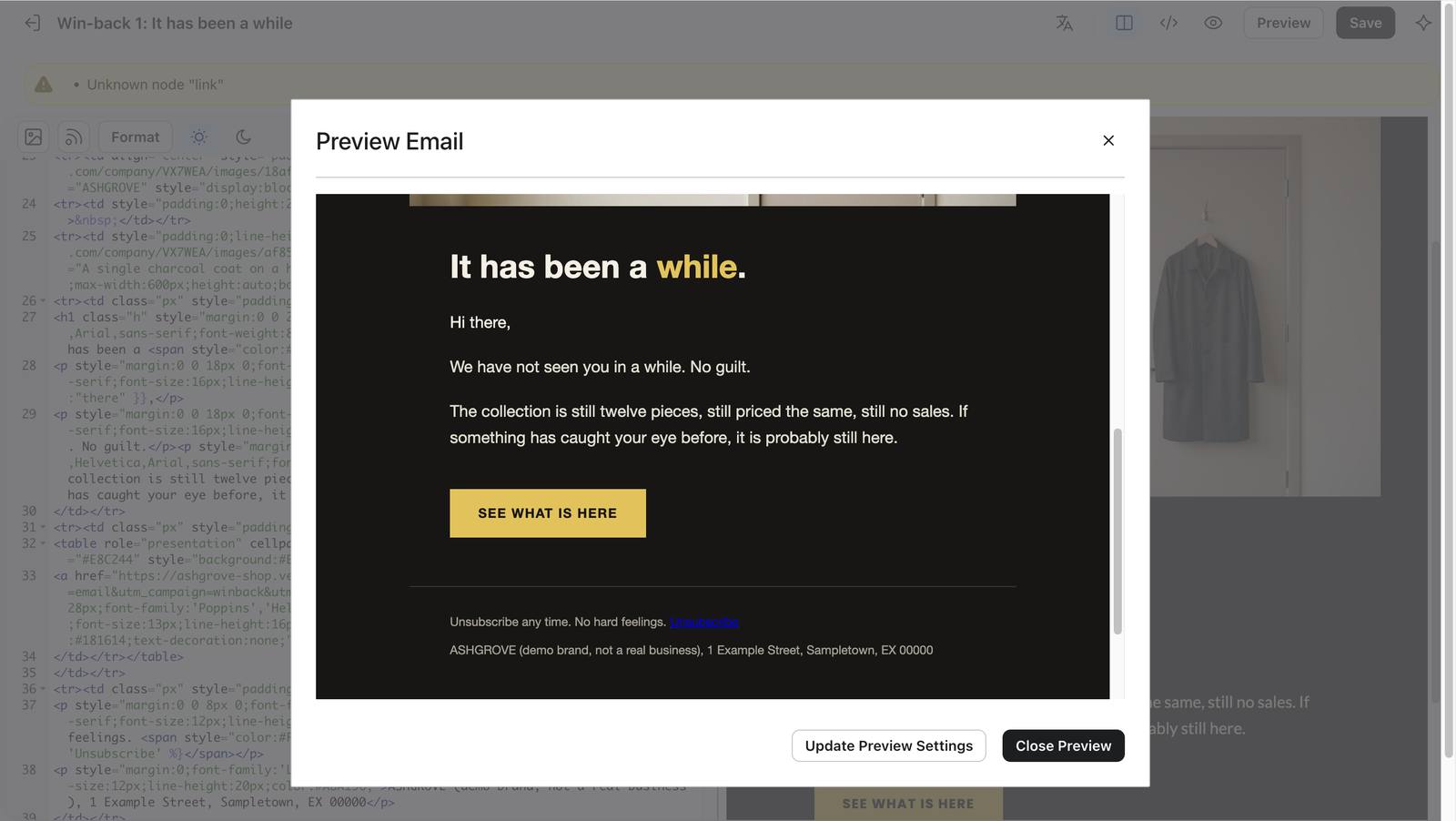
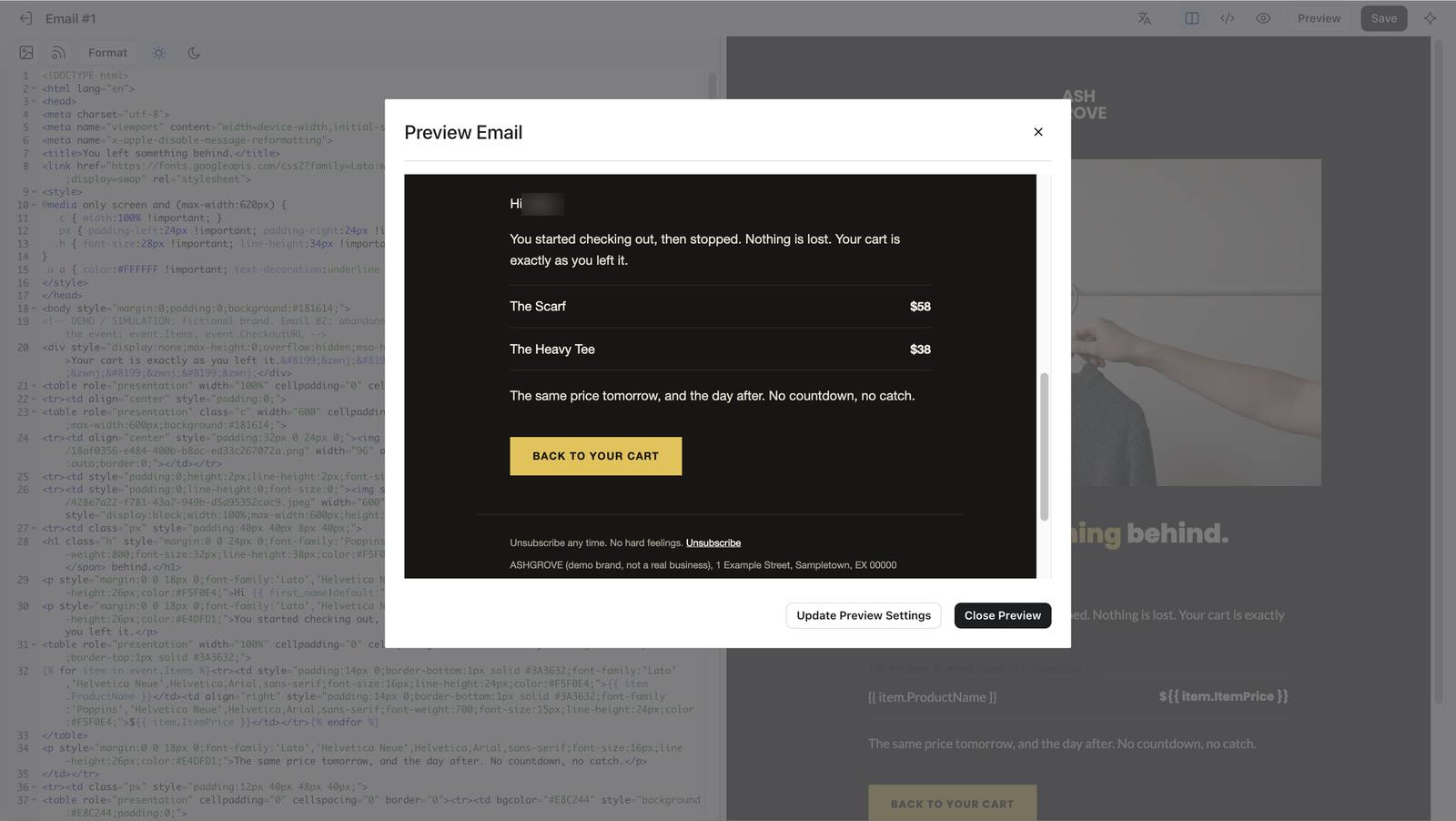
Preview shows 'Hi there' for a blank profile and a working unsubscribe link.
122 Preview shows 'Hi there' for a blank profile and a working unsubscribe link.
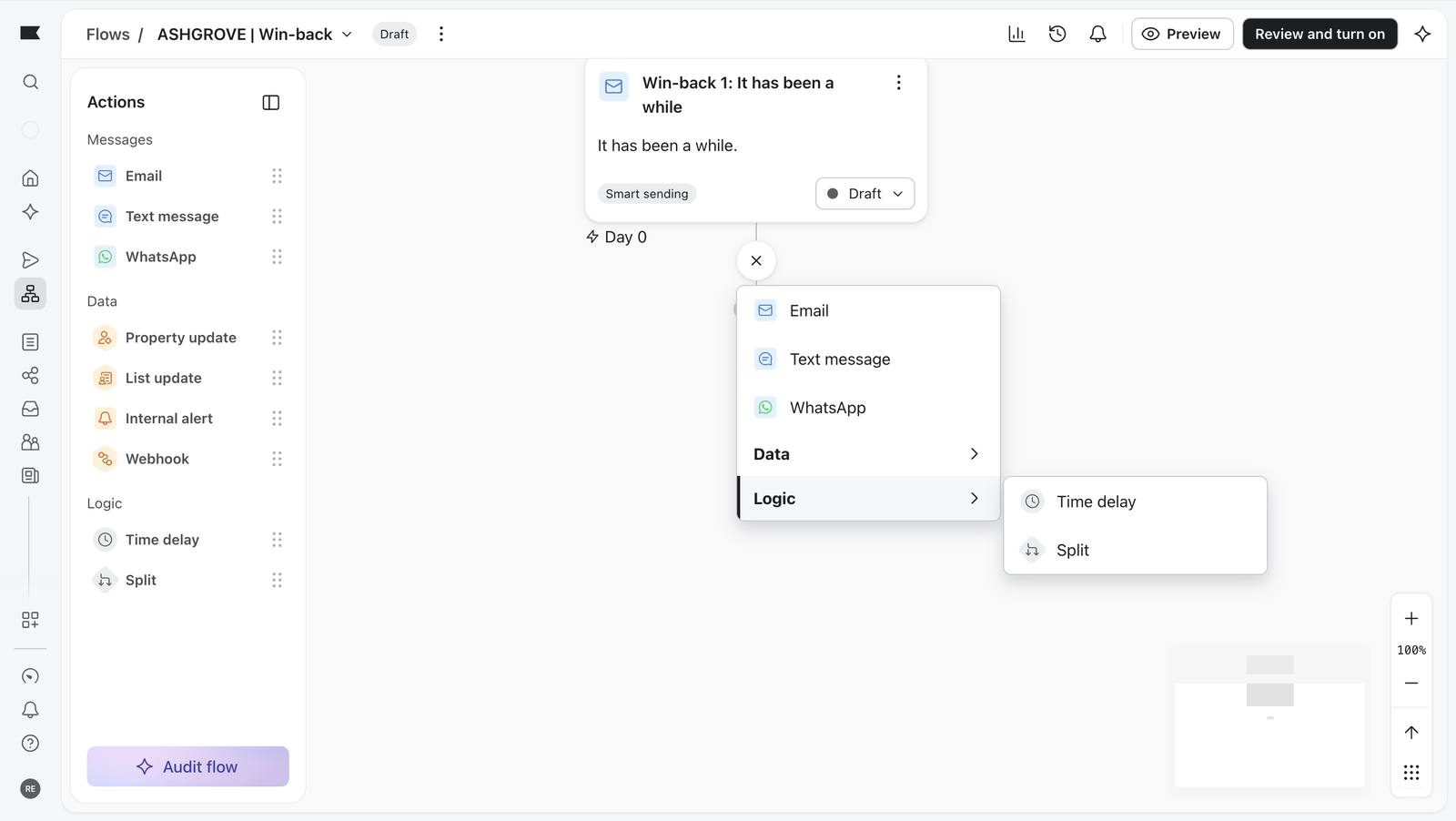
Adding a step from the Logic menu: time delay.
125 Adding a step from the Logic menu: time delay.
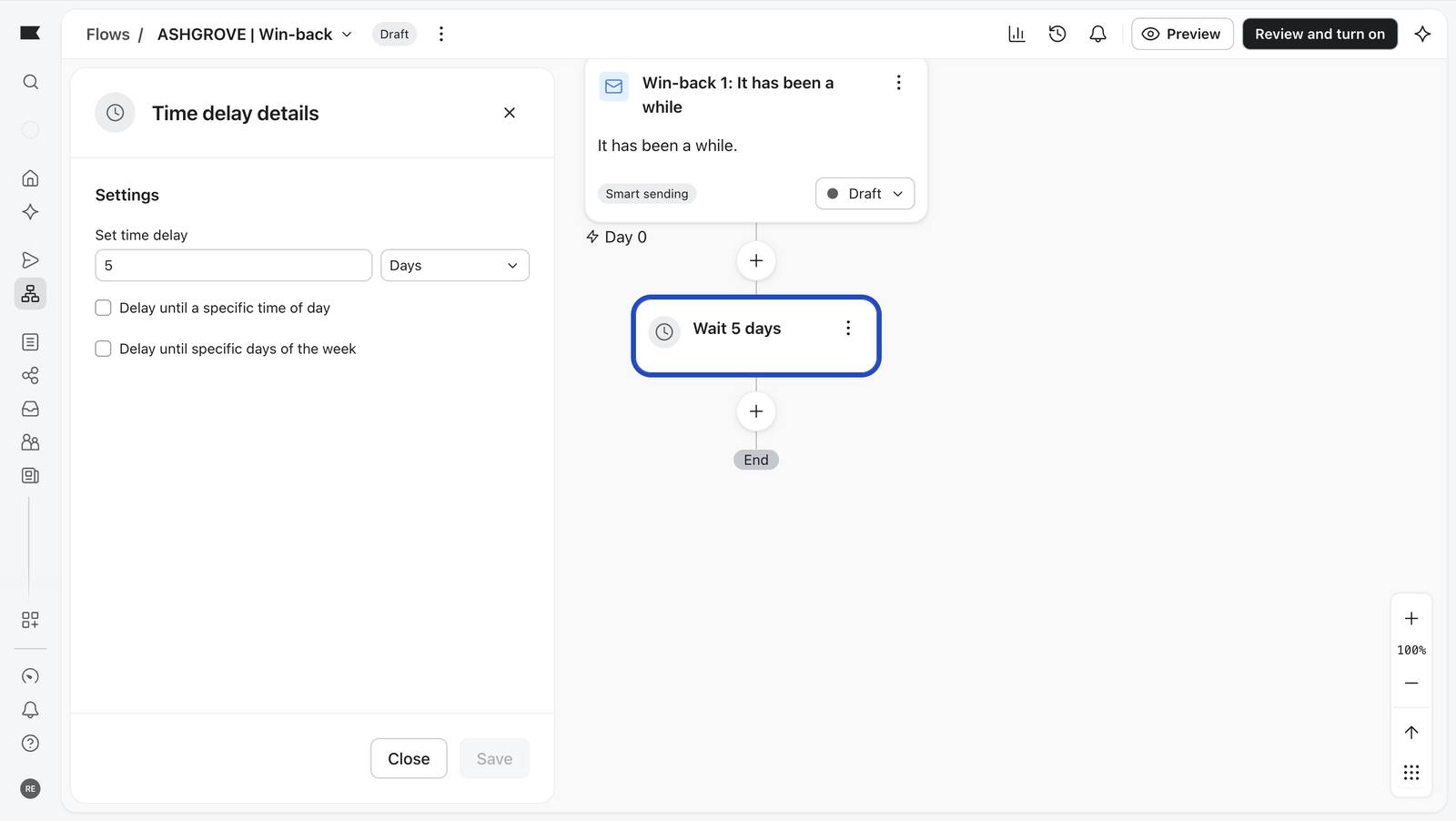
Wait 5 days saved.
127 Wait 5 days saved.
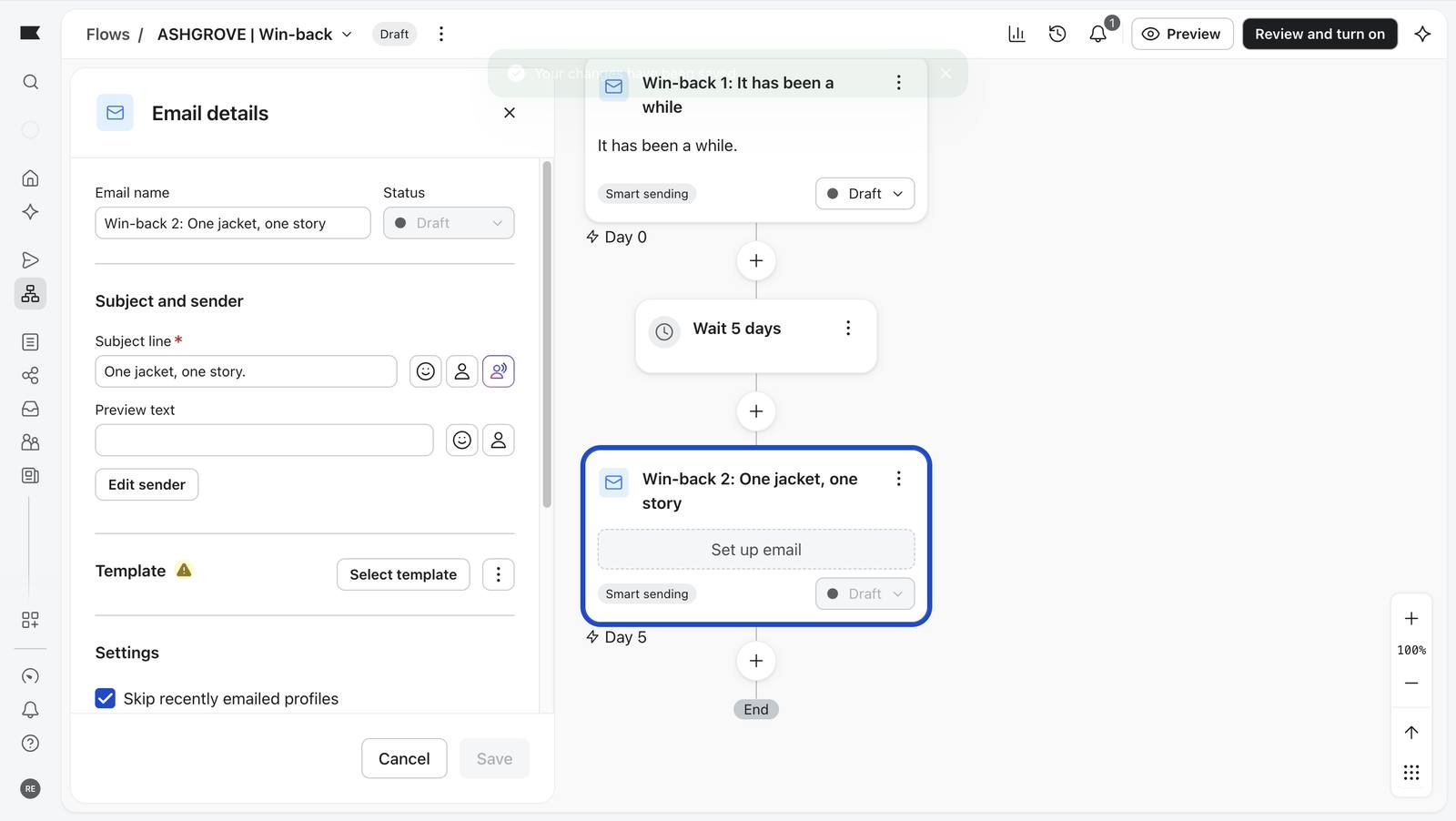
Email 2 named and given its subject; template still to pick.
129 Email 2 named and given its subject; template still to pick.
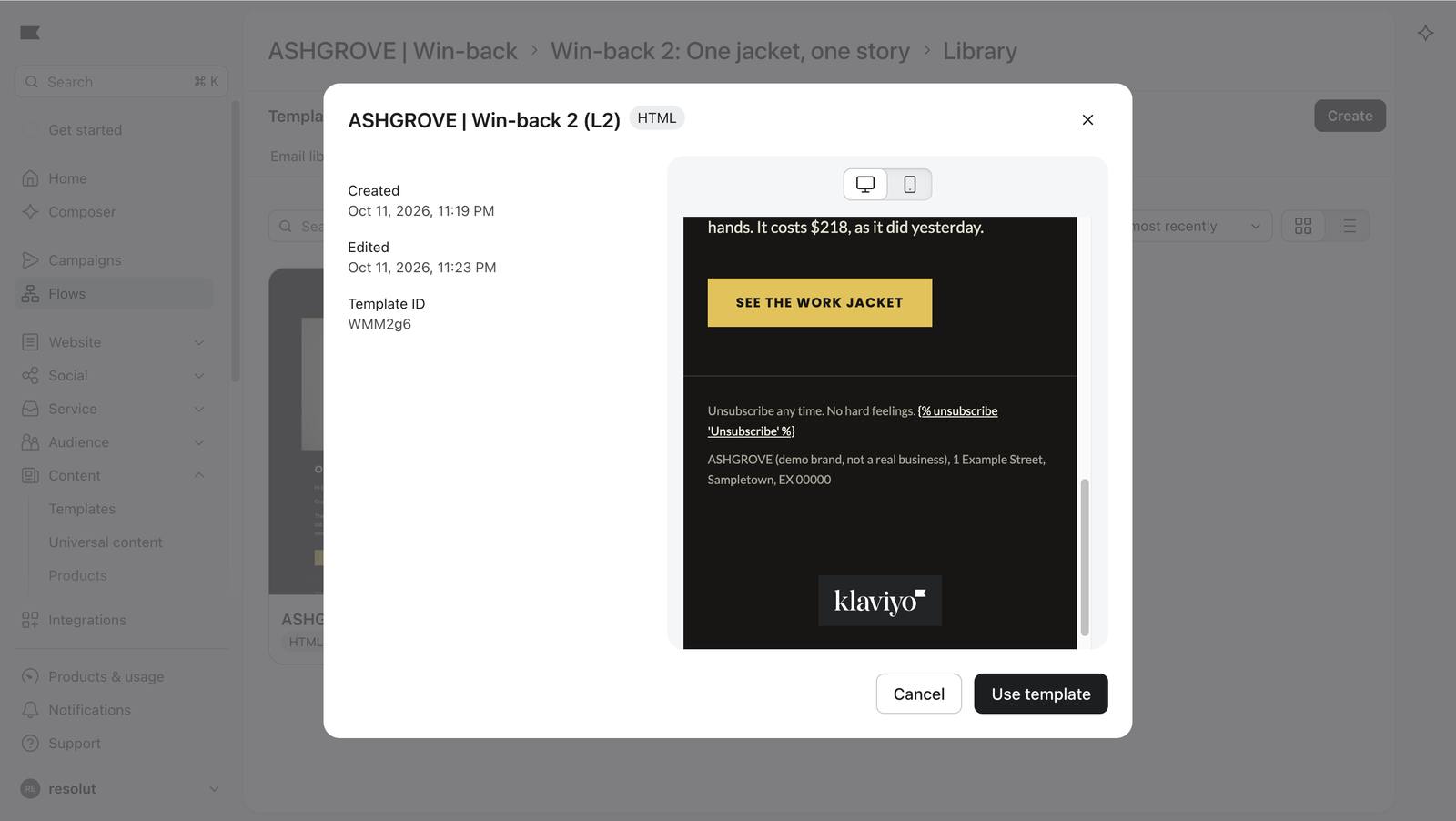
Previewing the Win-back 2 template before using it.
131 Previewing the Win-back 2 template before using it.
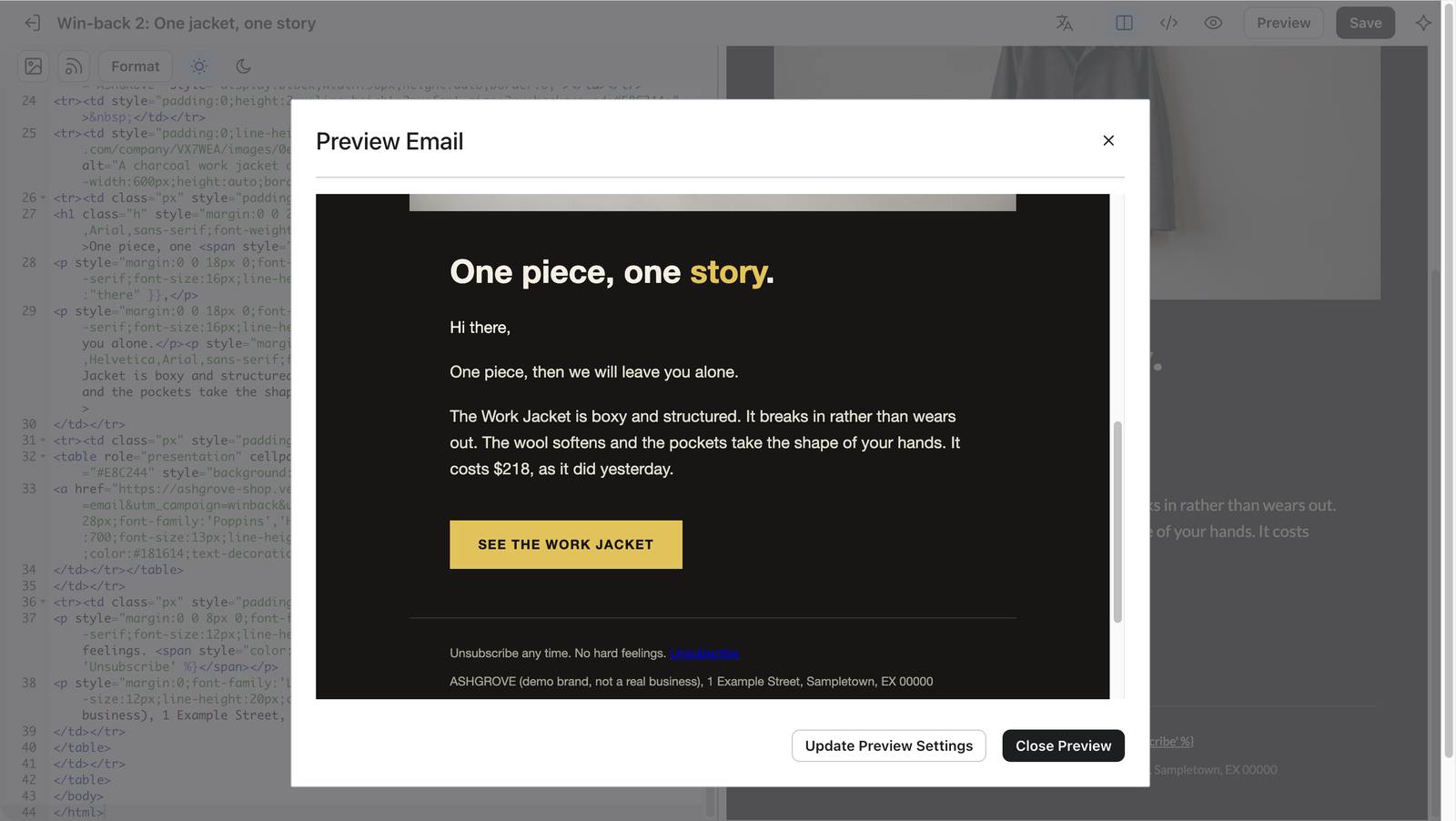
Email 2 preview: 'Hi there' fallback and the unsubscribe placeholder.
133 Email 2 preview: 'Hi there' fallback and the unsubscribe placeholder.
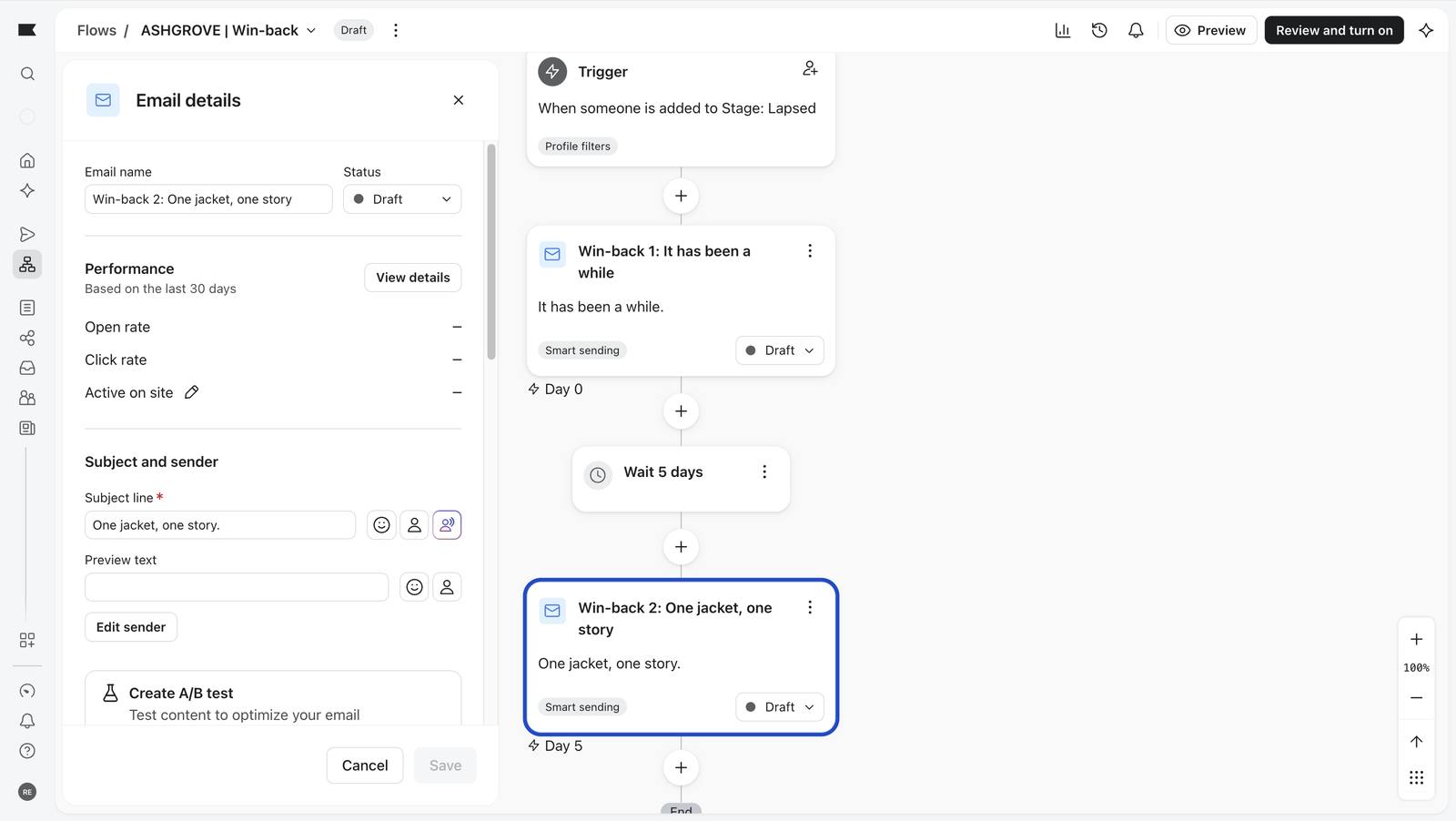
The finished sequence: trigger, email, wait, email, everything Draft.
134 The finished sequence: trigger, email, wait, email, everything Draft.

Post-purchase flow, step by step 10 screenshots

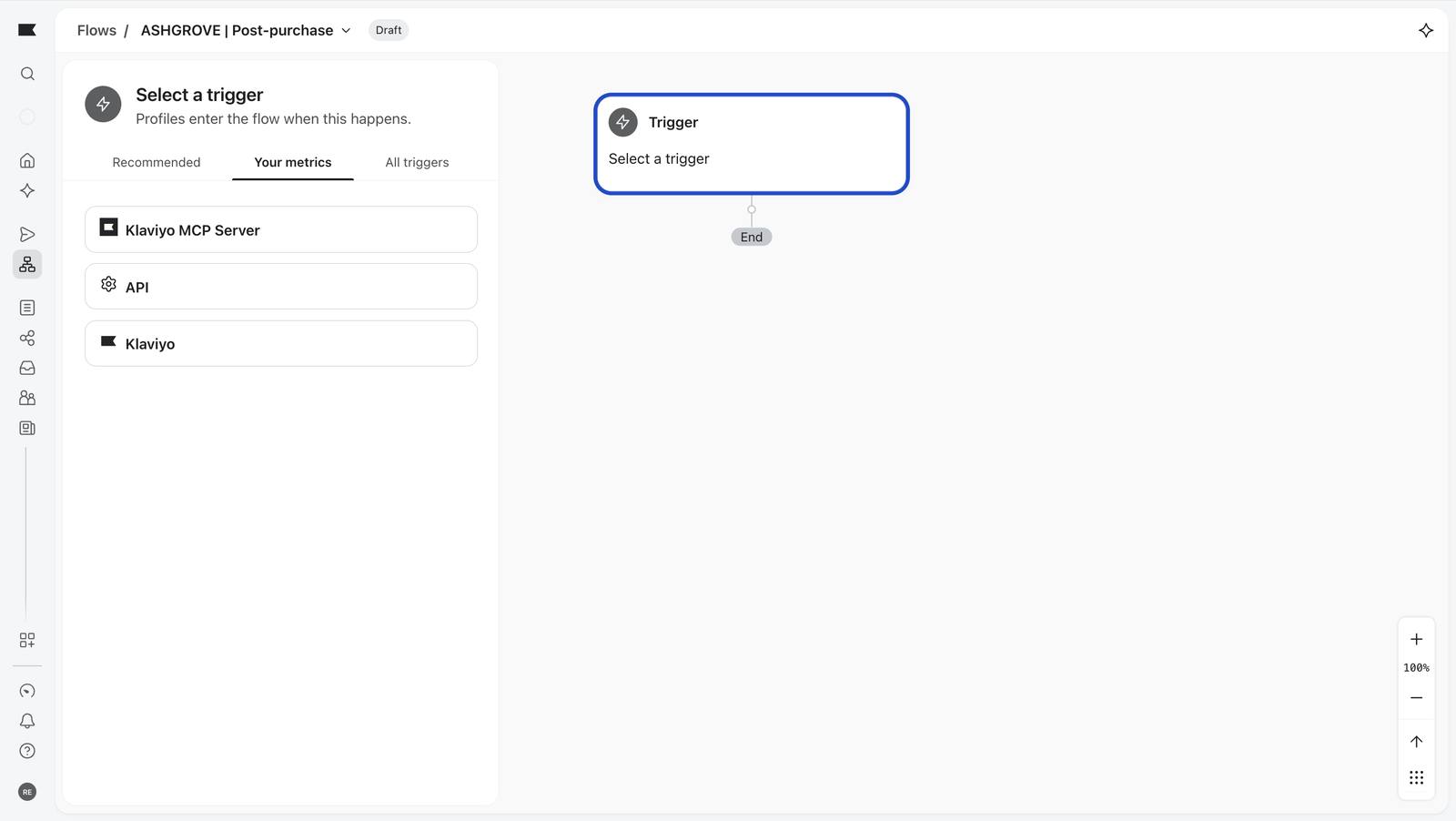
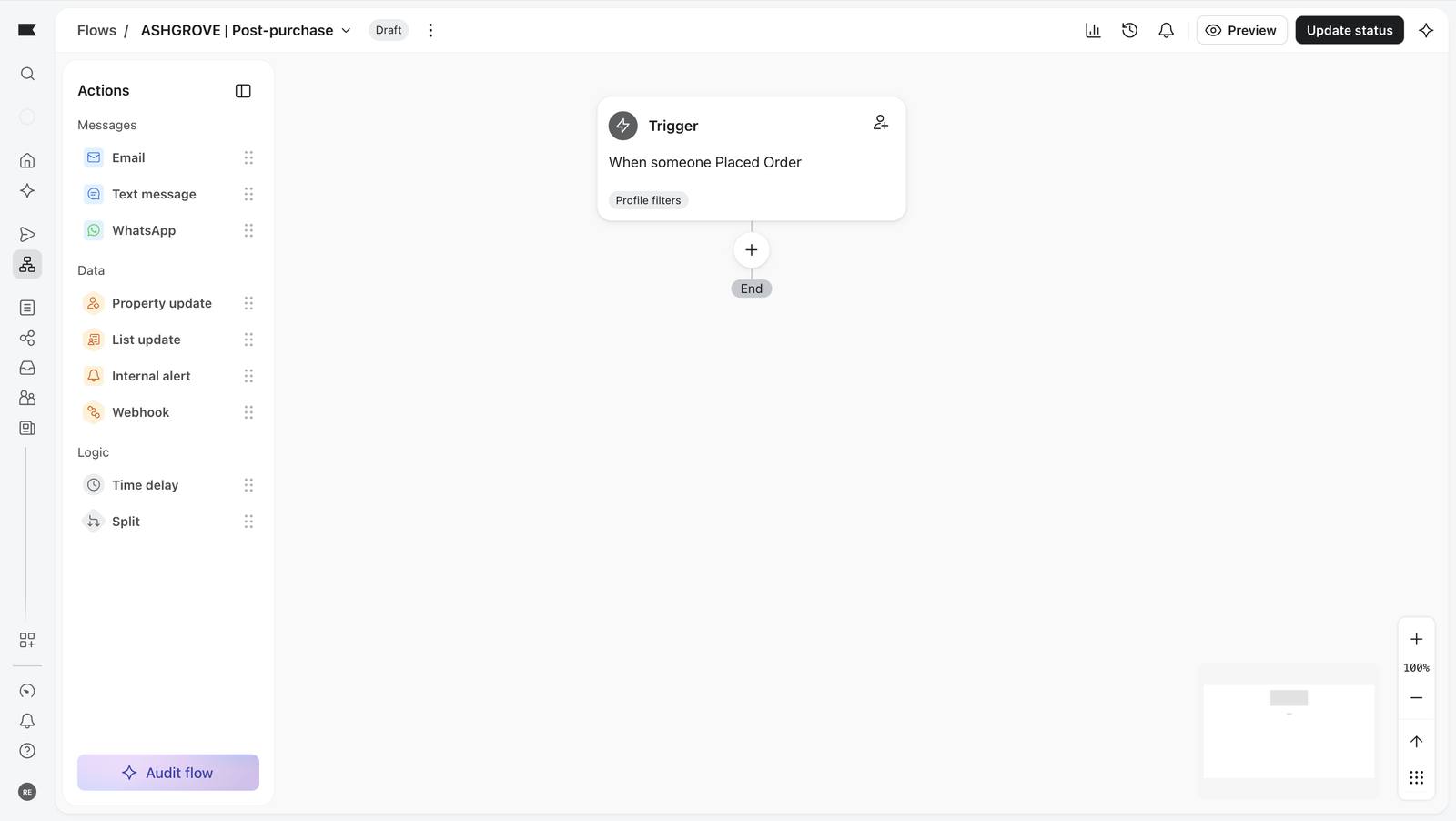
Choosing a metric trigger: Klaviyo groups metrics by the source that sends them.
136 Choosing a metric trigger: Klaviyo groups metrics by the source that sends them.
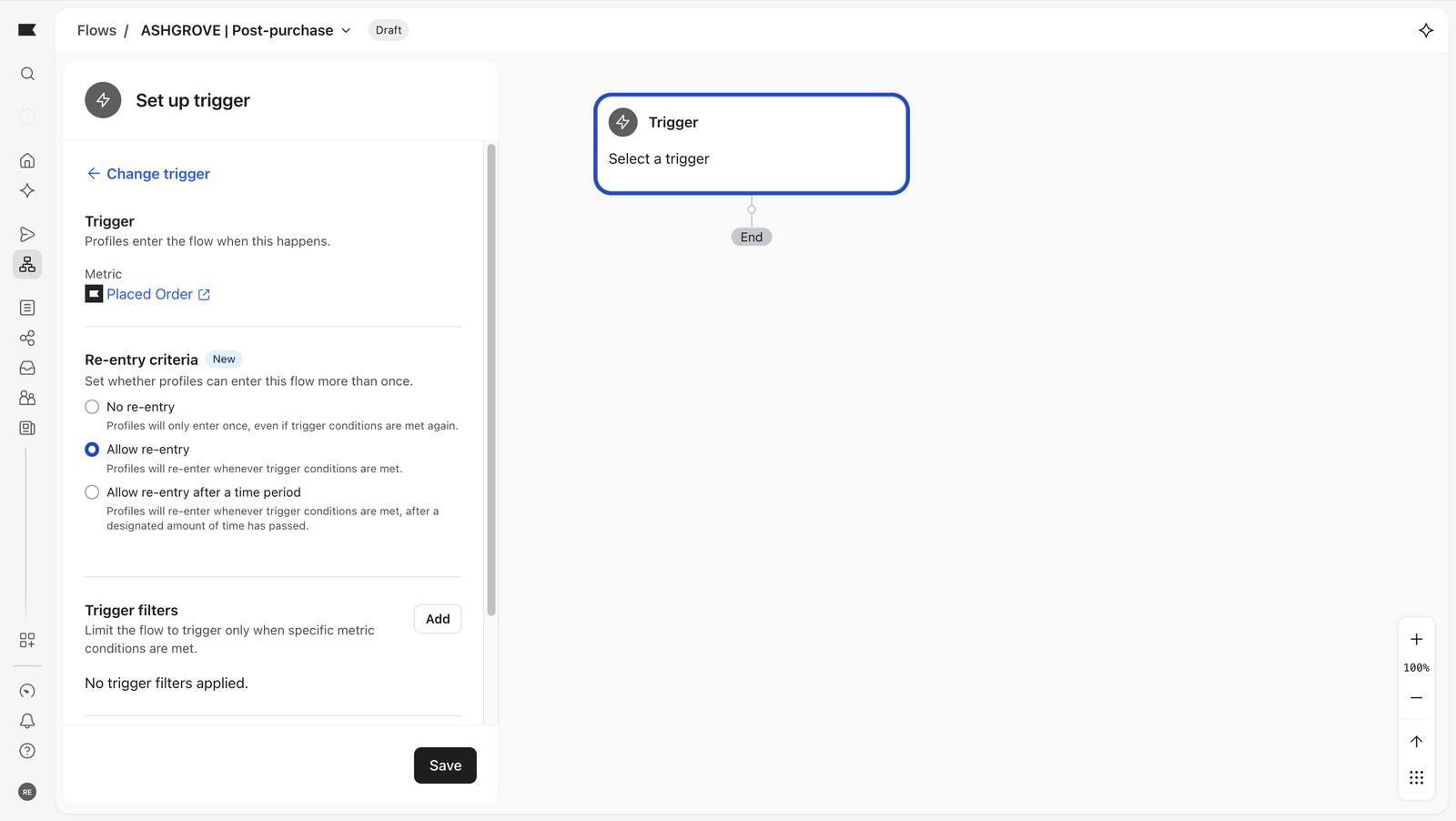
Placed Order chosen as the trigger.
137 Placed Order chosen as the trigger.
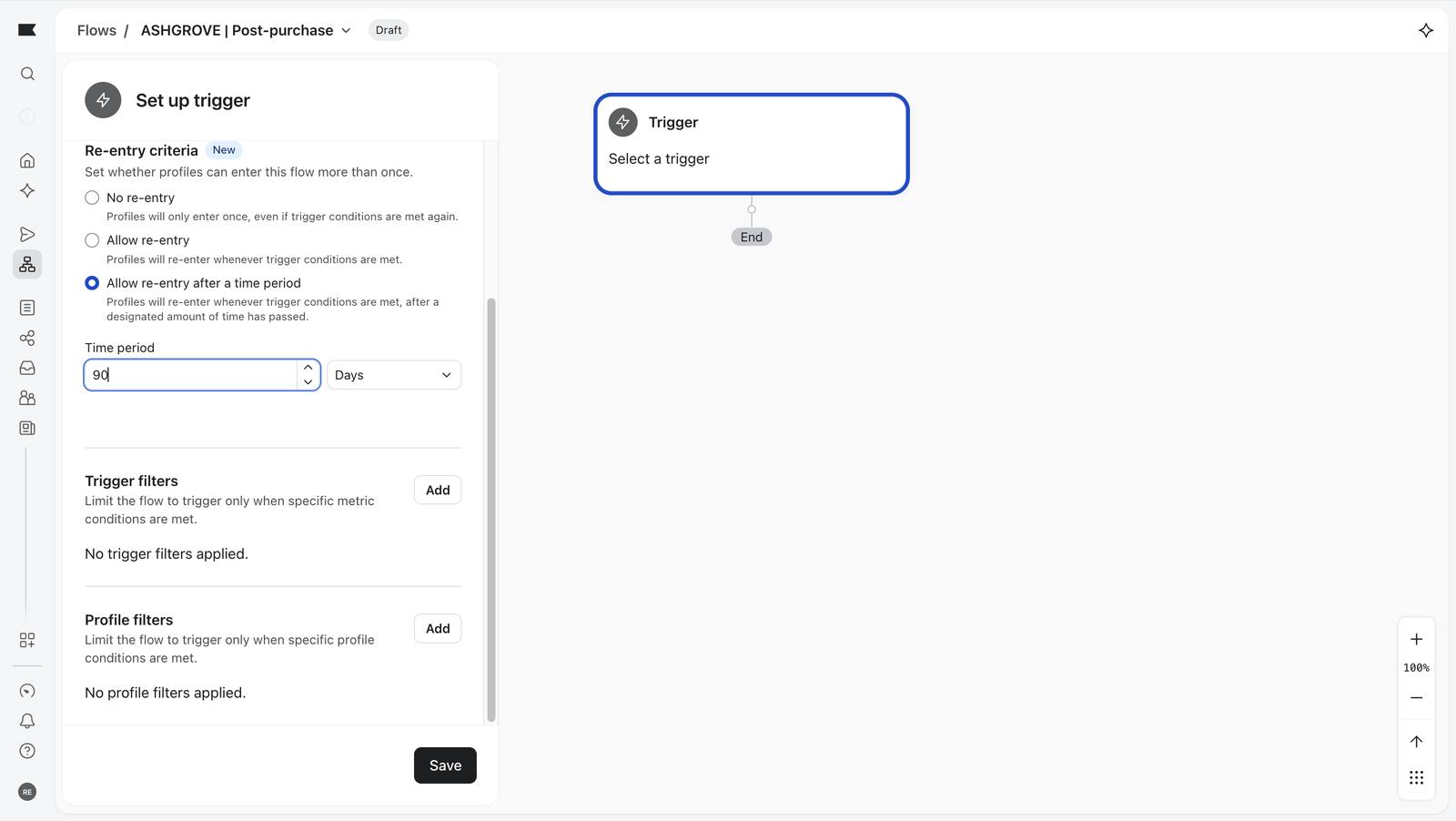
Re-entry set to after 90 days.
138 Re-entry set to after 90 days.
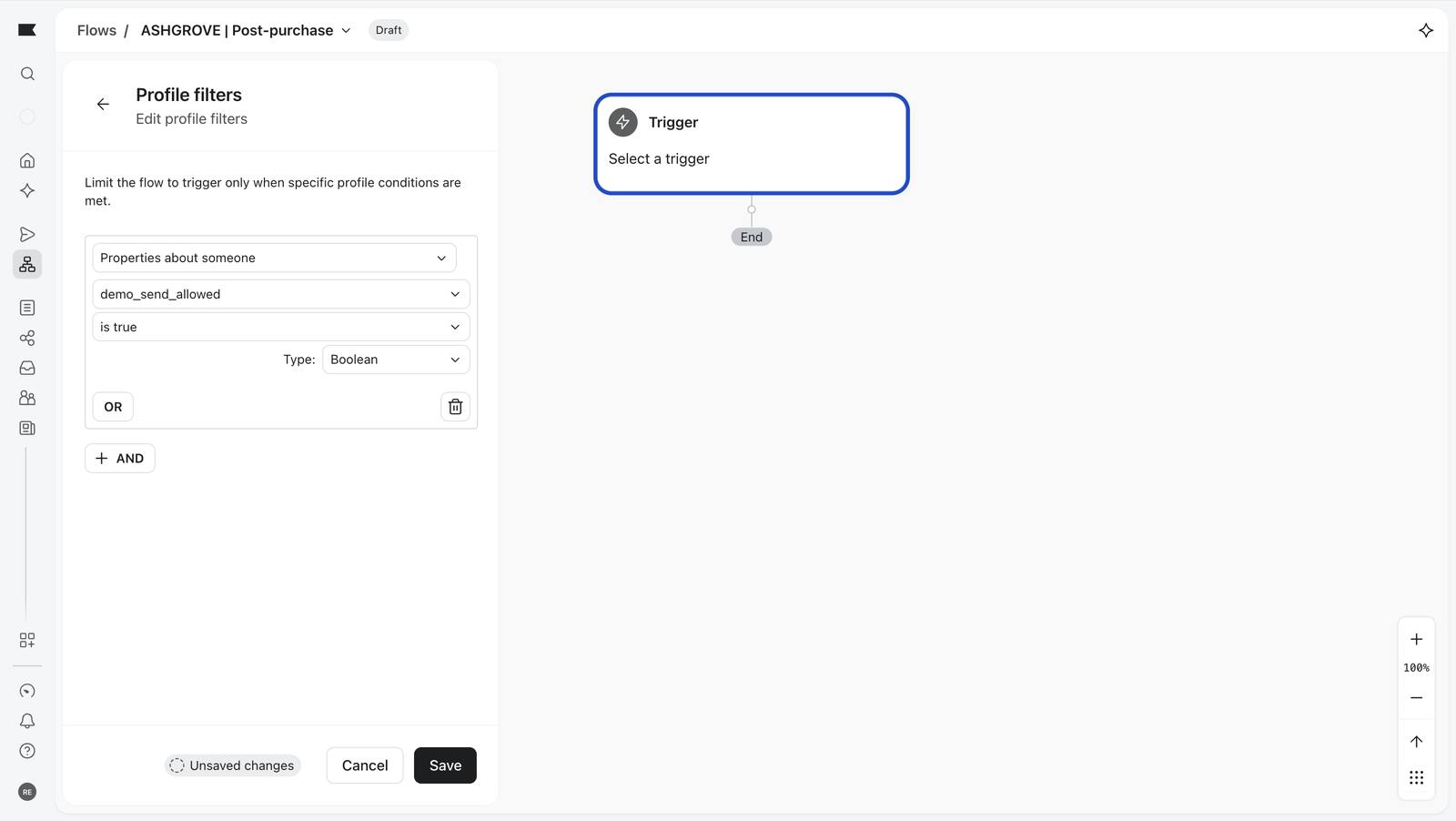
The same demo_send_allowed bouncer on this flow.
141 The same demo_send_allowed bouncer on this flow.
Trigger saved.
143 Trigger saved.
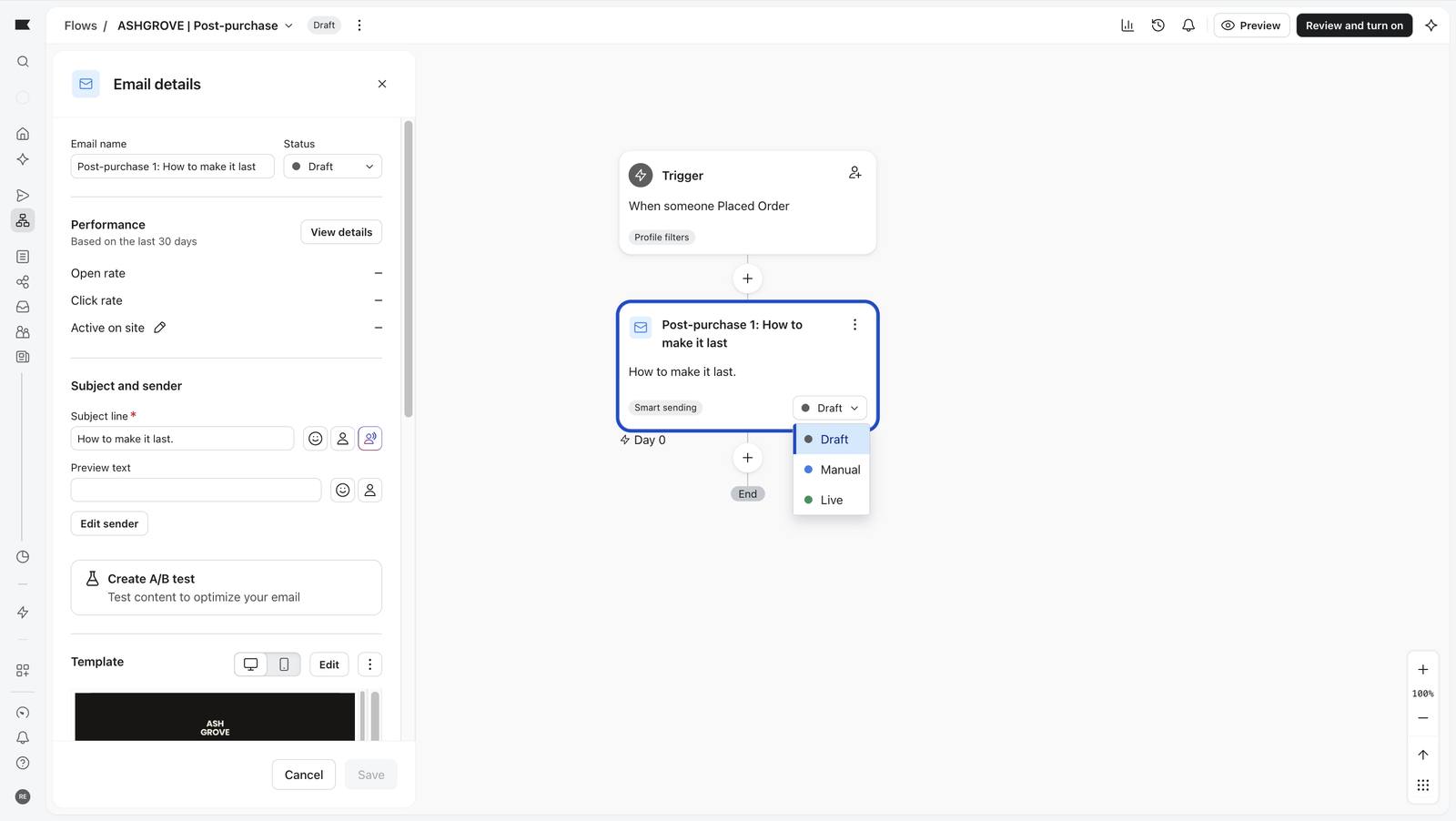
An email's status: Draft, Manual or Live. Only Draft can never send.
155 An email's status: Draft, Manual or Live. Only Draft can never send.
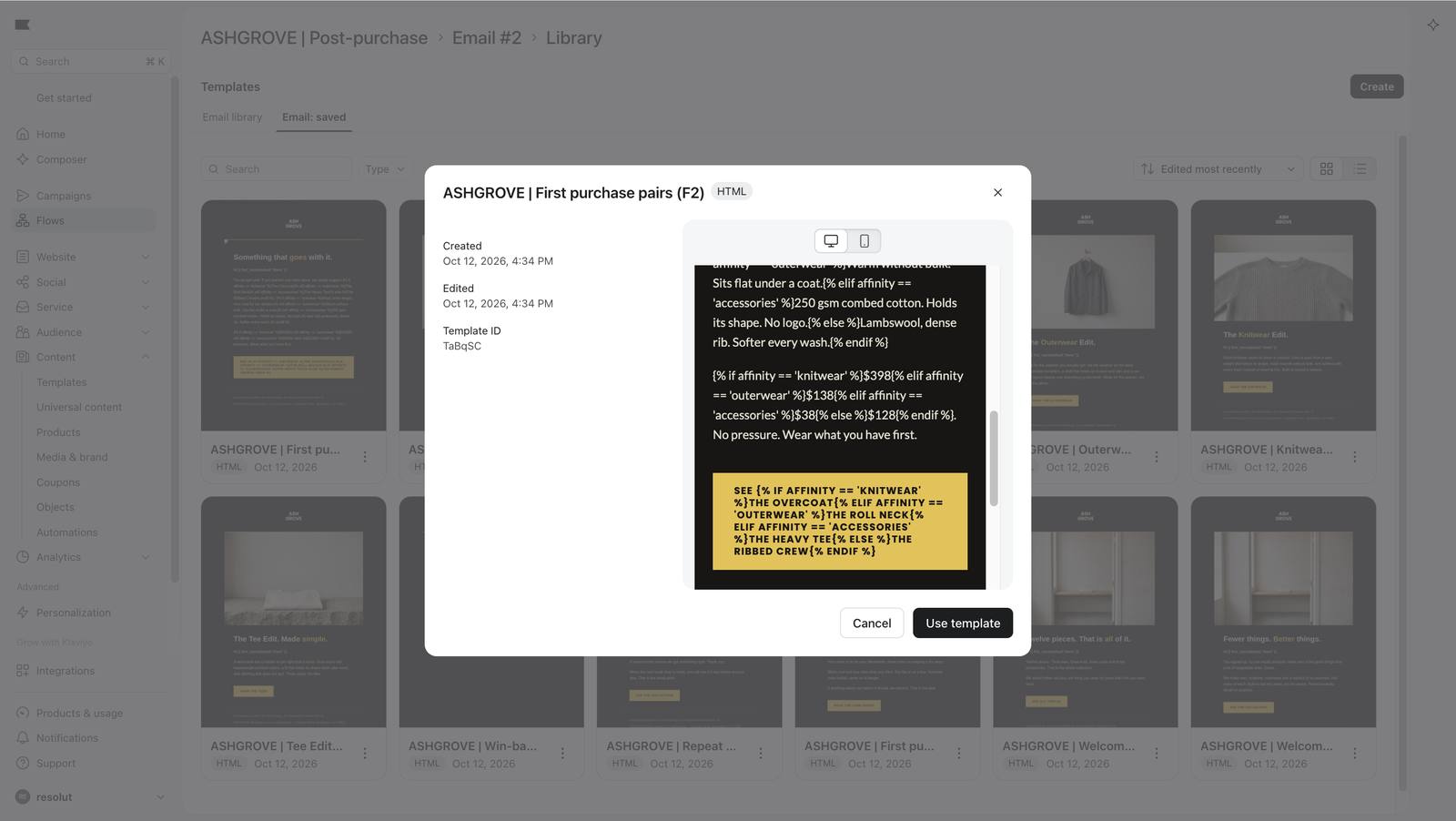
The personalised template previewed in the library: raw tags show, as expected.
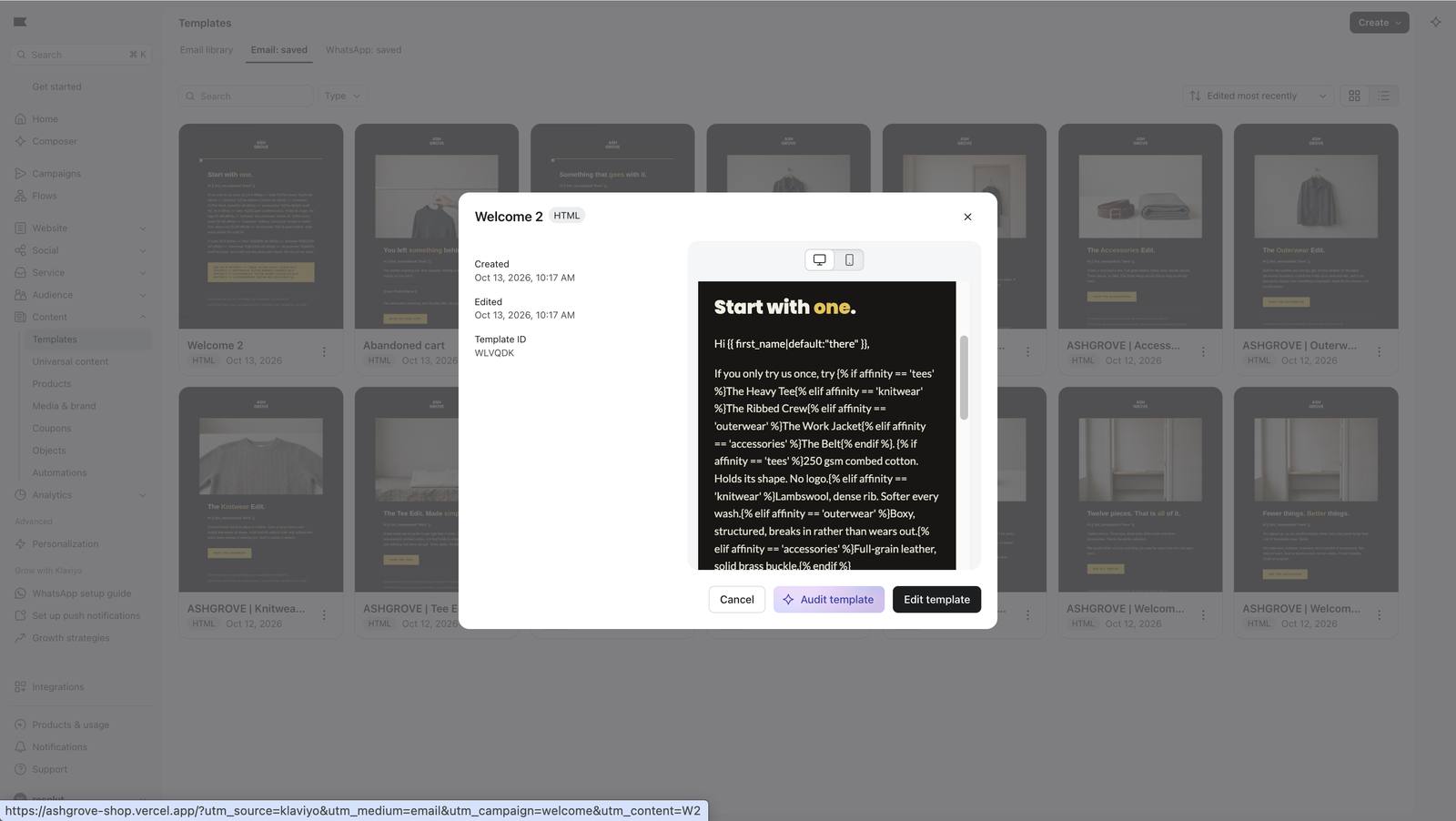
163 The personalised template previewed in the library: raw tags show, as expected.
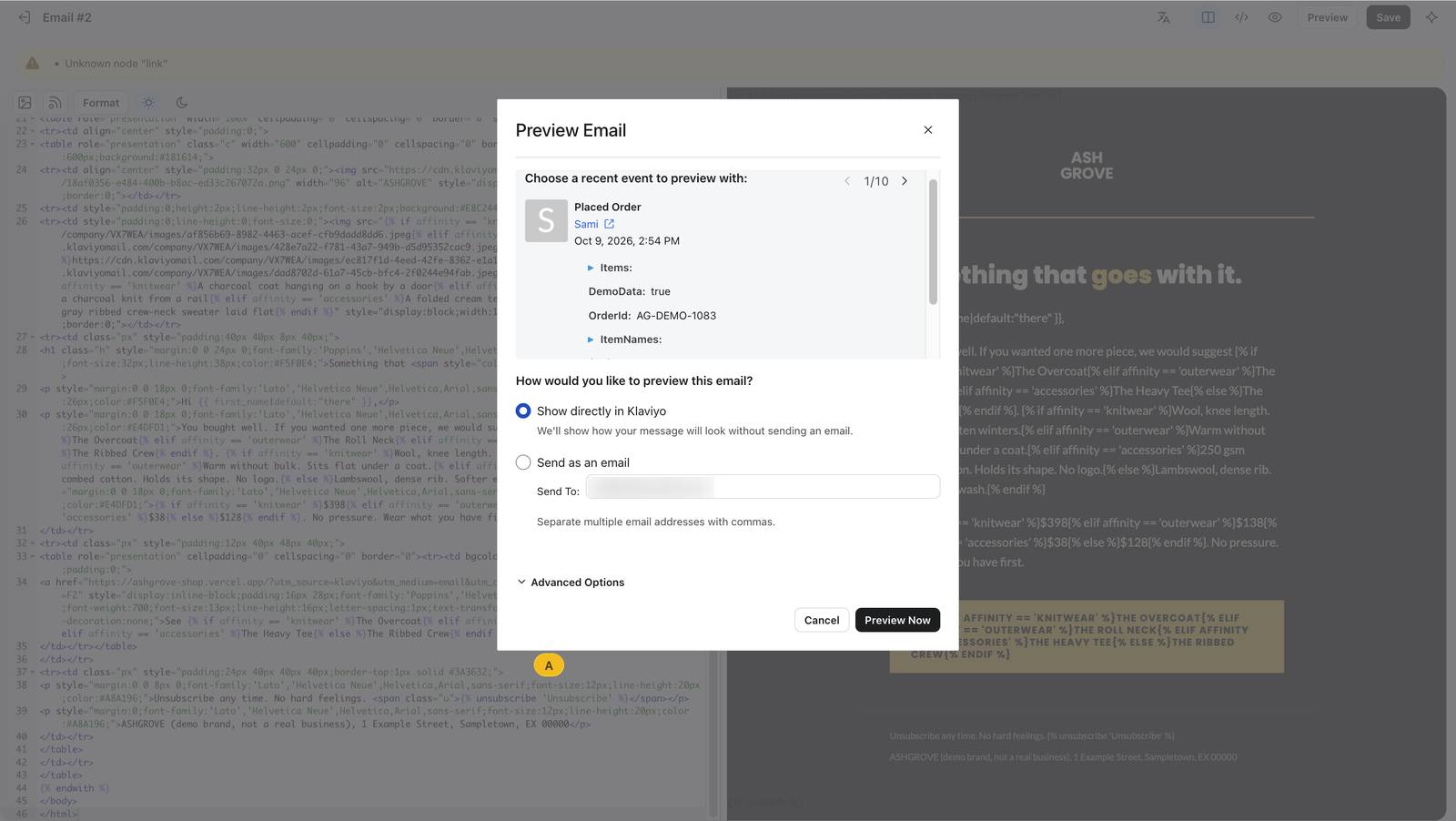
Previewing as a real profile with a real order event.
165 Previewing as a real profile with a real order event.
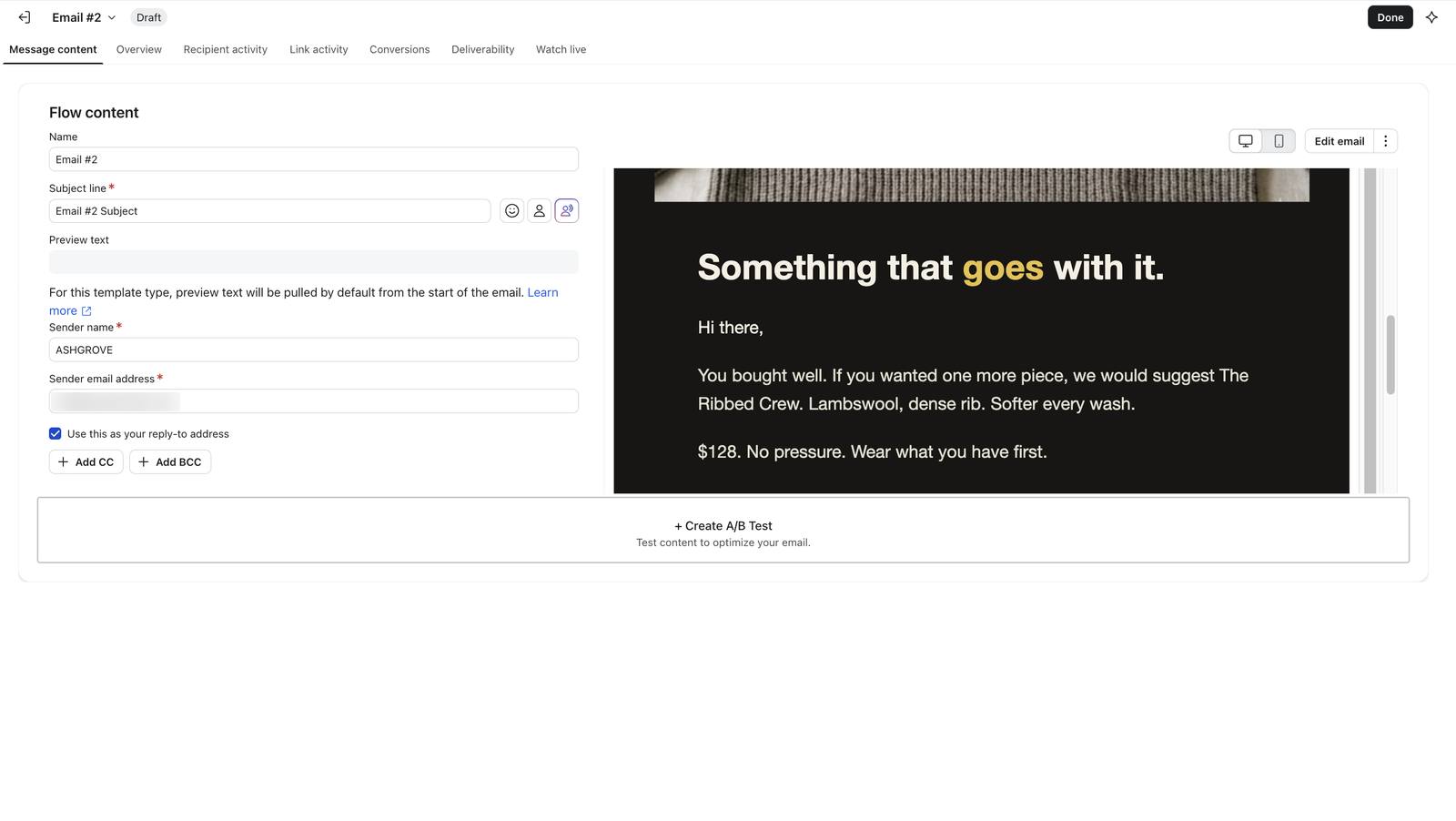
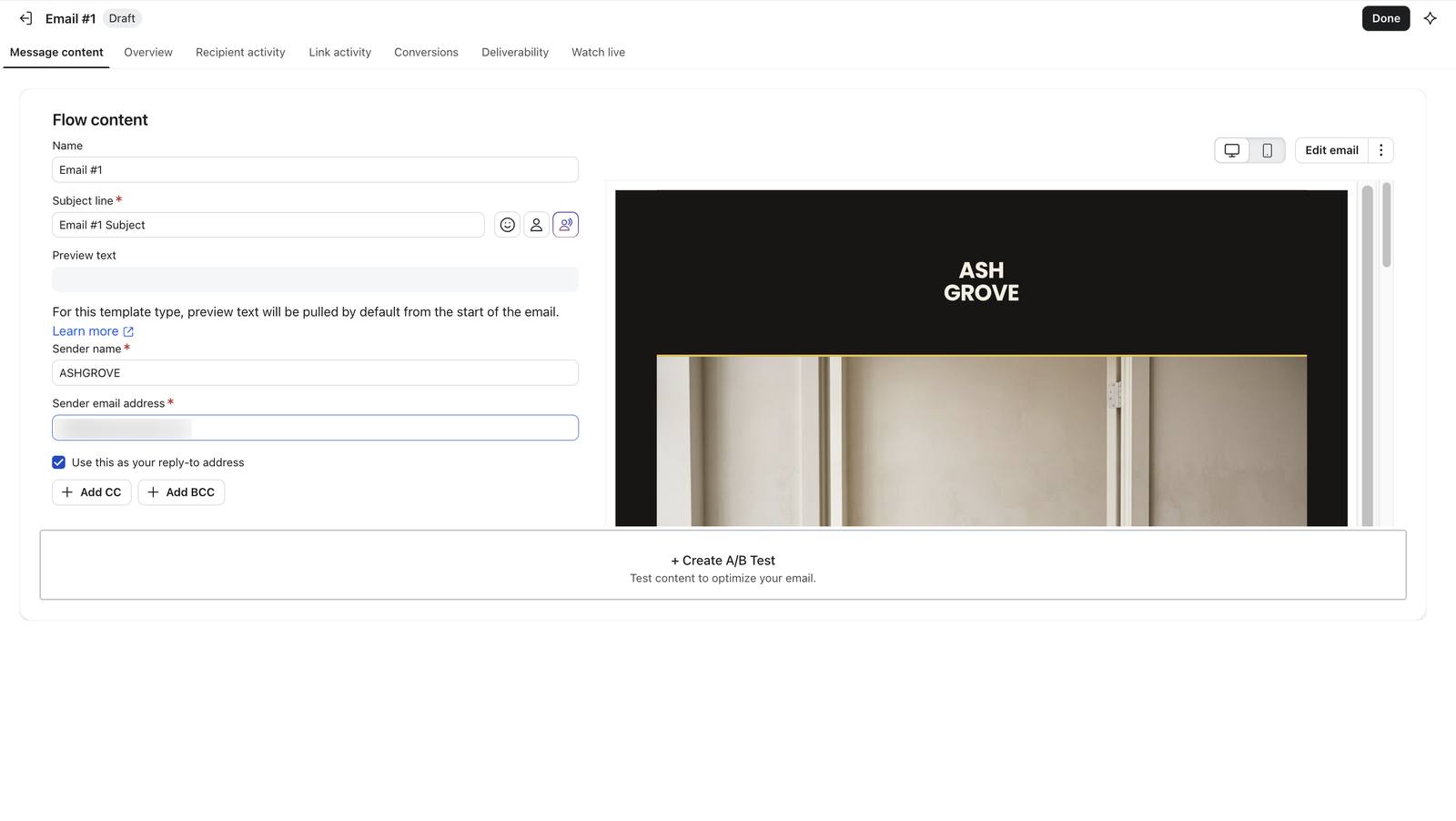
The email's message content, with the 'Hi there' fallback.
167 The email's message content, with the 'Hi there' fallback.
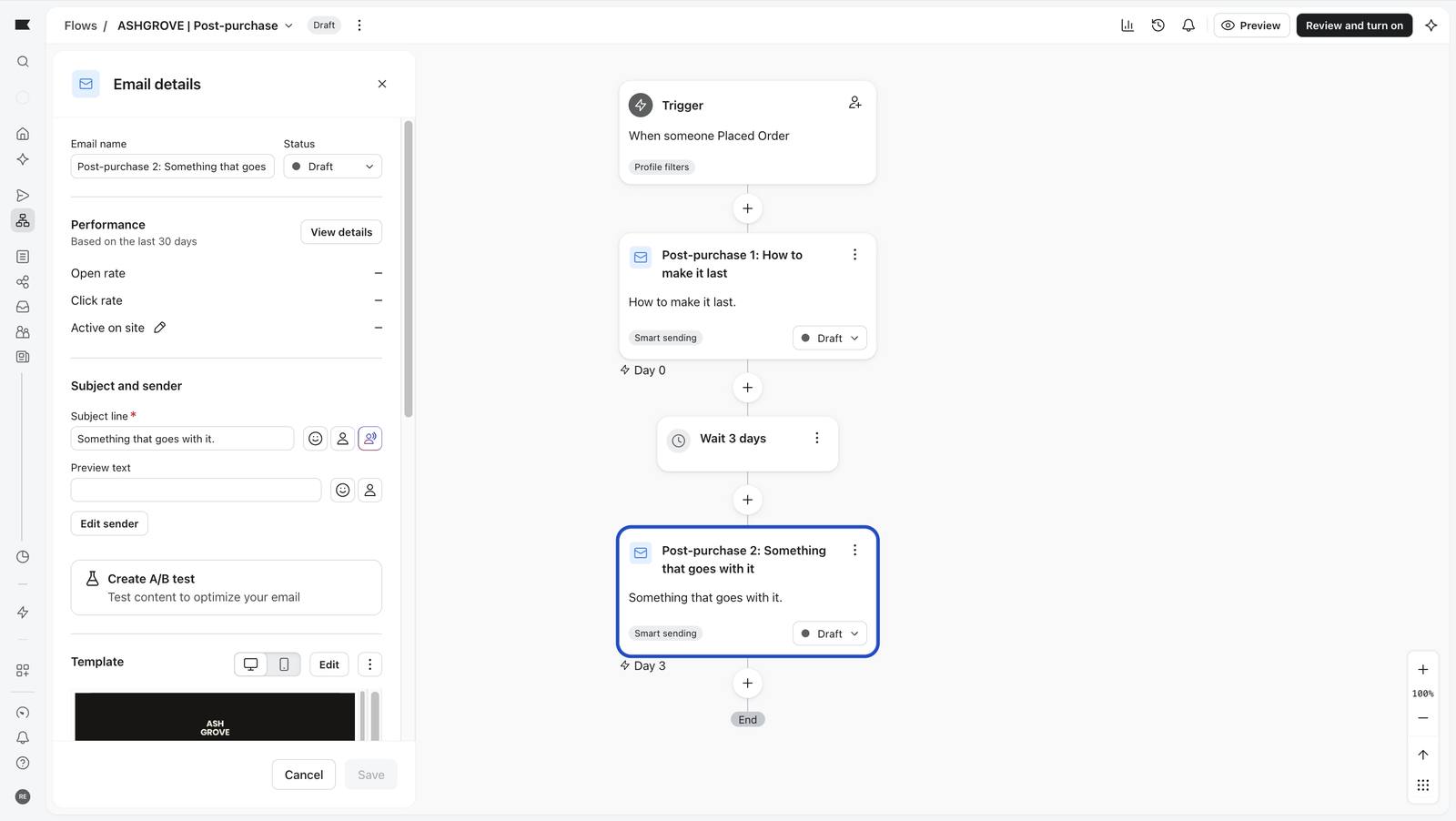
The complete flow: email, wait 3 days, email, all Draft.
145 The complete flow: email, wait 3 days, email, all Draft.

A Draft campaign to the four-inbox list 5 screenshots

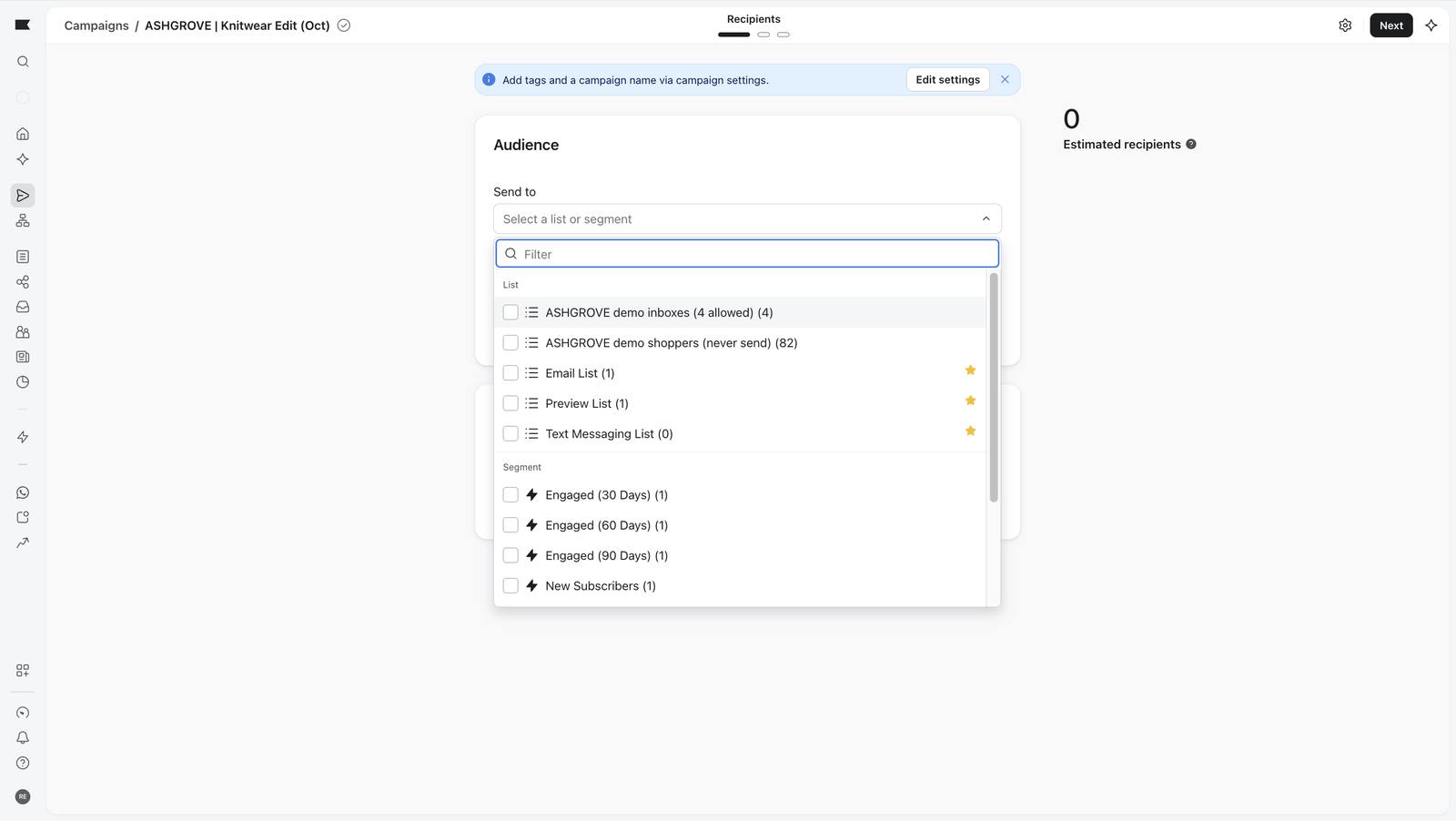
Campaign audiences are lists or segments; there is no profile filter, so the audience is a list I control.
170 Campaign audiences are lists or segments; there is no profile filter, so the audience is a list I control.
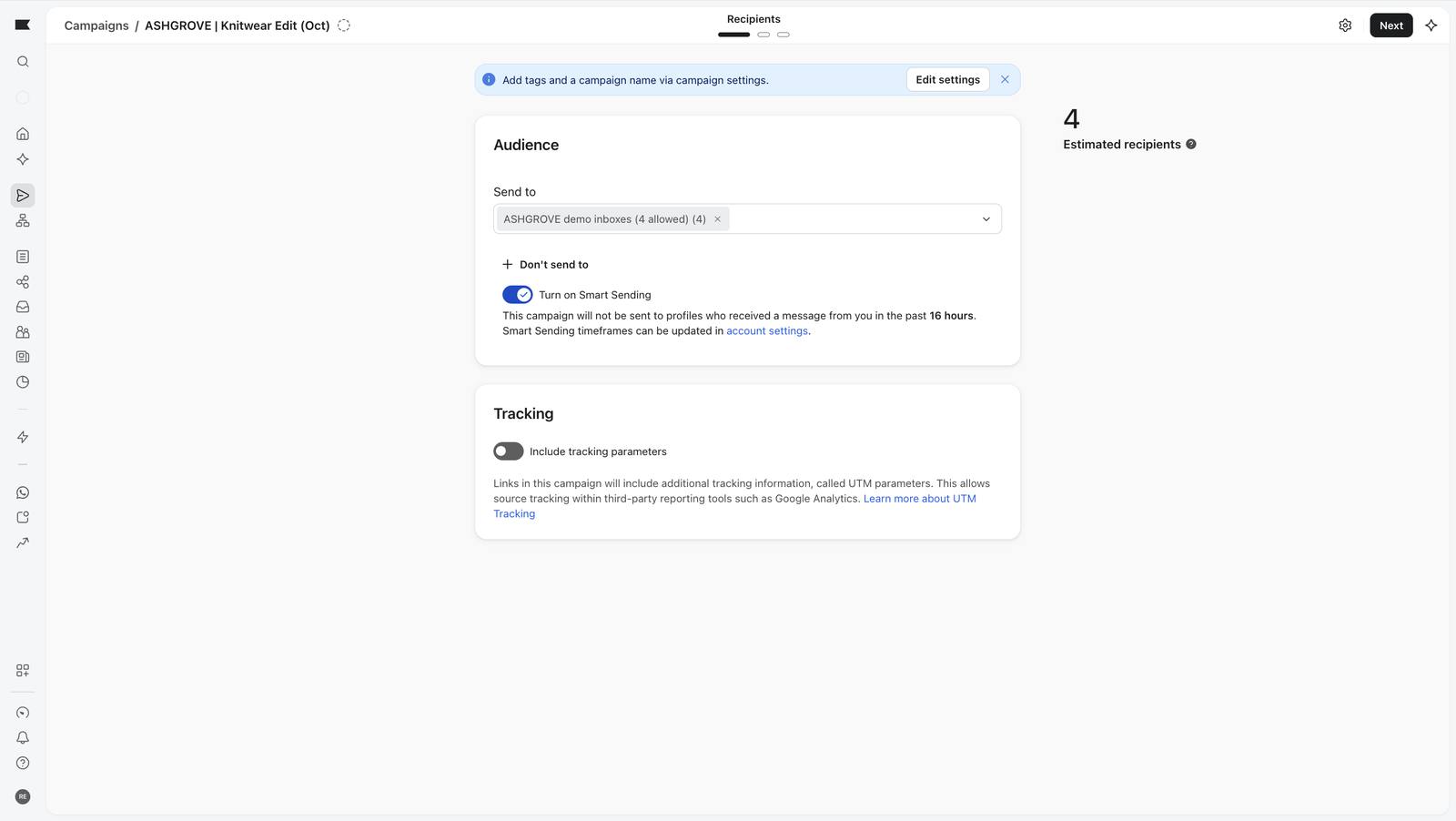
The audience is the four-inbox list: 4 recipients.
146 The audience is the four-inbox list: 4 recipients.
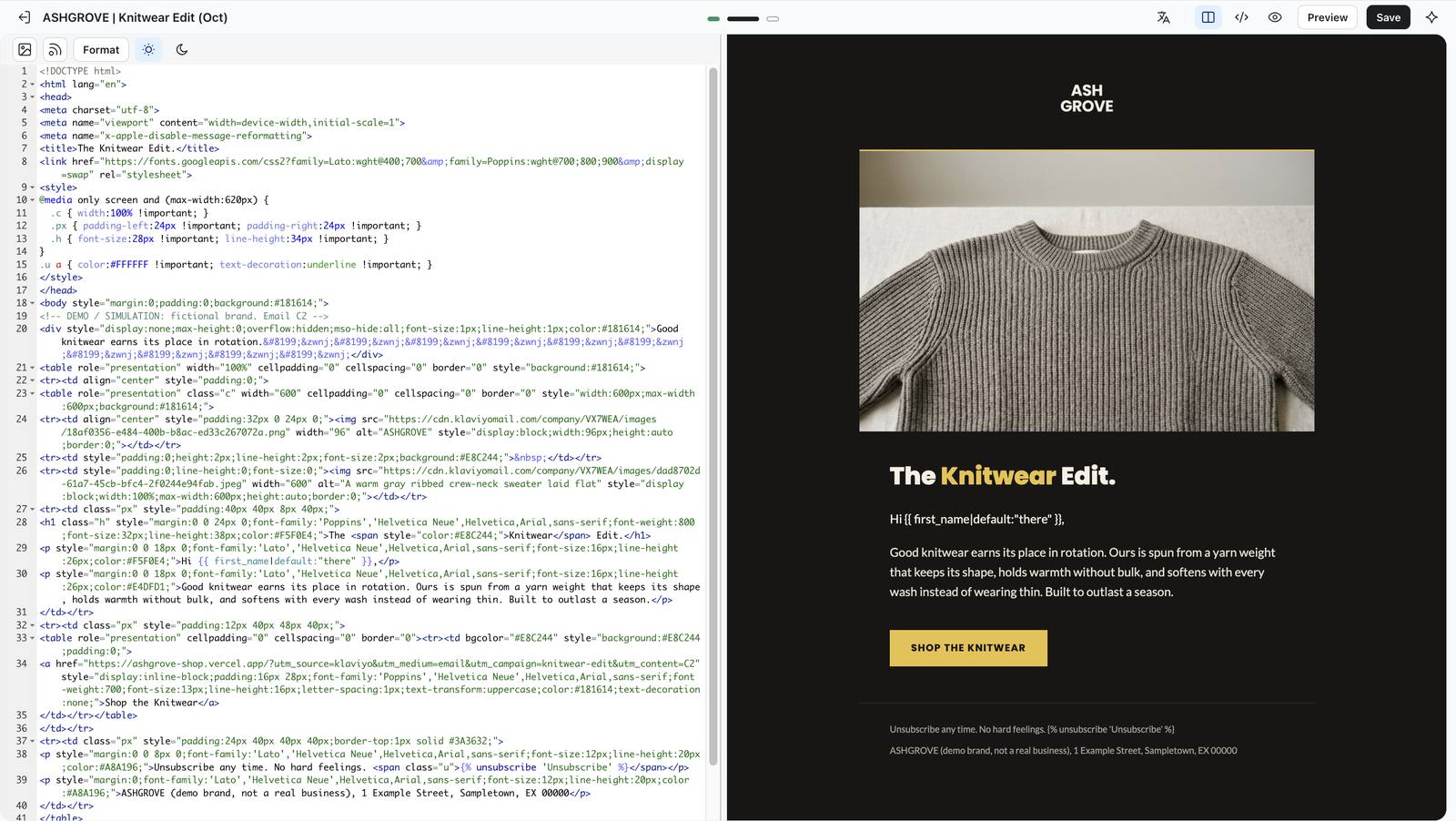
The Knitwear Edit template applied in the editor.
174 The Knitwear Edit template applied in the editor.
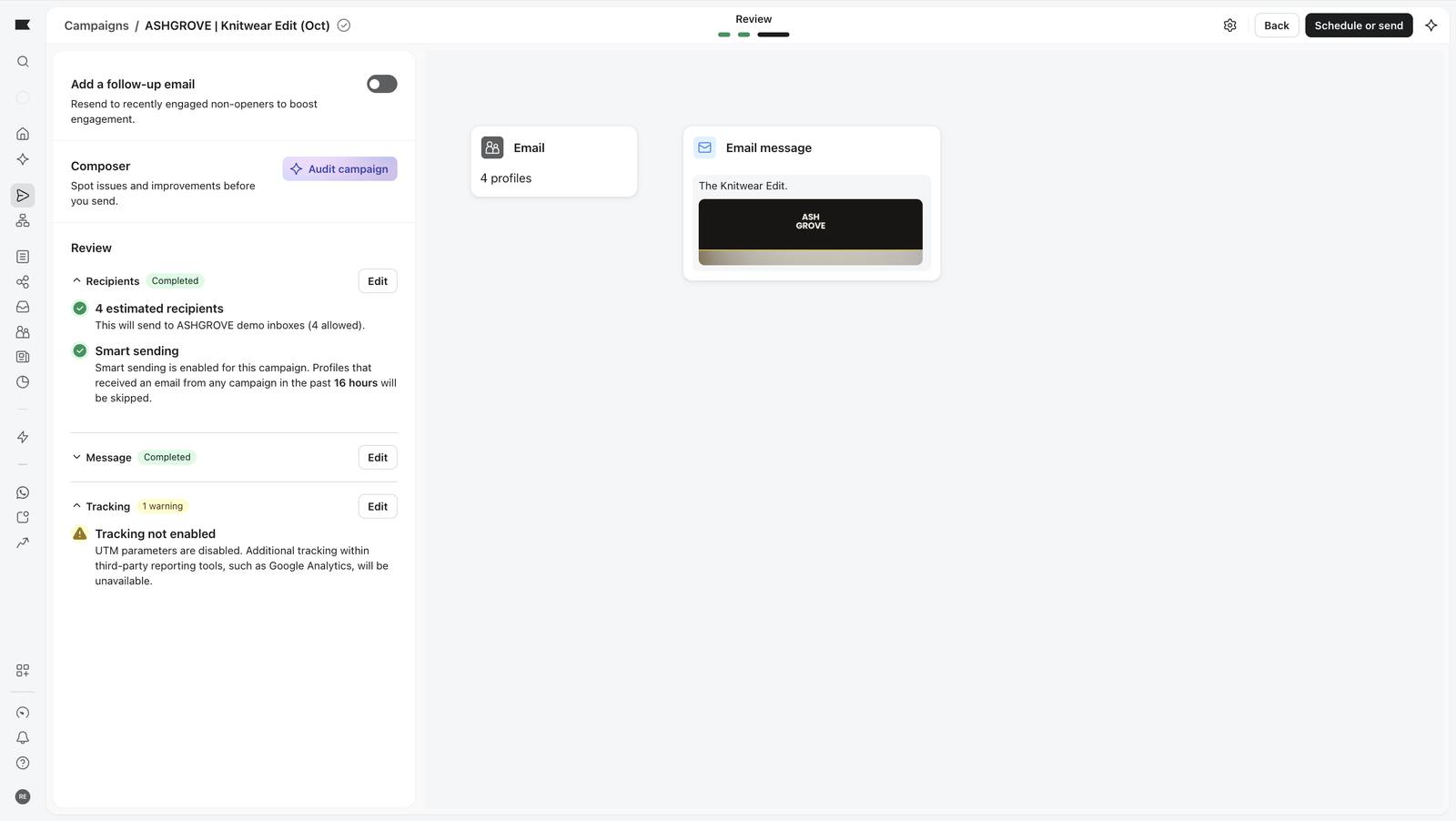
The review page, with the campaign still Draft and not sent.
147 The review page, with the campaign still Draft and not sent.
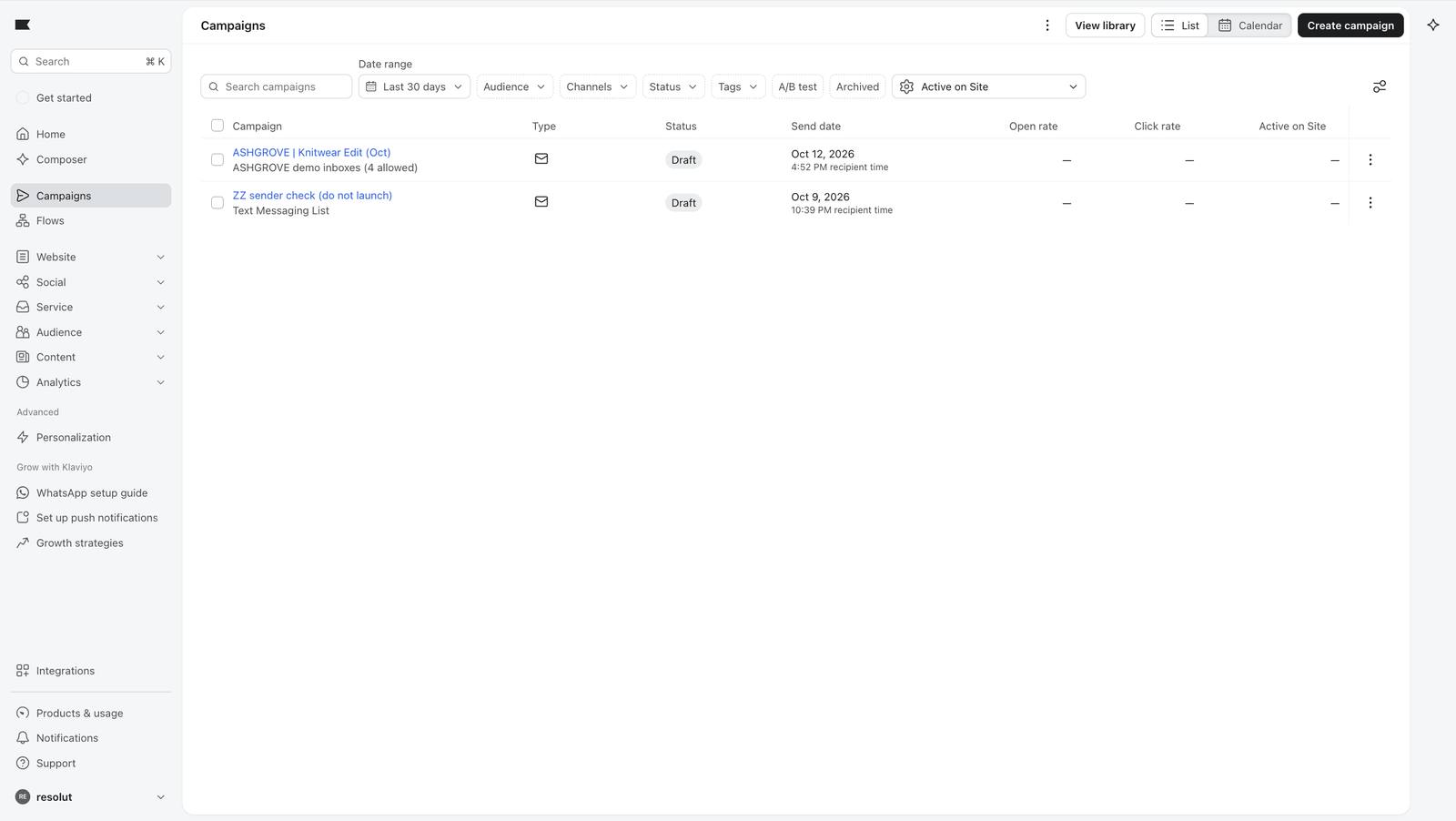
The campaigns list: Knitwear Edit (Oct), Draft.
177 The campaigns list: Knitwear Edit (Oct), Draft.

Abandoned cart flow, step by step 12 screenshots

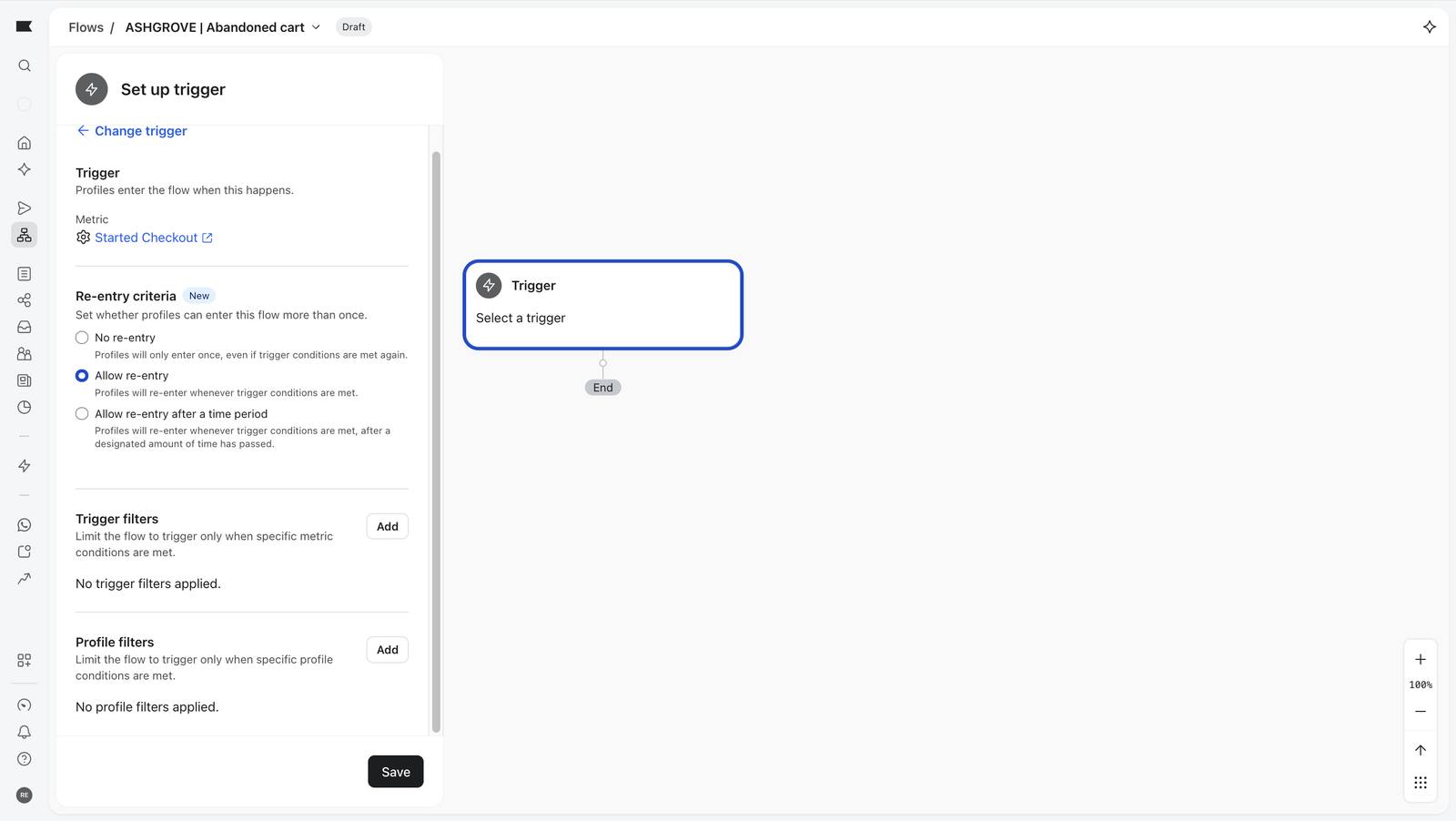
Trigger: the Started Checkout event, sent by the shop.
192 Trigger: the Started Checkout event, sent by the shop.
Re-entry allowed after 7 days.
193 Re-entry allowed after 7 days.
The demo_send_allowed bouncer again.
194 The demo_send_allowed bouncer again.
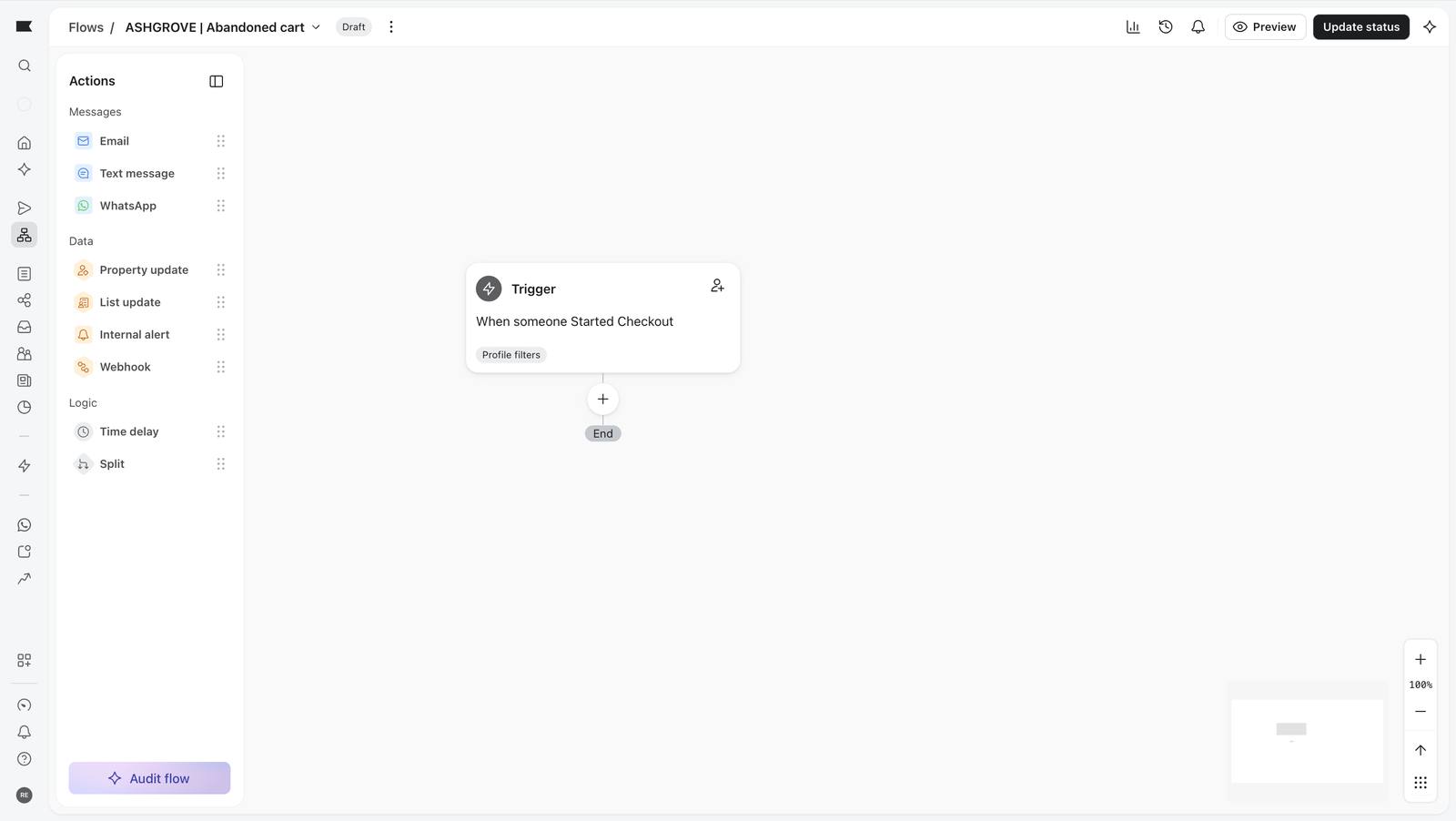
Trigger saved on the canvas.
195 Trigger saved on the canvas.
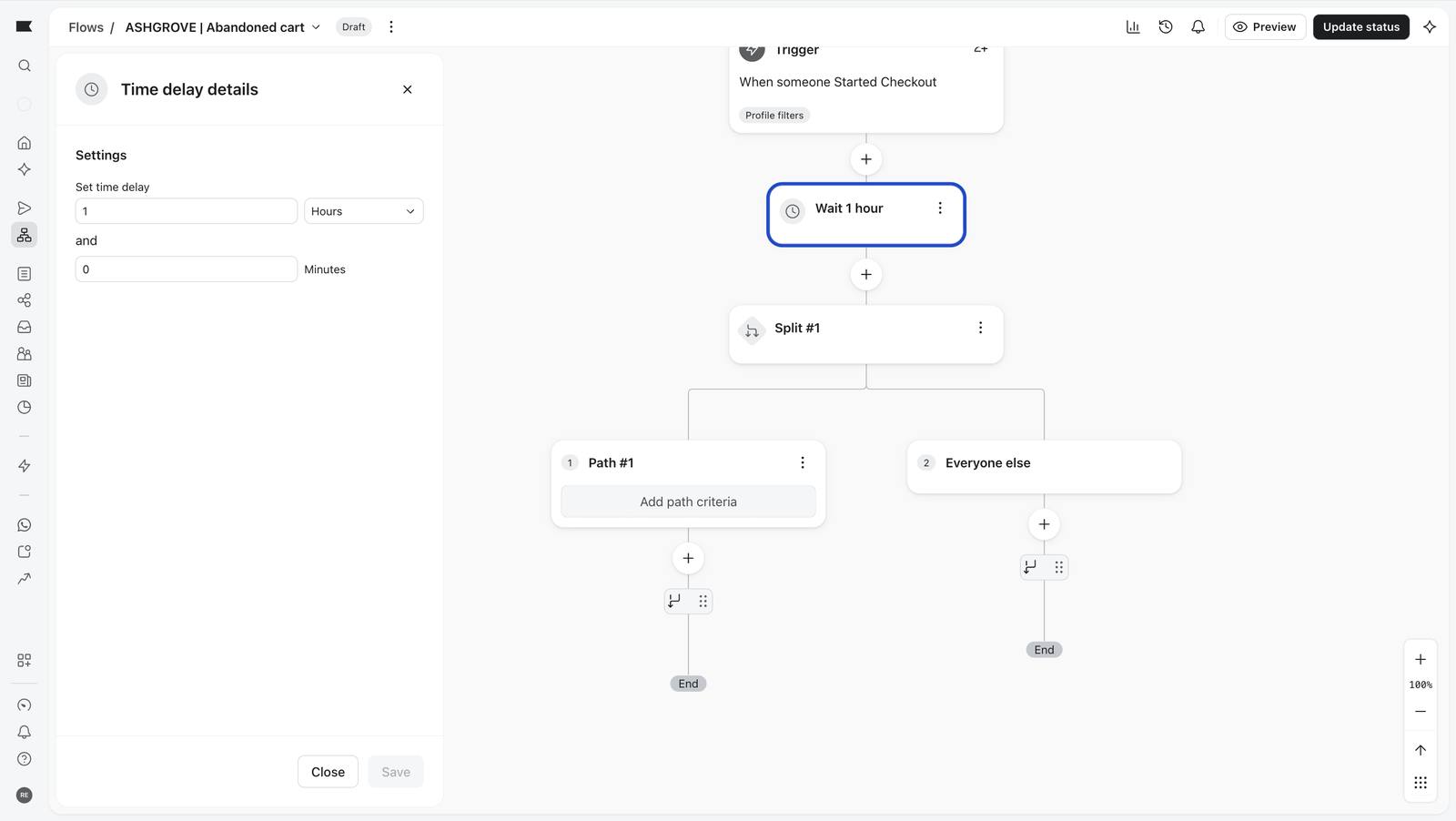
Wait 1 hour.
196 Wait 1 hour.
A conditional split added.
197 A conditional split added.
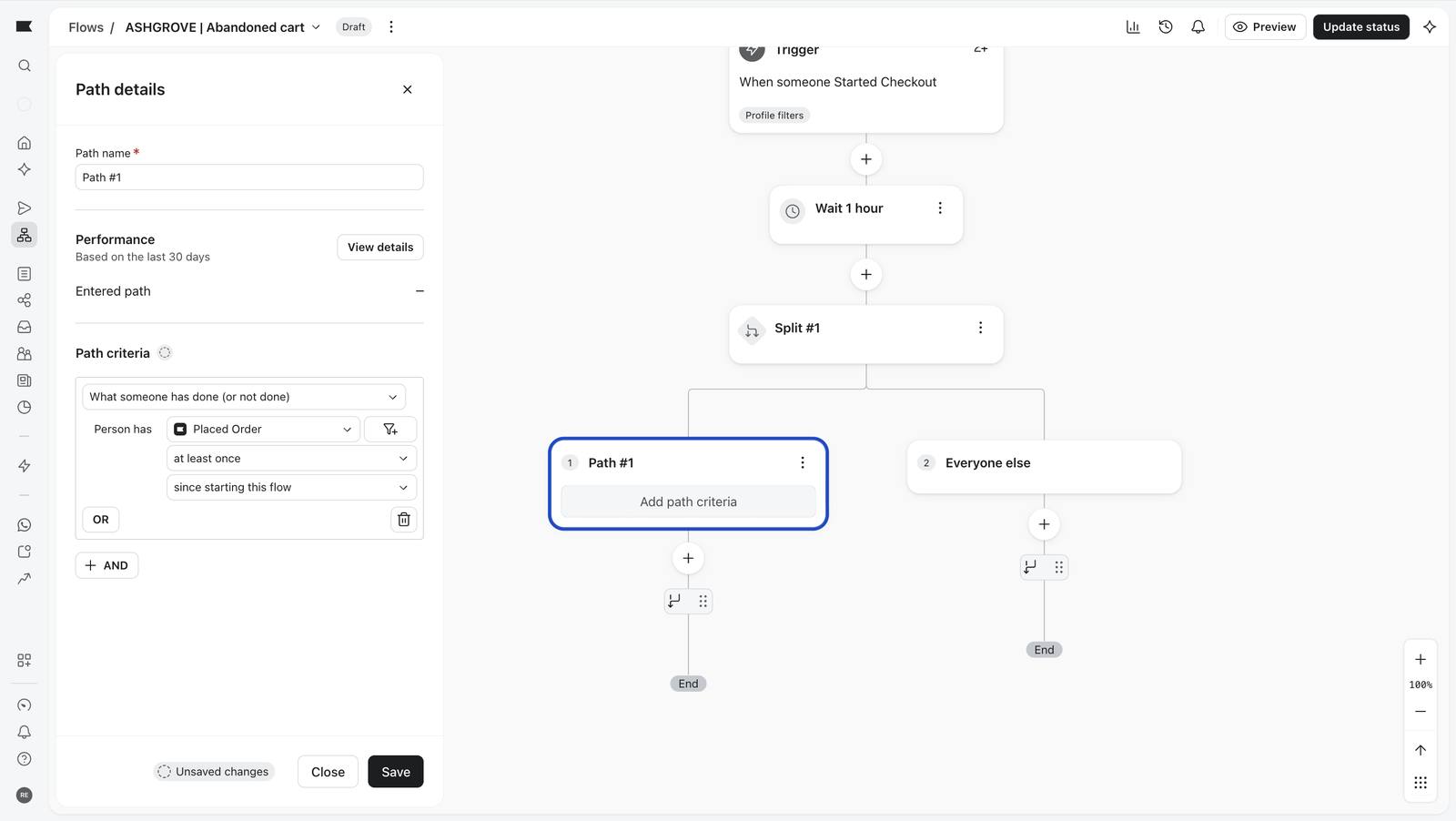
Path one: has the shopper placed an order since starting this flow?
198 Path one: has the shopper placed an order since starting this flow?
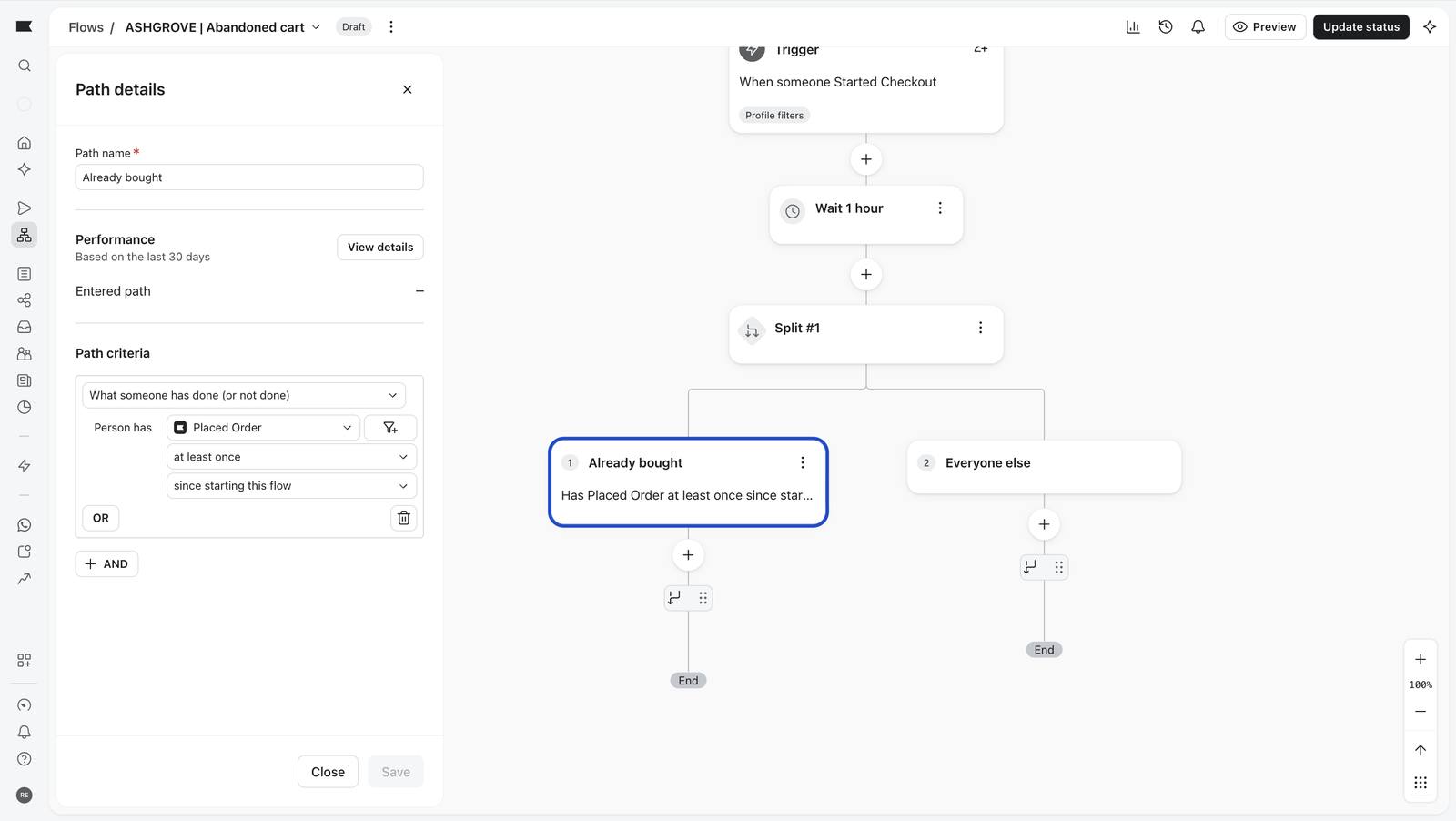
The 'Already bought' path saved; it ends without an email.
199 The 'Already bought' path saved; it ends without an email.
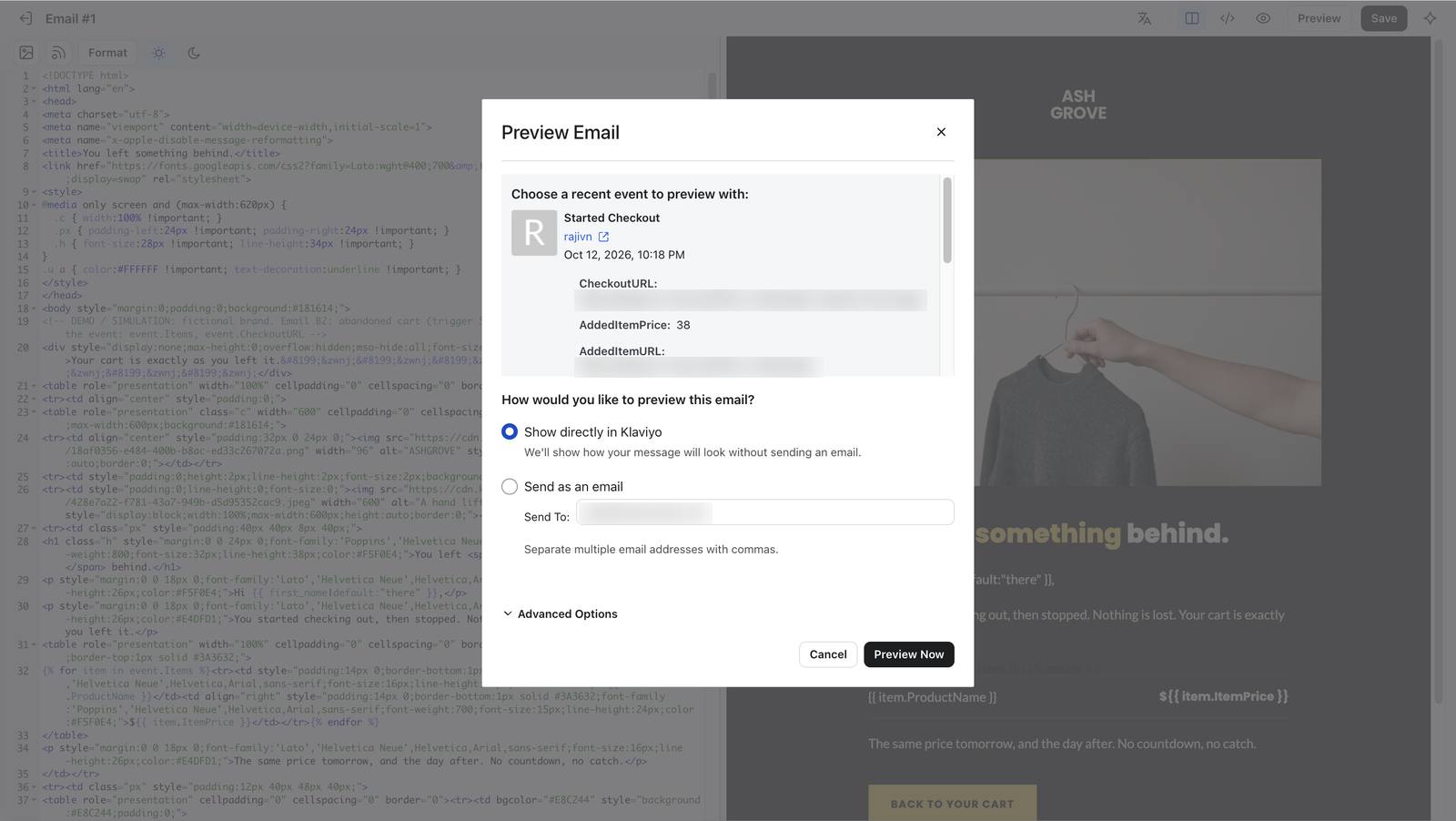
Previewing with a real Started Checkout event.
203 Previewing with a real Started Checkout event.
The preview renders with the shopper's real cart.
204 The preview renders with the shopper's real cart.
Klaviyo auto-filled the email's name and subject; both needed fixing.
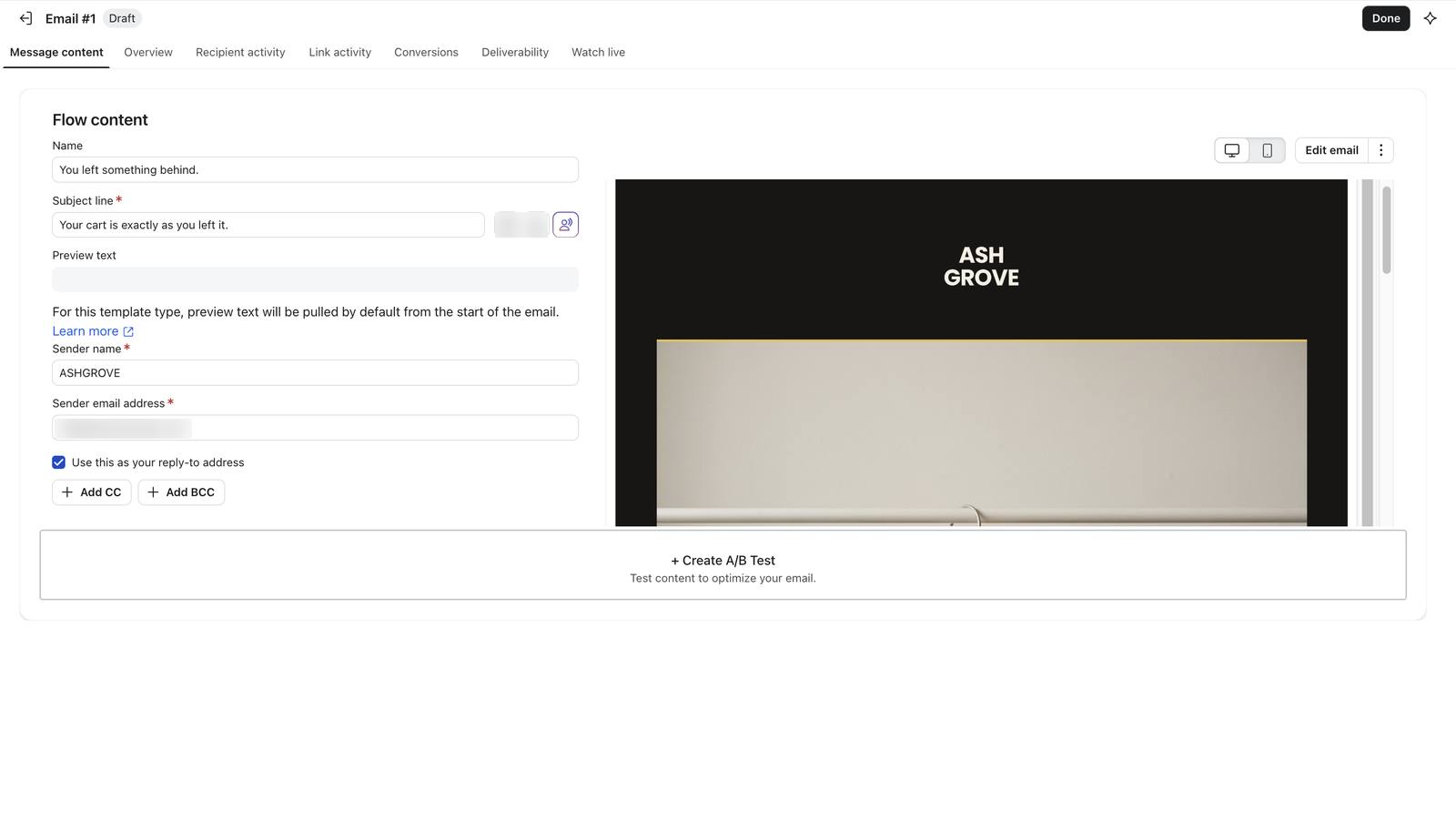
205 Klaviyo auto-filled the email's name and subject; both needed fixing.
Name and subject corrected.
206 Name and subject corrected.

06

Personalisation that survives missing data

The second Welcome and Post-purchase emails read the shopper's preferred_category and change the product, price, photograph and button. The important part is the fallback: a shopper with no name or no category still gets a complete email.

Hi {{ first_name|default:"there" }},

{% with affinity=person|lookup:'preferred_category'|default:'tees' %}
  {% if affinity == 'knitwear' %}   The Ribbed Crew, $128
  {% elif affinity == 'outerwear' %} The Work Jacket, $218
  {% elif affinity == 'accessories' %} The Belt, $68
  {% else %}                          The Heavy Tee, $38
  {% endif %}
{% endwith %}
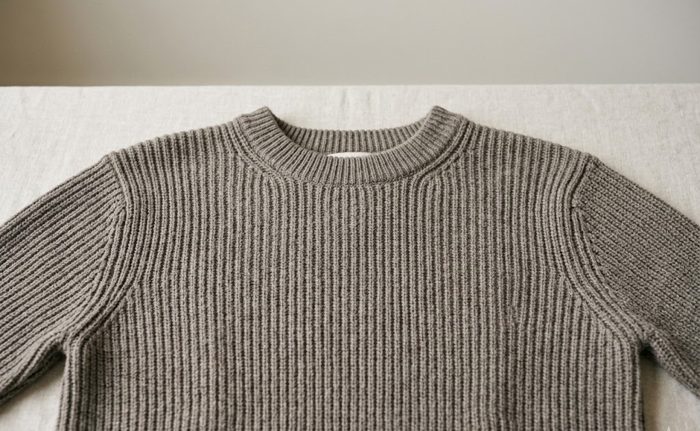
Ribbed Crew
Hugo · knitwear

Ribbed Crew, $128

"Hi Hugo,"

Work Jacket
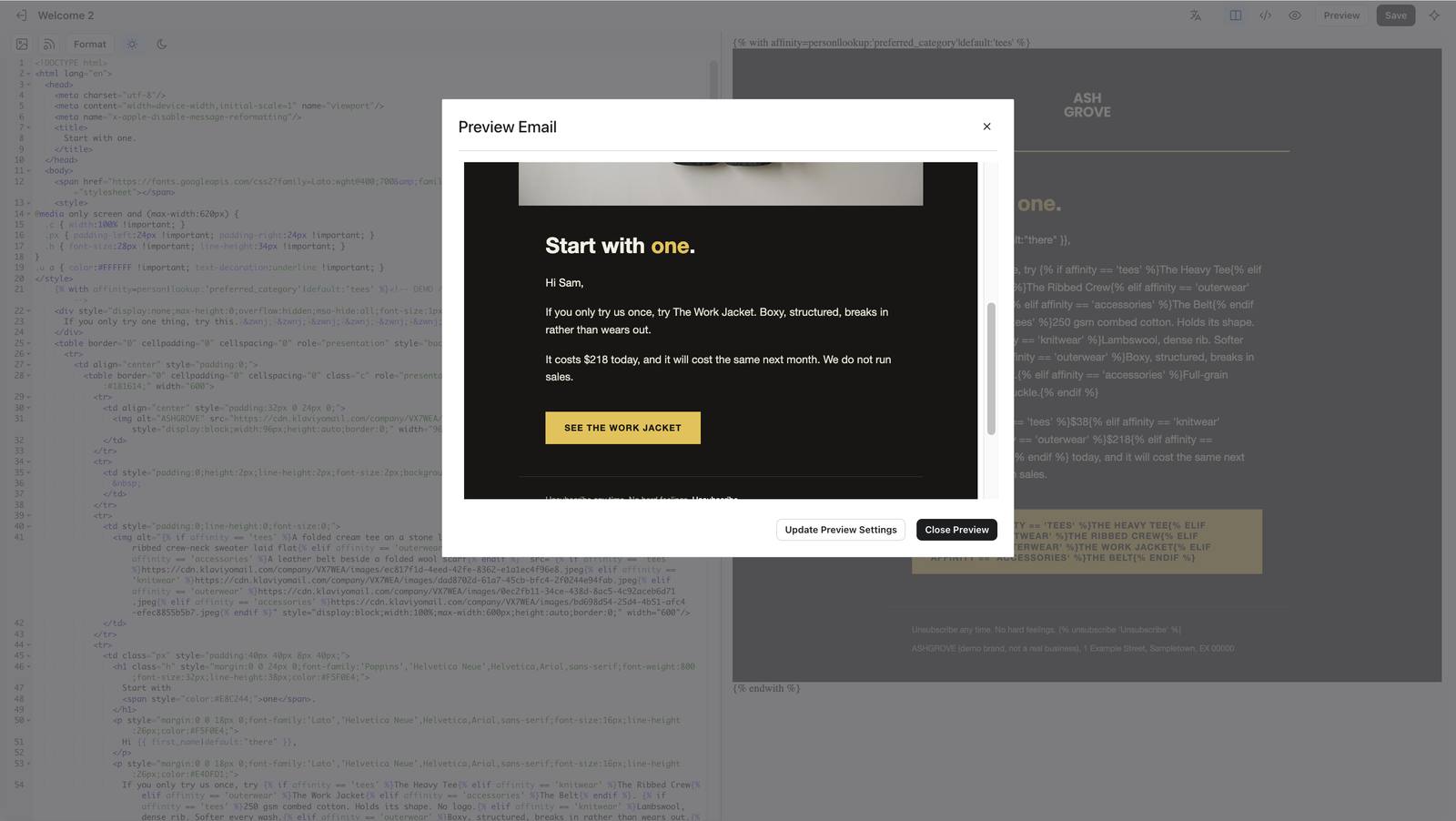
Sam · outerwear

Work Jacket, $218

"Hi Sam,"

Heavy Tee
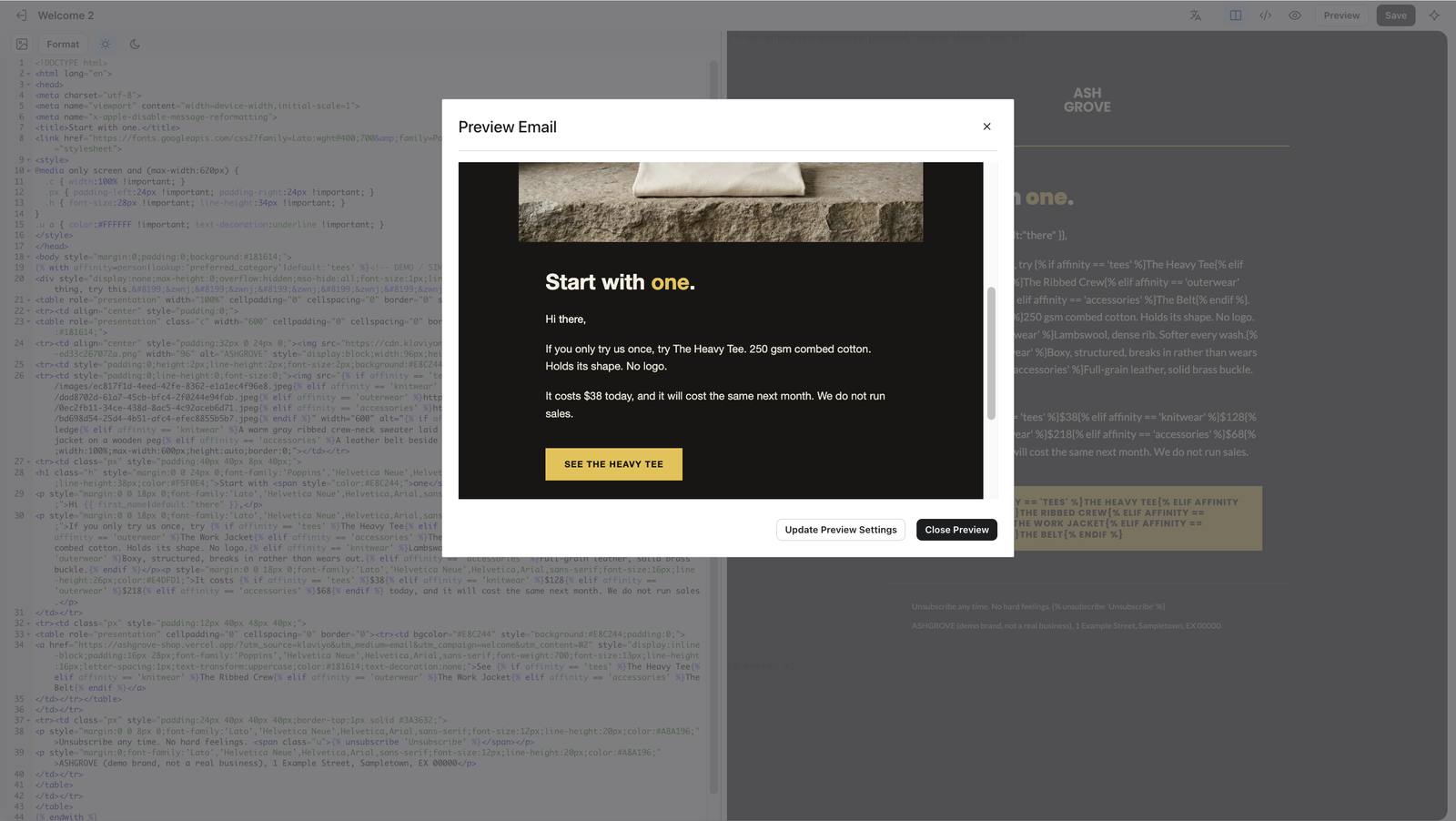
Blank profile

Heavy Tee, $38

"Hi there,"

Two practical lessons: Klaviyo's template language uses elif, not elsif; and the template library and editor show the raw tags. Only the Preview window renders them, so a "broken-looking" template in the library is expected, not a bug.
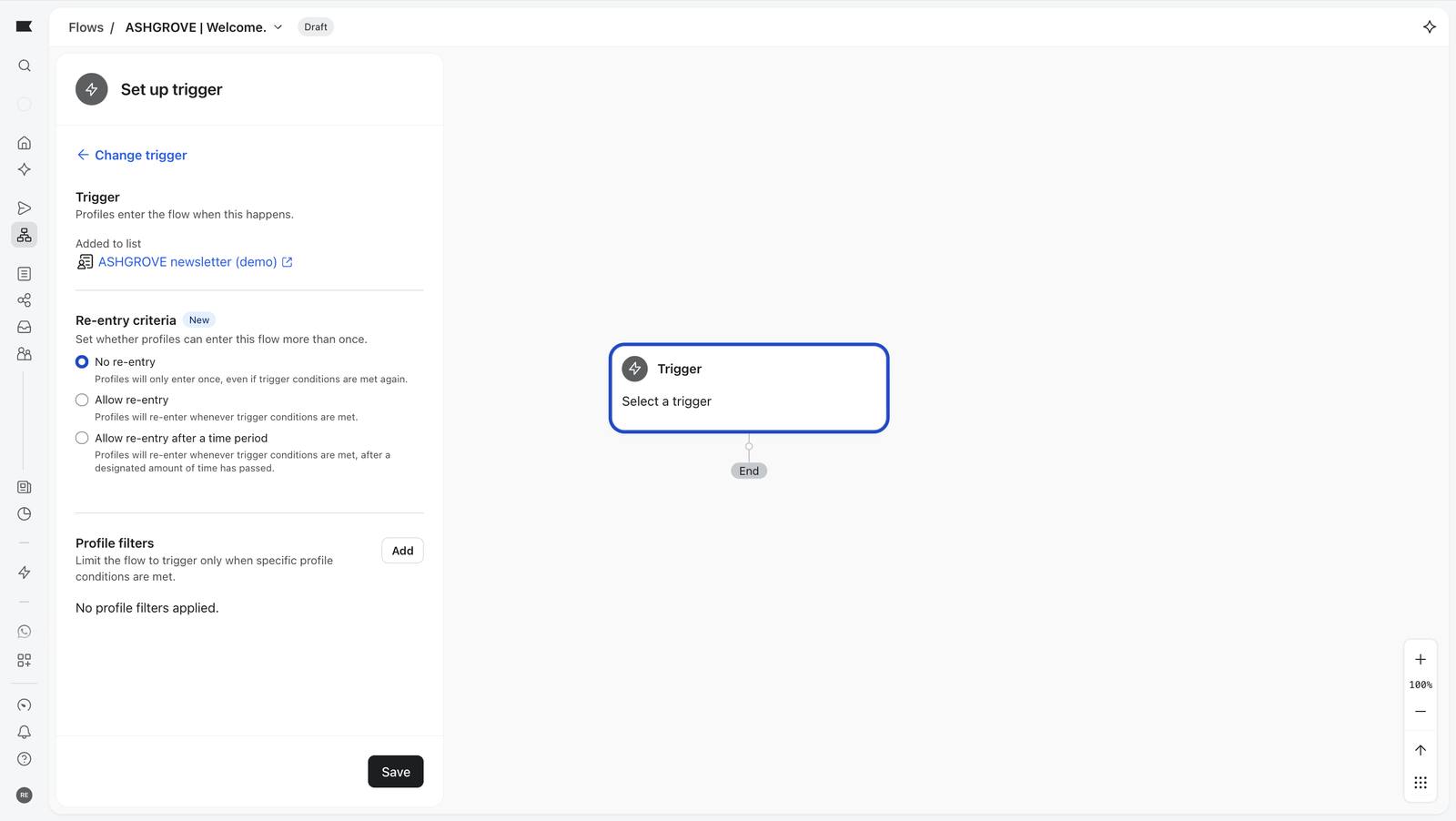
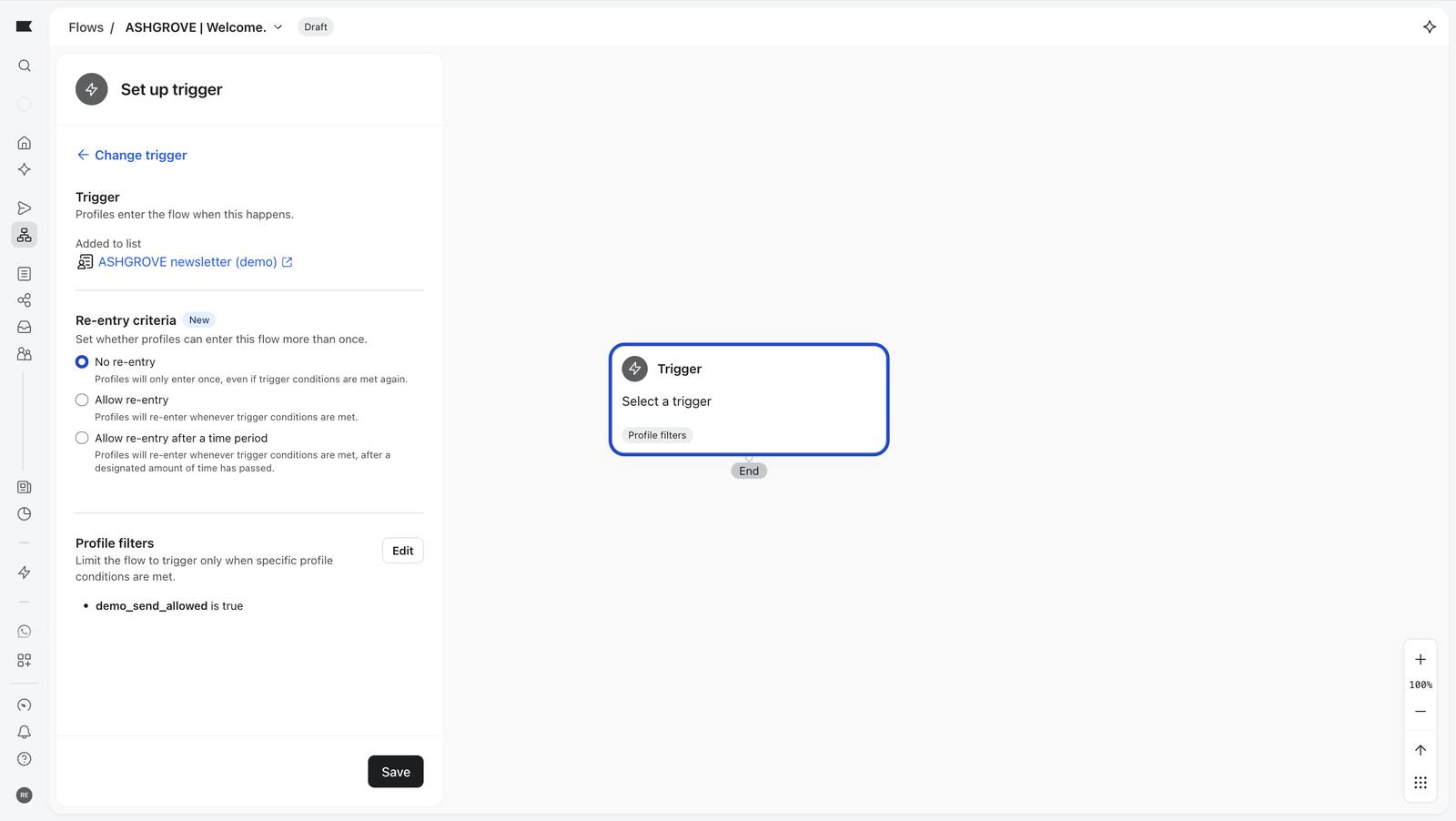
Welcome flow, step by step 13 screenshots

Trigger: added to the newsletter list.
218 Trigger: added to the newsletter list.
The profile filter added, not yet saved.
219 The profile filter added, not yet saved.
Trigger saved on the canvas.
220 Trigger saved on the canvas.
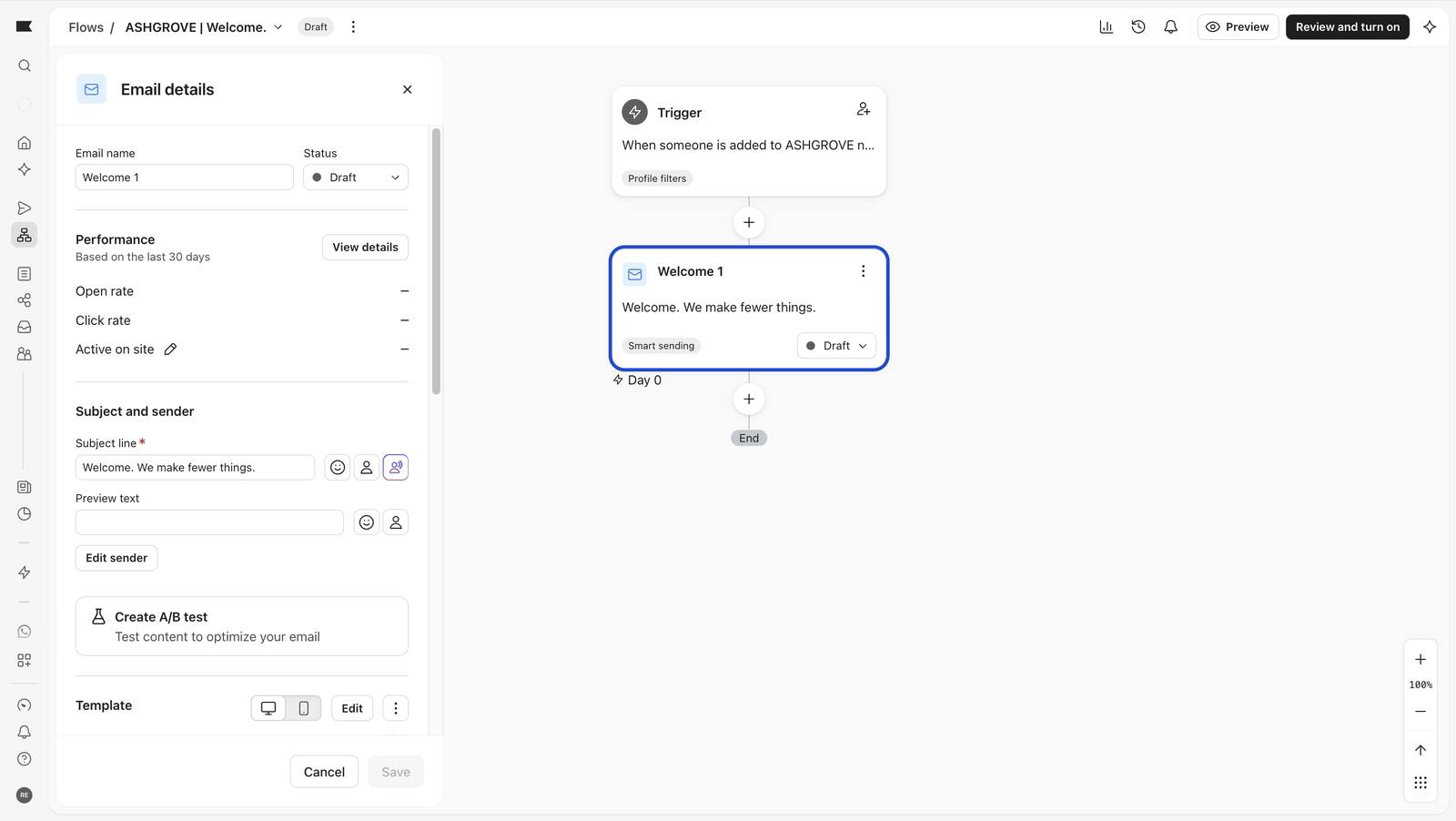
Welcome 1 template applied; Klaviyo fills in default names.
222 Welcome 1 template applied; Klaviyo fills in default names.
Name and subject set by hand.
223 Name and subject set by hand.
Welcome 1, a 2 day wait, Welcome 2.
225 Welcome 1, a 2 day wait, Welcome 2.
The complete five-step Welcome flow, all Draft.
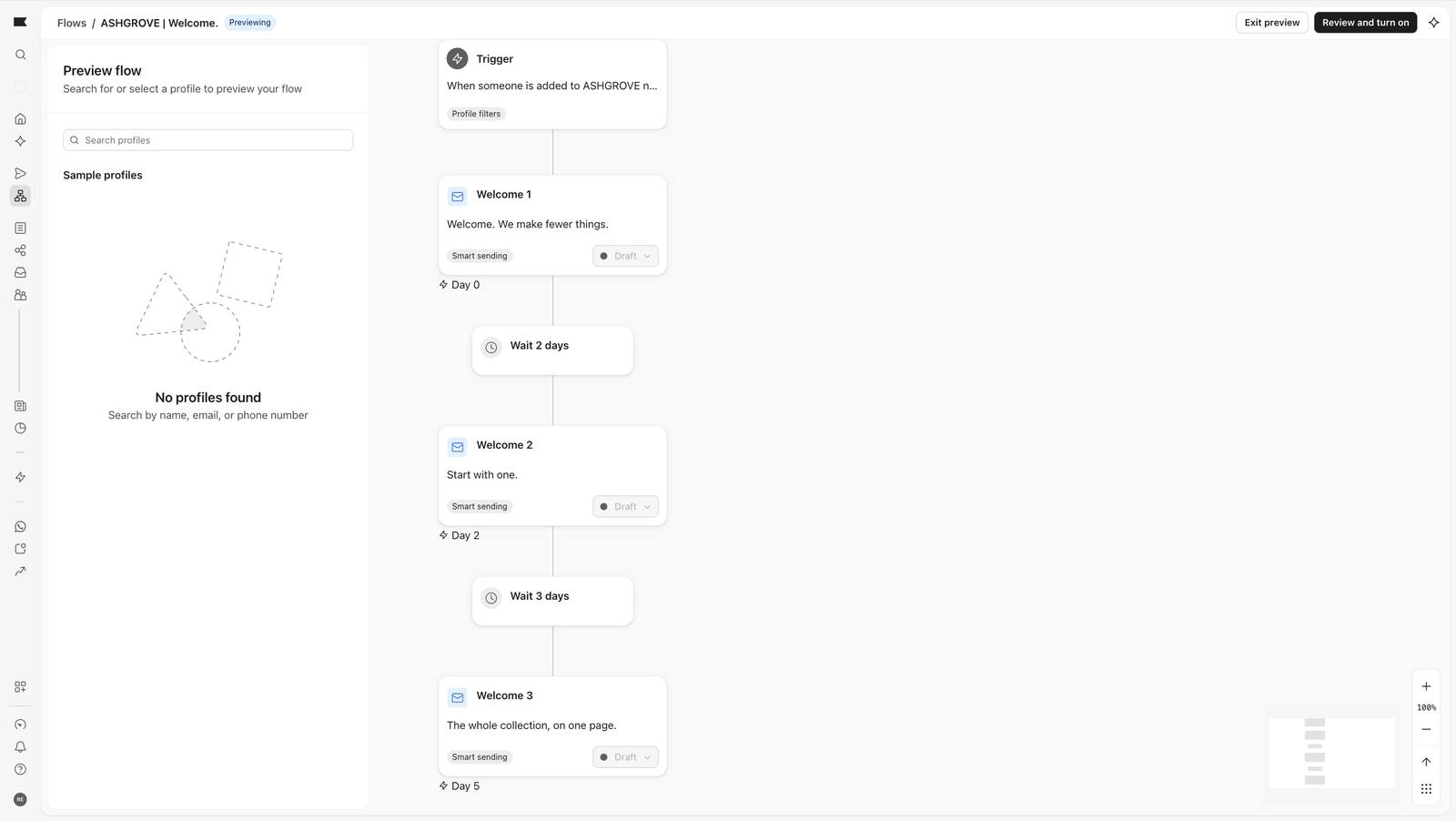
226 The complete five-step Welcome flow, all Draft.
Flow preview mode before choosing a profile.
227 Flow preview mode before choosing a profile.
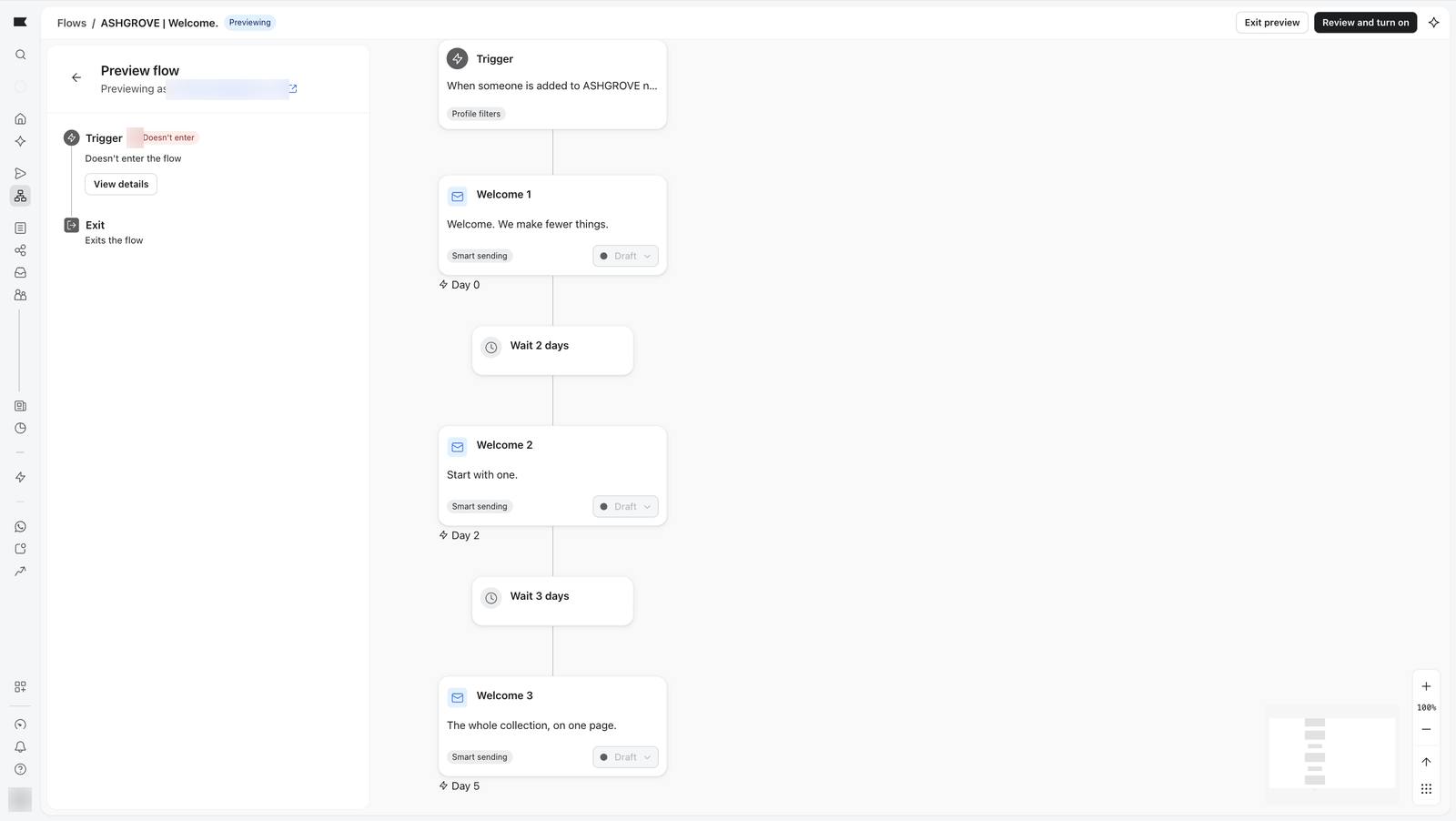
Previewing as a shopper not on the list: 'Doesn't enter the flow'. Nothing is sent.
229 Previewing as a shopper not on the list: 'Doesn't enter the flow'. Nothing is sent.
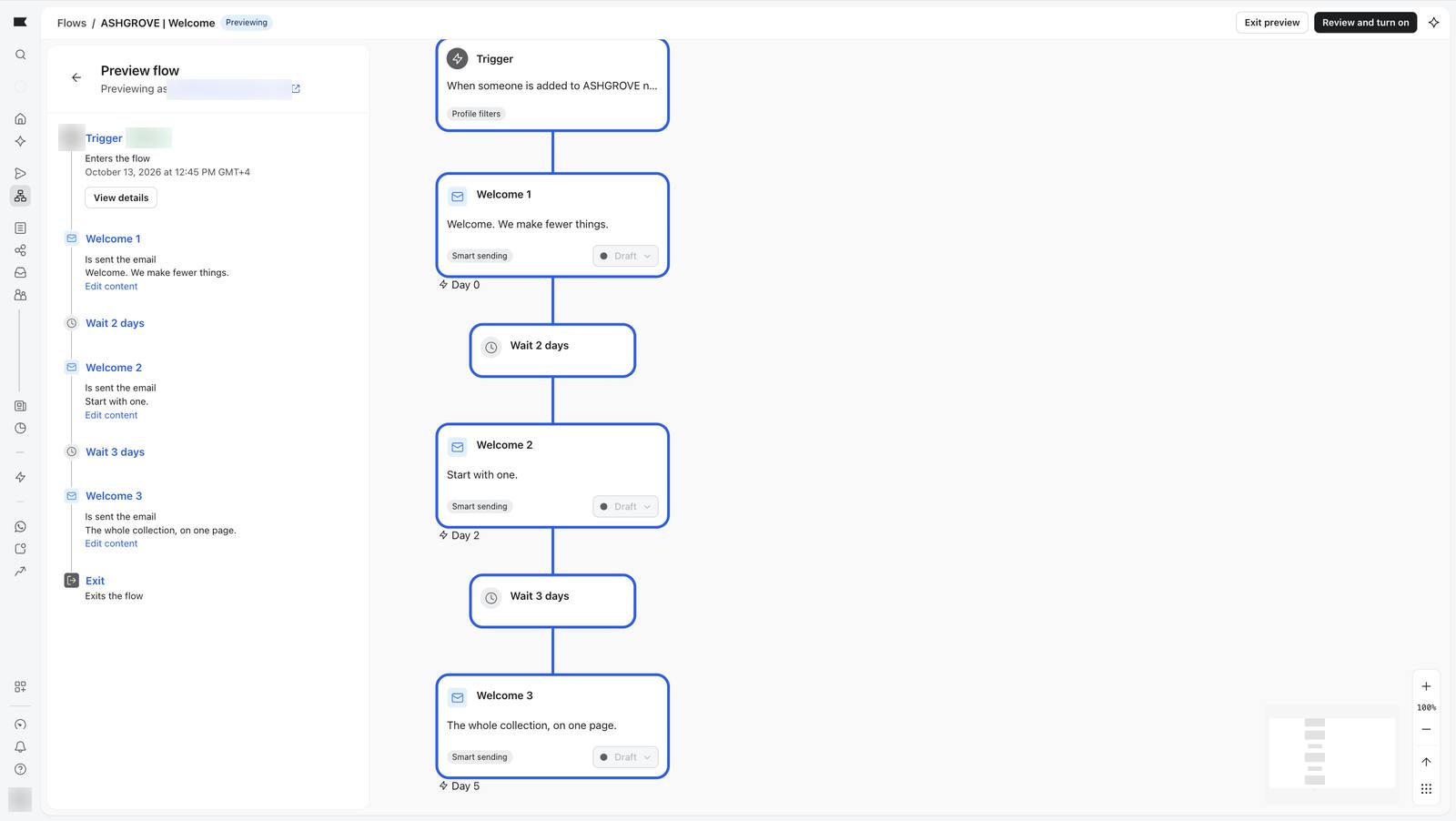
Previewing as someone added to the list: the flow is entered.
233 Previewing as someone added to the list: the flow is entered.
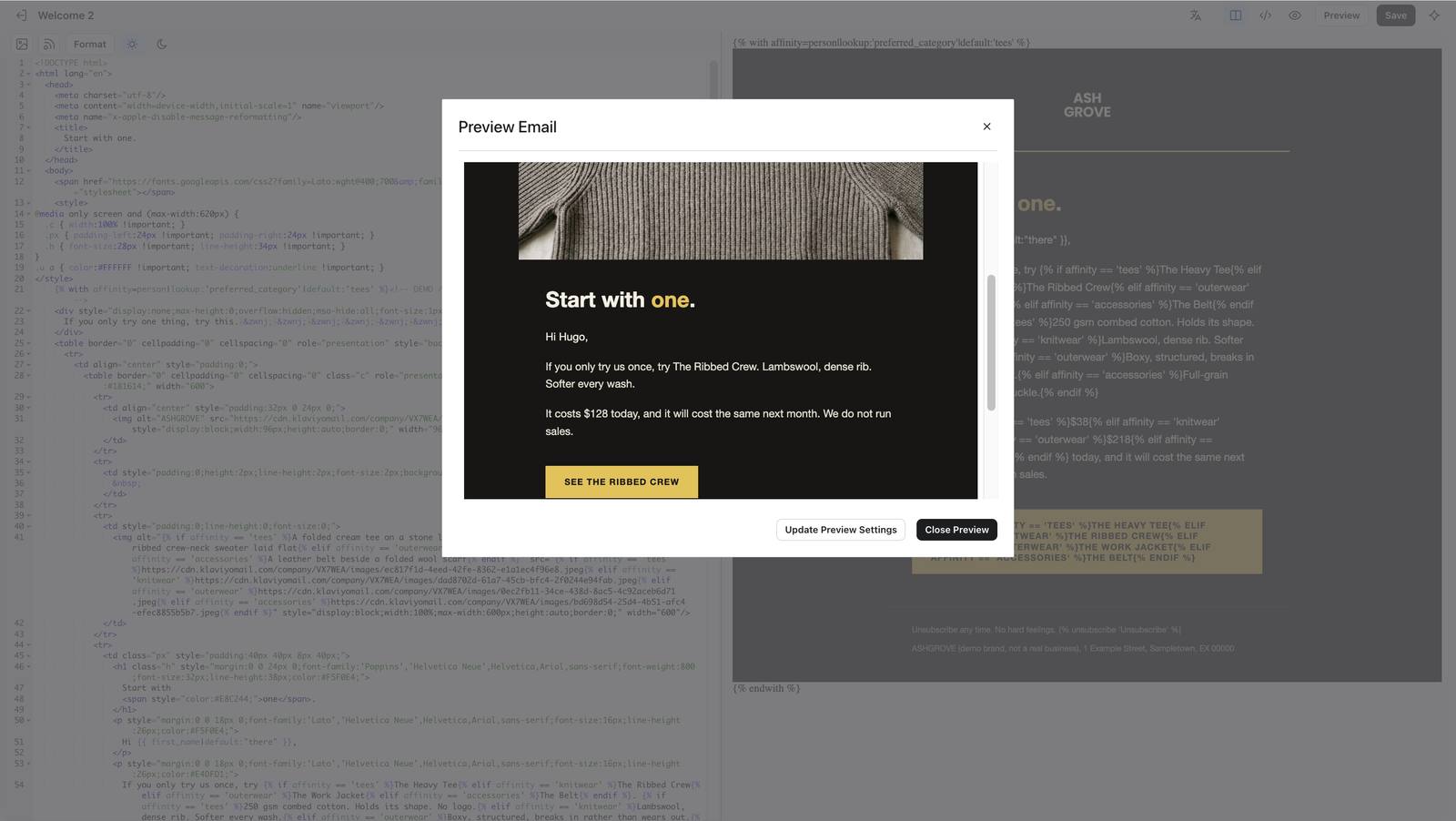
Welcome 2 for a knitwear lover: the Ribbed Crew, $128.
231 Welcome 2 for a knitwear lover: the Ribbed Crew, $128.
Welcome 2 for an outerwear lover: the Work Jacket, $218.
232 Welcome 2 for an outerwear lover: the Work Jacket, $218.
Welcome 2 with no profile: 'Hi there' and the Heavy Tee.
240 Welcome 2 with no profile: 'Hi there' and the Heavy Tee.

07

Connecting the shop

Flows can only react to what they hear. The demo shop reports three events to Klaviyo (Viewed Product, Added to Cart, Started Checkout) and identifies the shopper by an email that already exists. Placed Order is not sent from the browser; it comes from my connector, since a real order would come from the store's back end.
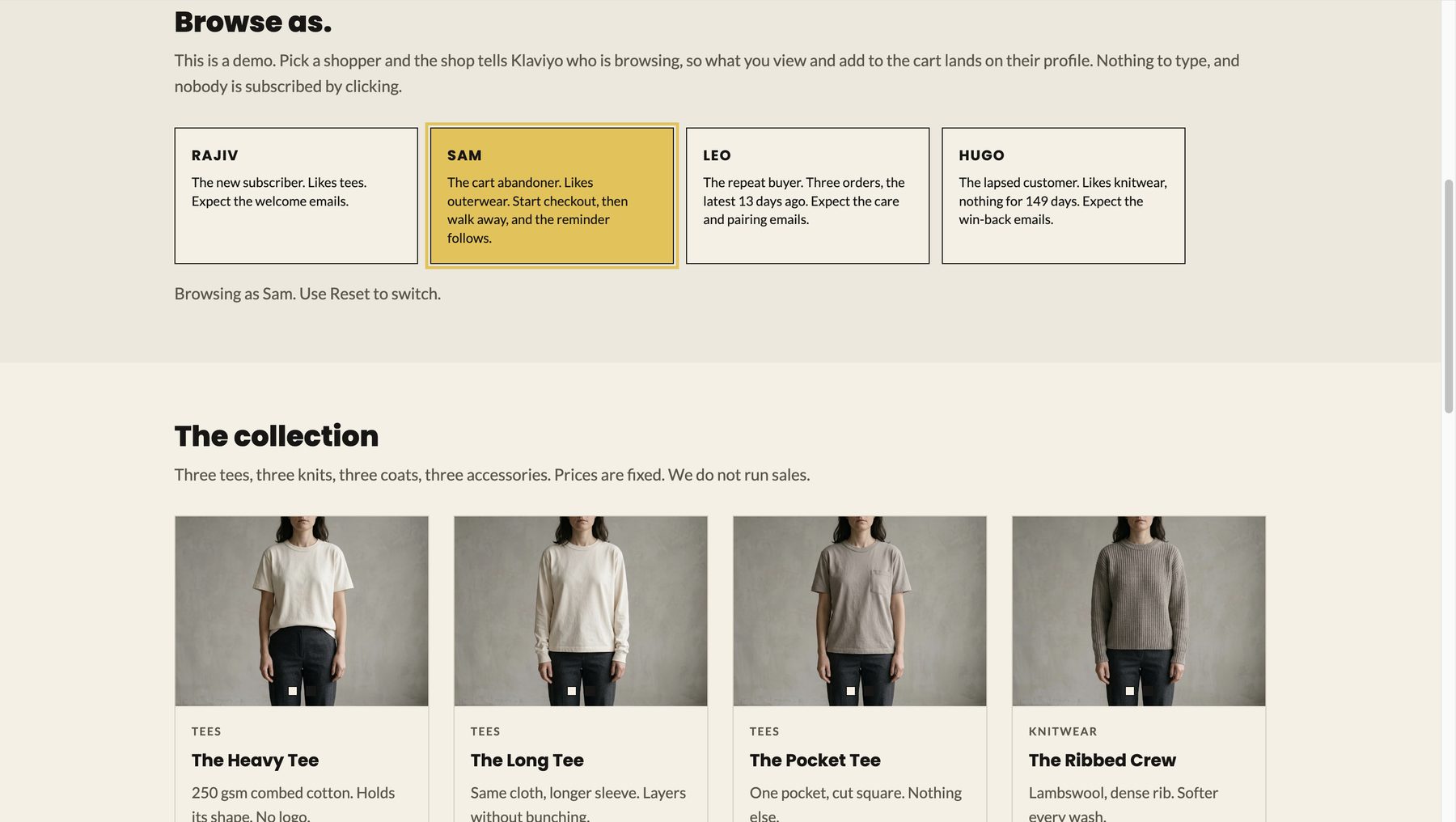
Browse as picker
The demo-only "Browse as" picker (hidden from normal visitors).

Because the public shop records no anonymous visitors and has no sign-up form, I needed a safe way to be a customer. The picker lets me play Rajiv (new subscriber), Sam (cart abandoner), Leo (repeat buyer) or Hugo (lapsed) with one click, and everything I do lands on that person's profile.

The picker only shows with ?demo=1 in the address. Normal visitors see a clean store.

A finding on the way: some browser content blockers stop Klaviyo's tracking script. It worked in Safari and not in a blocker-heavy Chrome, so tracking can silently fail for real visitors too.
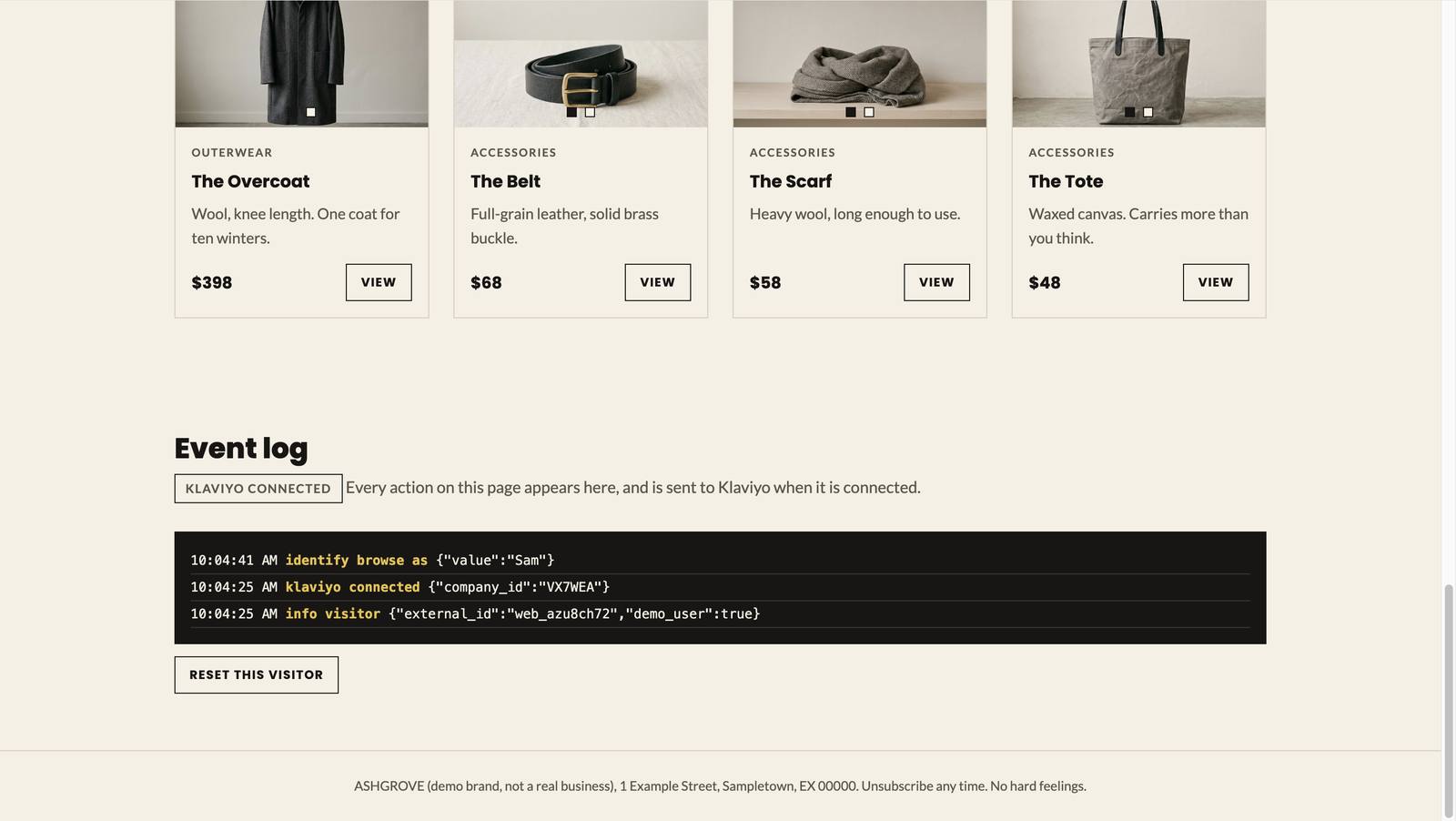
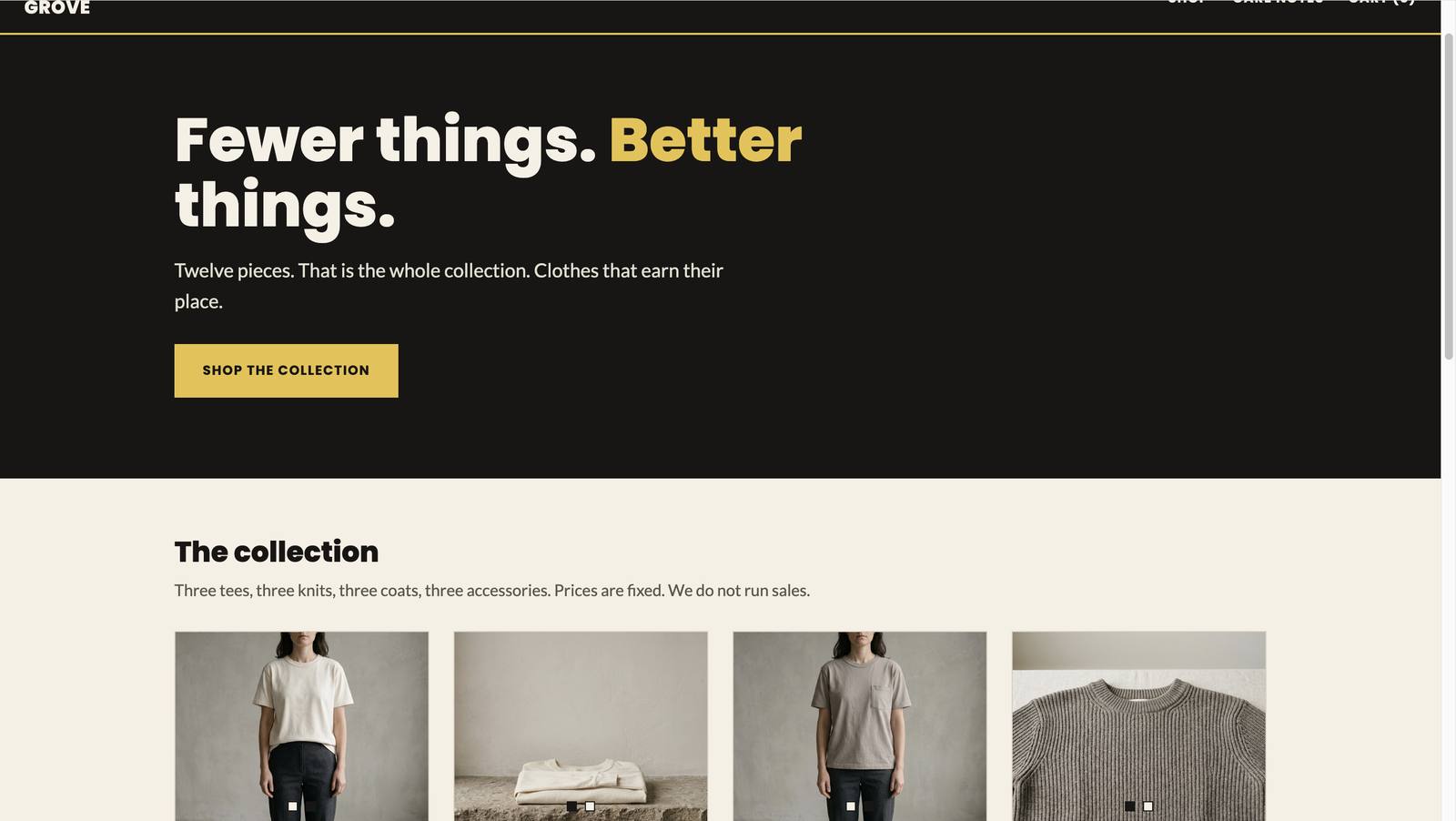
Shop events and the demo picker 2 screenshots

The shop's event log: Klaviyo connected, shopper identified.
213 The shop's event log: Klaviyo connected, shopper identified.
The public storefront after the picker and log were hidden from visitors.
215 The public storefront after the picker and log were hidden from visitors.

08

How I tested it

Nothing was trusted until it had been shown to work, in three layers.

1. Does the right person enter?

The flow-level Preview names a profile and answers "Enters" or "Doesn't enter" without sending anything. Hugo, not on the newsletter list: doesn't enter. Rajiv, after being added: enters.

2. Does the email read right?

Preview with a full profile, then with a blank one. Three shoppers saw three different products; the blank profile saw "Hi there".

3. Does it arrive?

Eight test sends in total: six to my Zoho inbox (the first three never arrived, until the sending domain was activated), then one each to Gmail and Outlook. Then a look at the email headers.

InboxLanded in
Zoho (Welcome 1)Inbox
Gmail (Win-back 1)Inbox, Promotions tab
Outlook (post-purchase care)Junk
SPF DKIM DMARC all pass
Gmail's headers: SPF, DKIM and DMARC all pass.
The surprising result. The Outlook email passed every authentication check and still went to Junk. A brand-new sending domain has no reputation, and authentication proves who you are, not that you are trusted. A real launch would start with small volumes to warm the domain up and only tighten the DMARC policy afterwards.

Testing evidence 2 screenshots

Template library view shows raw merge tags: a known quirk of the library, not a fault.
238 Template library view shows raw merge tags: a known quirk of the library, not a fault.
Segment recount on QA day.
241 Segment recount on QA day.

09

What I would tell the next person

Build the seatbelt in

Every journey has a filter and every audience is a list I control. A mistake could not reach a stranger.

Segments that use time need re-counting

Counts drift and edges leave gaps. Test the boundaries, then test them again a week later.

Authentication is not delivery

Passing the checks got me past the front door, not into every inbox.

Test the empty profile

Personalisation that works for complete data can fail for incomplete data. Both need a preview.

Know what your data cannot do

Backfilled history cannot start a journey, so a demo needs live events too.

Log as you go

243 numbered evidence rows exist because each screenshot was saved and described the moment it arrived.

10

What is real, and what comes next

Real

The Klaviyo build, flows, templates, segments, authenticated sending domain, shop tracking, and test emails in three inboxes.

Simulated

Shoppers, orders, prices and each profile's favourite category (a real store would work it out from purchases). The Instagram posts and the Reel are concept creative only: nothing was posted to a real Instagram account and no ads are running.

Before a real launch

  • Warm up the sending domain with small volumes.
  • Close the segment gap with a fifth rule for 30 to 60 day single buyers.
  • Replace the demo seatbelt with real consent handling.
  • Point every "See" button to the exact product.
  • Build the two proposed flows for Never ordered and Fading.
  • Measure: only then do open, click and revenue figures mean anything.

Nothing was sent to a real customer.

  • All four flows and the campaign remain in Draft.
  • No results are claimed, because there are none to claim.

Back to the full ASHGROVE story: brand, store, campaigns and lifecycle.

Back to the case study